Revised 5/19/2010 6.9
If the operator continues, another message will prompt the
operator to remove any block that may be present in the
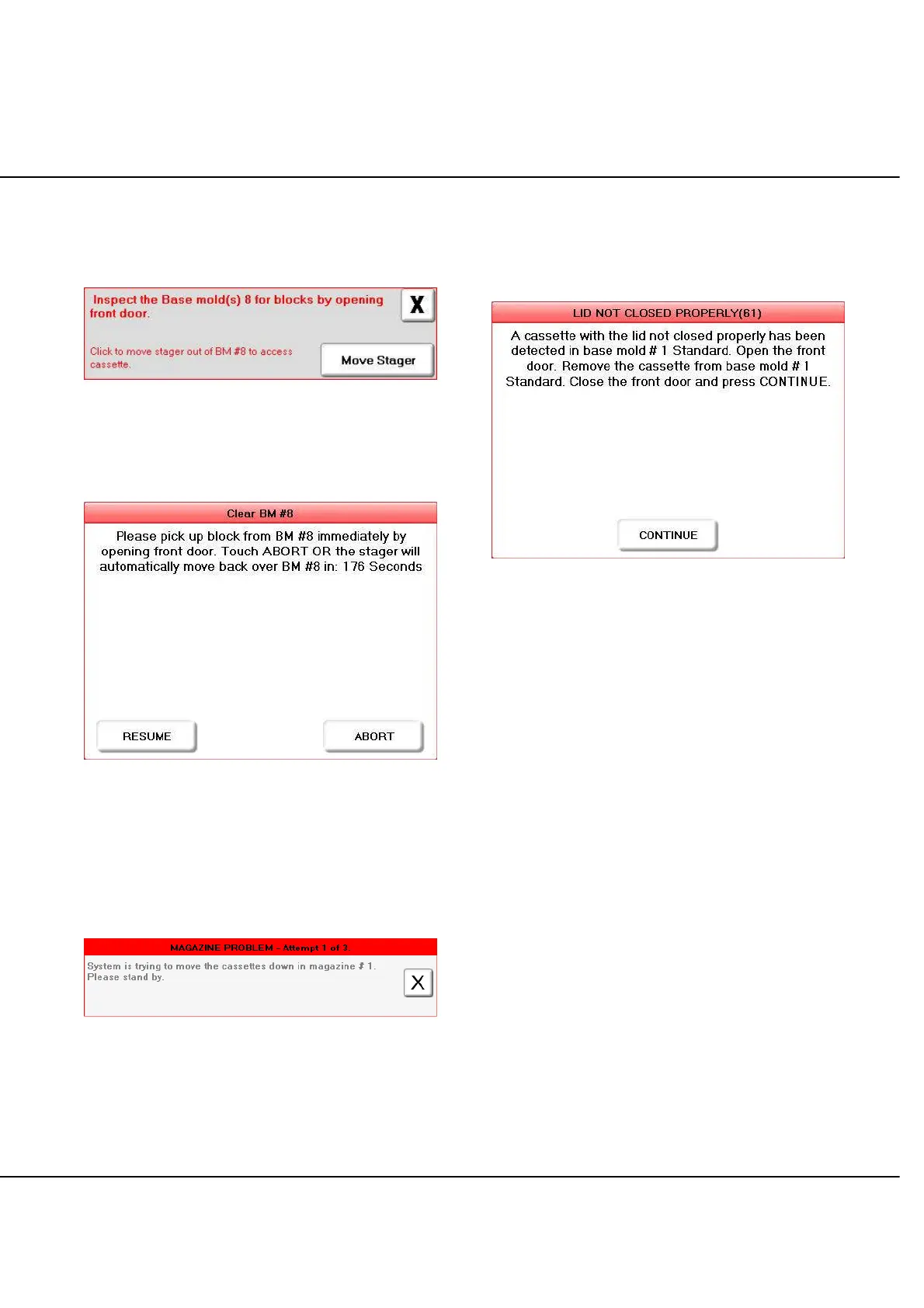
disabled base mold when the cycle is complete (Figure 6-G).
Figure 6-G
If base mold #8 is disabled, then an additional button
[MOVE STAGER] will appear on the screen (Figure 6-G).
Figure 6-H
Select this button to move the stager so that the operator
has access to the block in base mold #8. Once [MOVE
STAGER] is selected, the operator will be prompted to
remove the block from base mold #8 (Figure 6-H).
Magazine Problem
Figure 6-I: Magazine Problem
A magazine problem will generate the message shown in
Figure 6-I. If the problem persists, remove the magazine
and reseat the cassettes. If this action does not correct
the problem, try a different magazine. If the problem
cannot be resolved, do not use this magazine position and
call for service.
Cassette Lid Open
Figure 6-J: Cassette Lid Not Closed
If the instrument detects that a Paraform Cassette lid is
open, the gripper will place the cassette on a standard
base mold without performing the Cassette Type check
and generate the message shown in Figure 6-J. Follow
the instructions in the message screen and press
CONTINUE then the gripper will retrieve a new cassette
from the input door and continue.



 To Next Page