Revised 5/19/2010 6.7
Error Code Notes
For errors 13 through 22, the error number will vary
depending on the subsystem affected.
#<1–n> denotes a range of numbers that may appear in a
message, referring to Input Door chambers, Base Molds
or Output Doors, depending on the operating status.
Error Recovery Procedure
If an error message that could lead to system shut down
displays, the Sakura Finetek Service department will
instruct the user to take the following steps to attempt to
recover the error:
1. Remove all paraffin blocks from each of the output
doors and all magazines from the input doors.
2. Acknowledge instructions by touching OK in the
error message pop-up.
3. Wait for the “no input” signal to display on the
screen, indicating that the software has shut down
properly.
4. Use the main power switch located on the lower-
right side panel to turn the AutoTEC off.
5. Look for and remove any Paraform Cassettes that
may have dropped below the gripper and/or been
placed in the recovery chute.
6. Wait for 15 seconds. Use the main power switch
located on the lower-right side panel to turn the
AutoTEC on. The application software will load
automatically.
7. From the Log In screen, use the screen keyboard
to enter user name and password.
8. Touch the LOG IN button. The initial run screen
displays, with the system start timer visible at upper
right.
9. The system will home after warming up and move
any Paraform cassettes remaining in the base
molds to Output Door 1.
After that the T-E-C self test will follow. When it appears at
the lower left of the screen, touch the [OVERRIDE TIMER]
button to override the system start timer. Embedding will
now resume.
If error messages continue to occur after implementing the
error recovery procedure, contact Sakura Finetek for
further assistance. See Section 7, Service and
Replacement Parts for further information about how to
contact Sakura Finetek.
Instrument Access
NOTE: Do not access the interior of the instrument
through its front or rear doors without making an on-
screen request to do so. The doors are interlocked, and
opening them without request will require a system re-
boot.
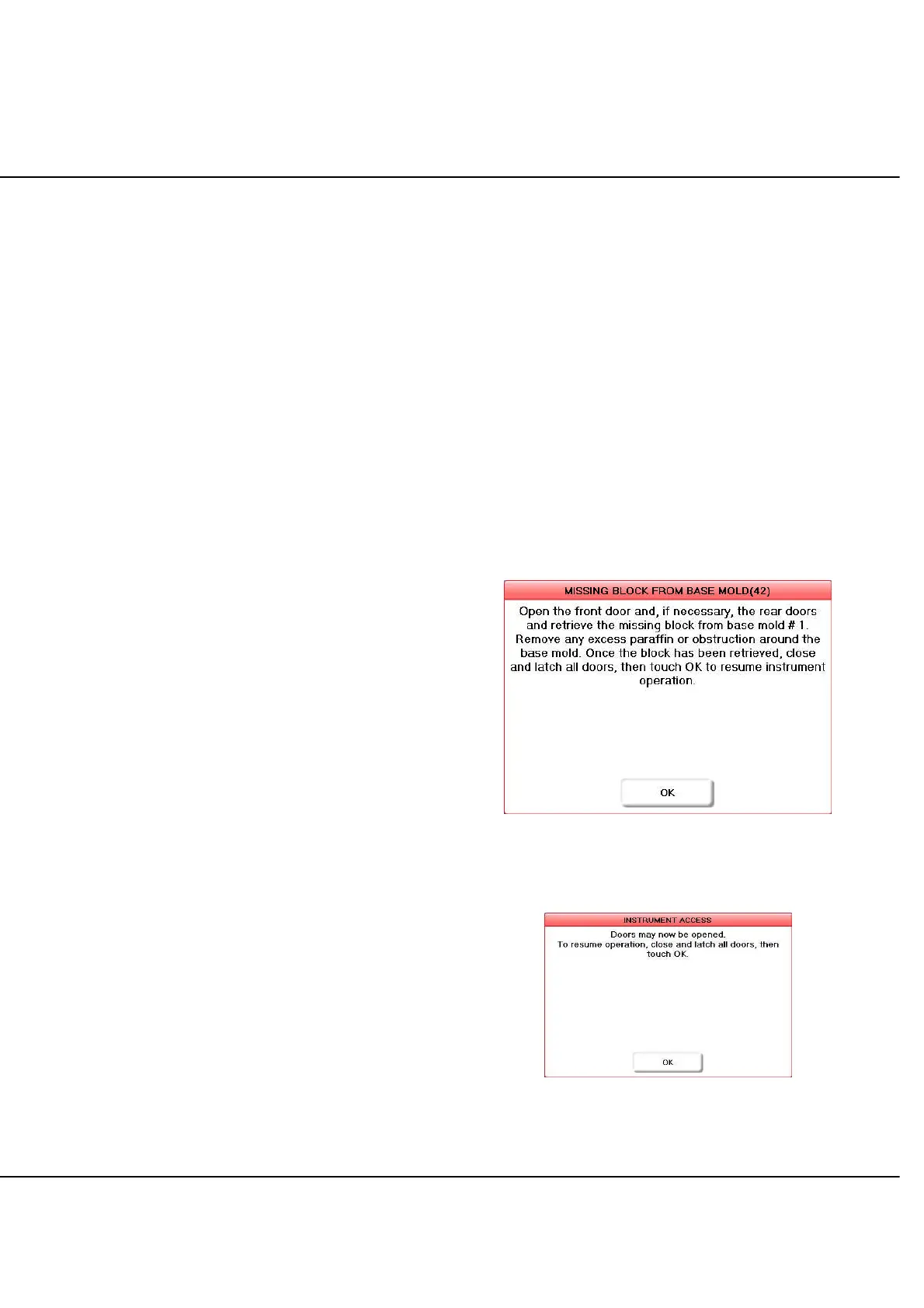
When it is necessary to access the interior of the system
through its front or rear doors, the system will show an on-
screen prompt like the one in Figure 6-A. The system will
stop embedding; when a door is opened, power turns off,
disabling the robot and stopping the base mold fans.
Figure 6-A: Prompt Requiring Instrument Access
Touching INSTRUMENT ACCESS will have the same
effect, except that a pop-up dialog will appear (Figure 6-B):
Figure 6-B: Instrument Access Request Acknowledged



 To Next Page