CARE OF THE INSTRUMENT
5.2 Revised 5/19/2010
Output Grid Sensor Cover Glass Cleaning
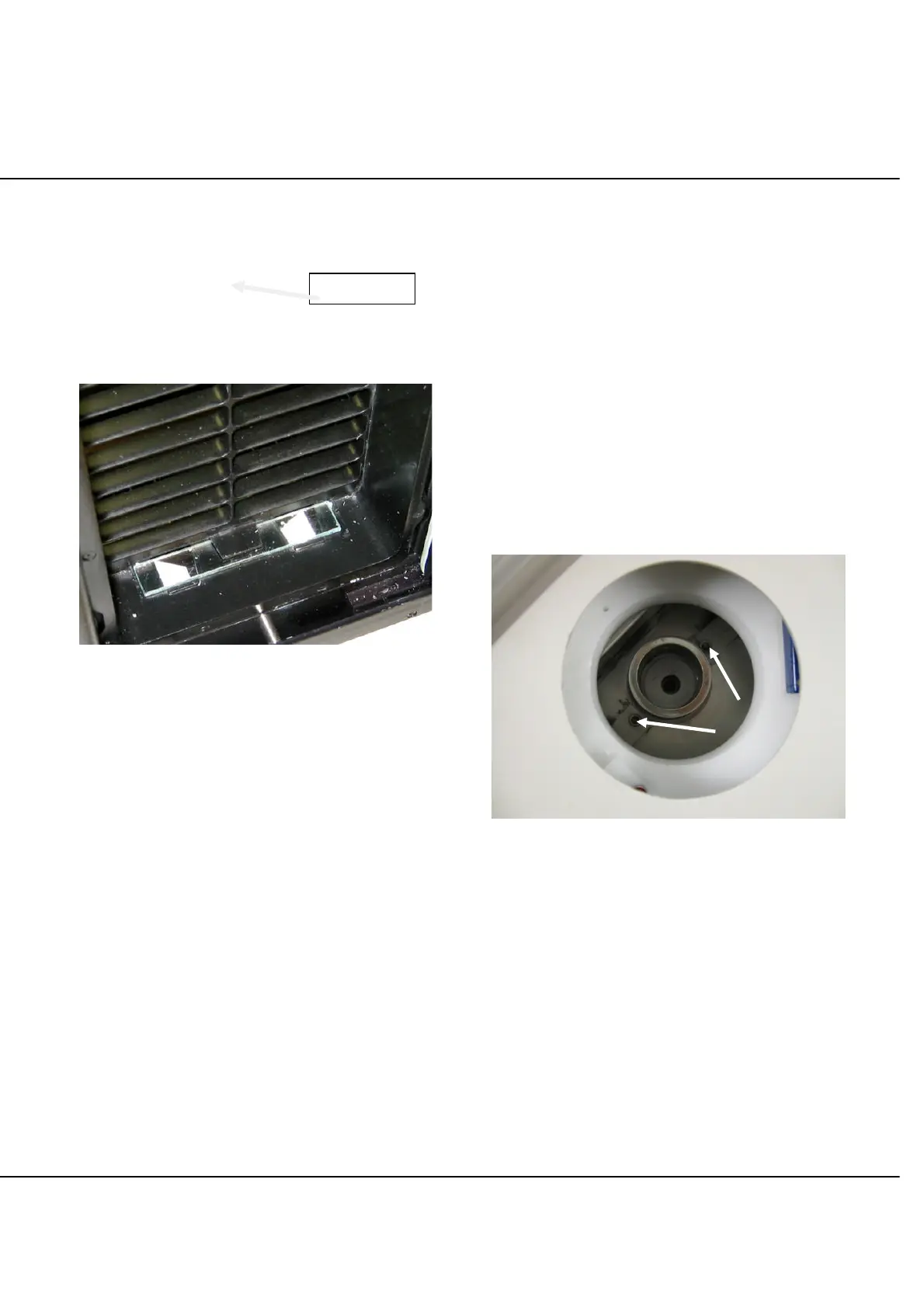
The output grid sensor is located along the lower channel
of the output doors and is protected by a cover glass (See
Figure 5-B). Small particles of paraffin debris accumulate
on the cover glass and must be cleaned daily or more
frequently if necessary. To clean the cover glass, wipe
away the paraffin debris with a soft cloth, soft brush, or
Kimwipes
®
.
Figure 5-B: Output Grid Sensor Cover Glass
Paraffin Reservoir and Filter
Cleaning
It is recommended that the reservoir be cleaned every two
weeks or more frequently depending on the accumulation
of dirt visible in the paraffin.
Clean the reservoir with a pair of 12 inch forceps and
pieces of gauze sponge as follows:
1. Place the gauze sponges into the paraffin in the reservoir.
2. With the forceps, move the gauze slowly around,
capturing as much of the dirt particles as possible.
3. Gently lift the gauze sponges out and discard them.
Alternatively, once a month allow the reservoir to run low
toward the end of the day. As the paraffin starts to cool
and solidify during the cool down period, but while it is still
pliable, use a plastic scraper to remove it from the
reservoir. Add paraffin pellets to the reservoir to prepare
for the next warming cycle.
Filter Cleaning
CAUTION: When using solvents, refer to their Material
Safety Data Sheets and always observe precautions
specified there.
Clean the filter as follows:
NOTE: Clean the filter only after cleaning the reservoir,
as described above.
NOTE: Clean the filter one at a time to prevent
contaminants from getting into the paraffin dispense tube.
1. Access the filter by removing the panel cover that
covers it.
2. Use the tool provided to loosen the two set-screws
that hold down the tabs of the filter assembly. One
turn counterclockwise should be enough (Figure 5-C).
Figure 5-C



 To Next Page