Use “• ” or “ ” buttons to select your language
and press OK button to set the selected language
and continue.
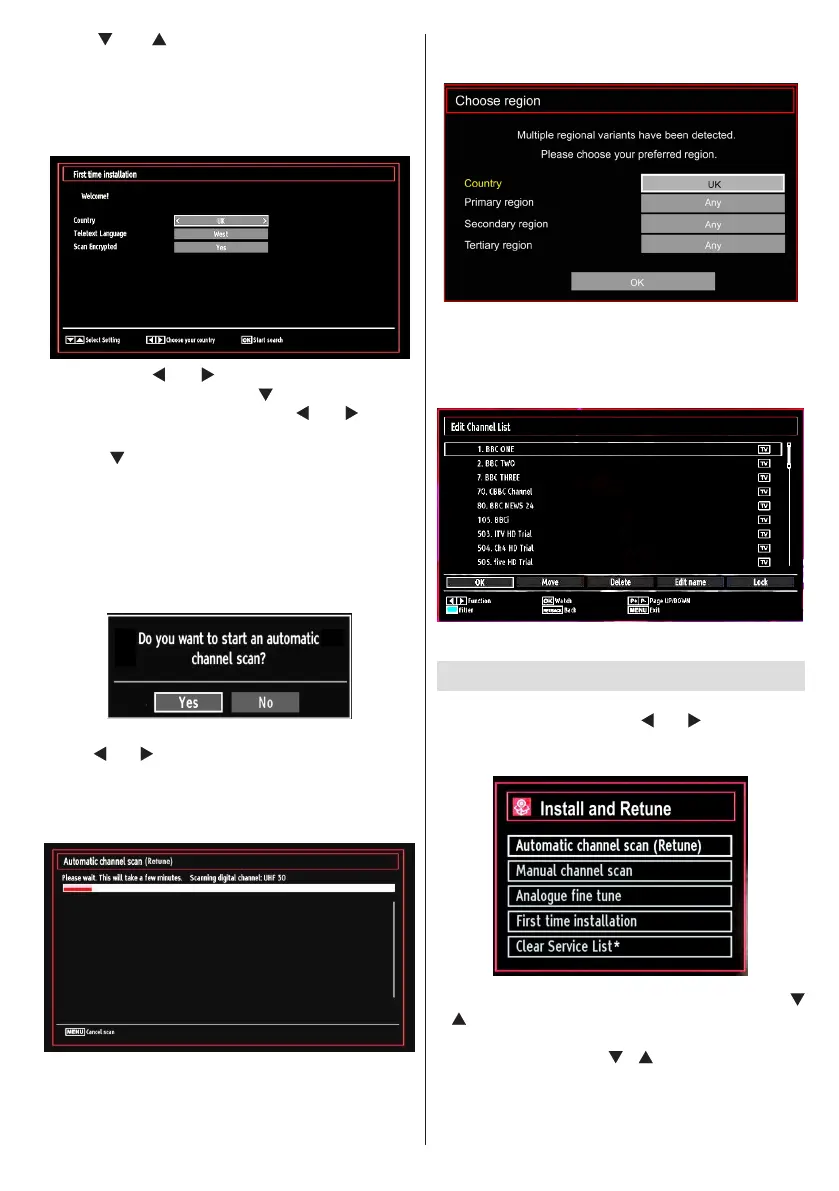
After selecting the language, “• Welcome!” screen will
be displayed, requiring you to set Country,Teletext
Language and Scan Encrypted options.
By pressing “• ” or “ ” button, select the country
you want to set and press “ ” button to highlight
Teletext Language option. Use “ ” or “ ” button
to select desired Teletext Language.
Press “•
” button after setting Teletext Language
option. Scan Encrypted will be then highlighted.
You should set the Scan Encrypted as Yes if you
want to scan coded stations.Afterwards select the
desired Teletext Language.
Press • OK button on the remote control to continue
and the following message will be displayed on the
screen:
To select the “Yes” or “No” option, highlight the item by
using “ ” or “ ” buttons and press OK button.
Afterwards the following OSD will be displayed on
the screen and the TV will search for both digital and
analogue TV broadcasts.
Note: You can press “MENU” button to cancel.
End of the search process, “Choose Region” osd will
be displayed on the screen (if any multiple region
variants are detected).Please select country and
region choice then press OK to continue.
After all the available stations are stored, Channel •
List will be displayed on the screen. If you like the
sort channels, according to the LCN, please select
“Yes” and than press “OK”.
Press • OK button to quit channel list and watch TV.
Installation
Press “MENU” button on the remote control and
select Installation by using “ ” or “ ” button. Press
OK button and the following menu screen will be
displayed.
Select Automatic Channel Scan (Retune) by using “
”/“ ” button and press OK button. Automatic Channel
Scan (Retune) options will be displayed. You can
select options by using “ ”/“ ” and OK buttons.
Auto Channel Scan (Retune) Menu
Operation
Analogue: Searches and stores analogue stations.















 To Next Page