14
5. User settings
5.1 Manual mode - changing temperature setpoint
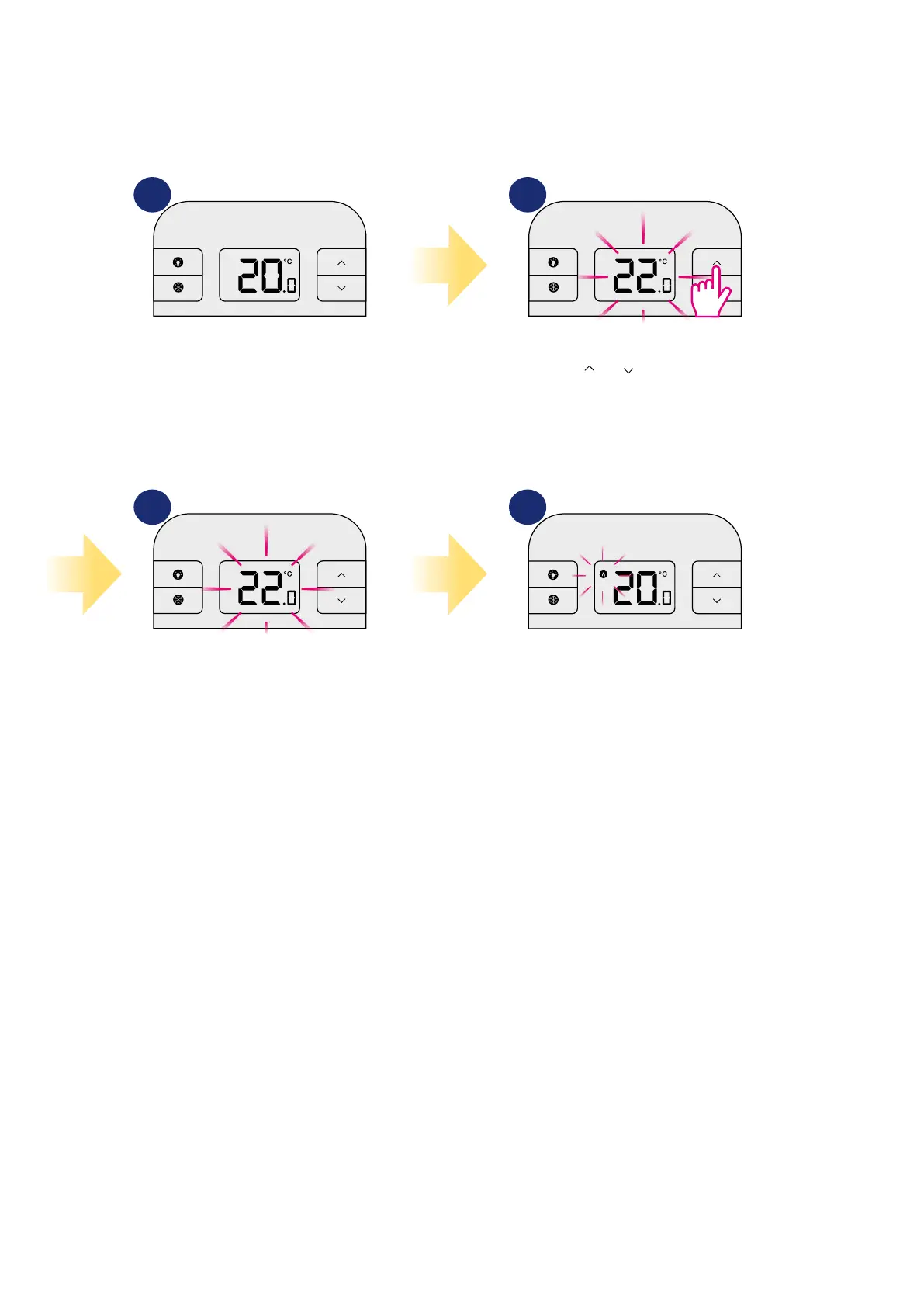
In manual mode, the thermostat maintains a constant temperature set by the user. To set temperature setpoint follow steps below:
1 2
43
First, thermostat is displaying actual
room temperature.
Now wait 2 seconds timeout to
approve the changes.
Thermostat will display room
temperature again.
Press or to set the new
temperature setpoint.



 To Next Page