15
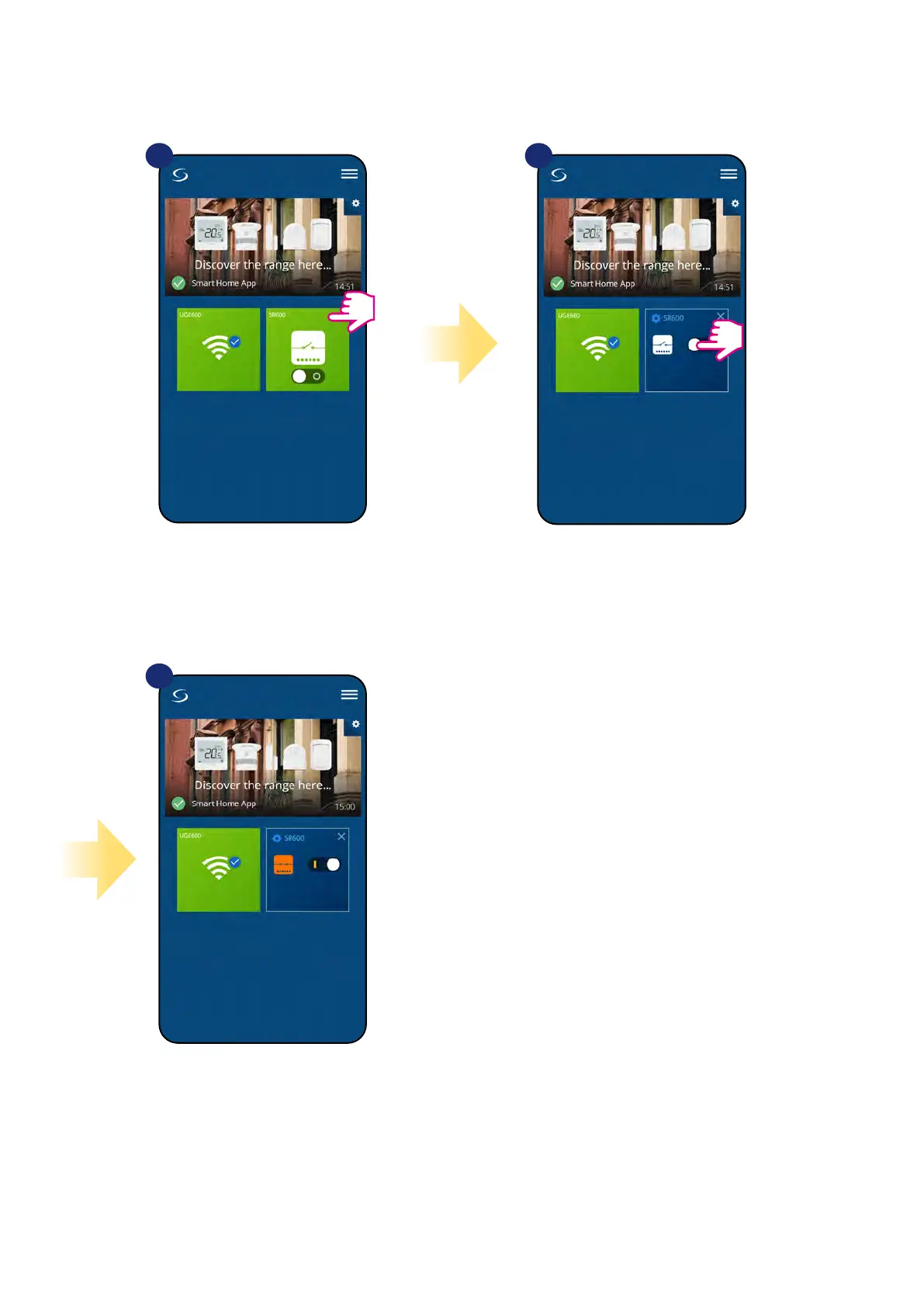
7.4 Switching ON / OFF smart relay using Salus Smart Home app (manual mode)
You can switch ON / OFF smart relay by tapping button in the app. This action is permanent which means that user have to switch it manually again to
change device state. To see how it works please follow steps below:
Select the SR600 in the
main app menu.
1 2
3
Tap the button to switch ON / OFF
smart relay.
SR600 has been switched ON / OFF.
Repeat the action according to your
needs.


 To Next Page