20
NOCOM L N S1 S2
NOCOM L N S1 S2
NOCOM L N S1 S2
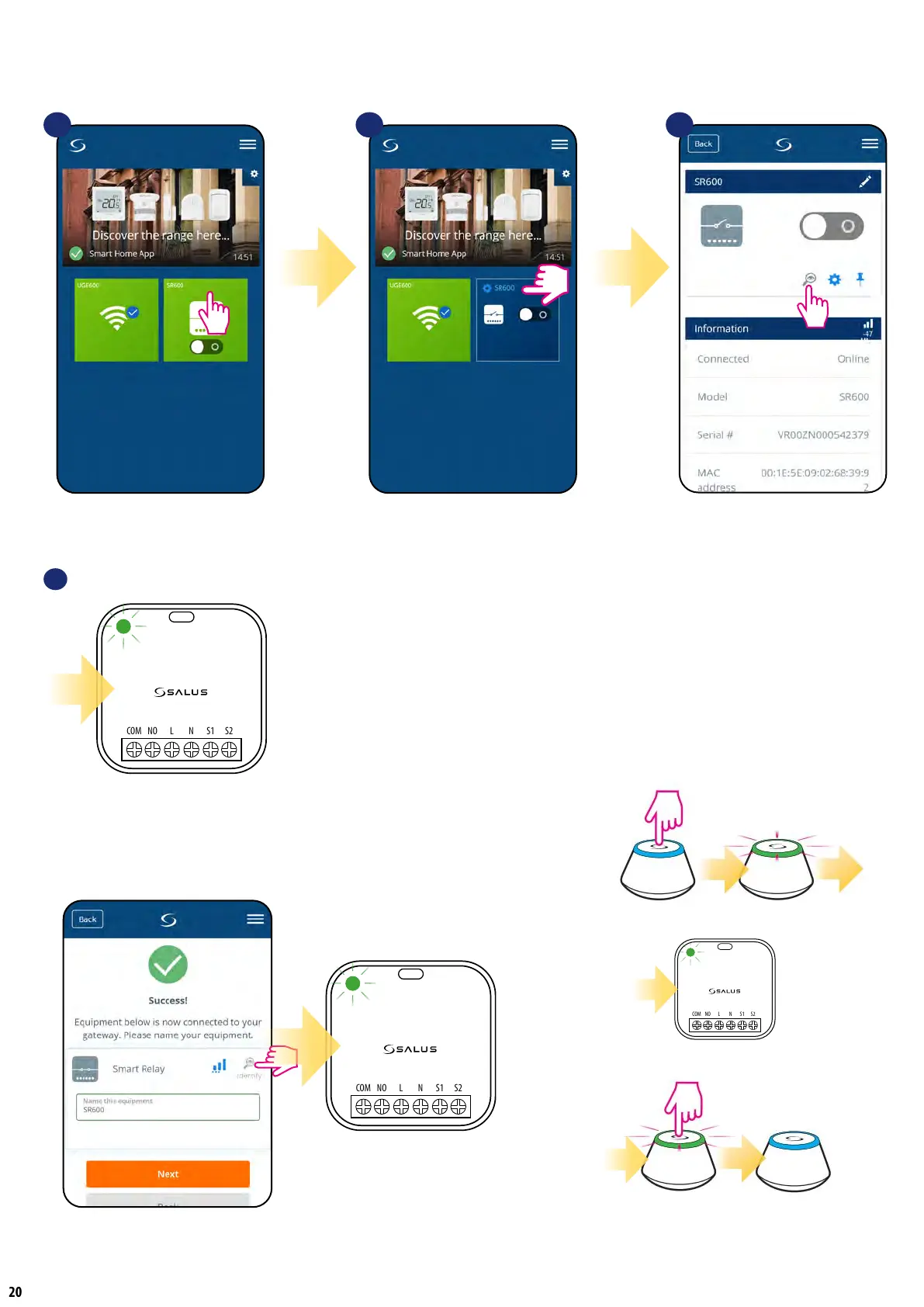
7.7 Identication mode
Identication mode can be useful when we are pairing more than one device in one moment and we don’t know which device is which. Beyond, if our
system include more than one UGE600 Universal Gateway then we can easily identify which device is paired with which gateway.
In the Identication
mode device’s green diode
is ashing quickly.
You can also identify your device during device’s pairing
process:
4
Use the magnifying glass icon.
Click on the magnifying glass icon.
1 2
Select the device in the
main app menu.
3
Press device’s name.
The identication mode of all devices in the network
can be started on the Universal Gateway by clicking
a button on it. Identication mode is active when
the gateway is ashing green. Then all paired devices
signal that they are assigned to the network. To exit from
the identication mode, click gateway’s button once
again (gateway’s LED diode will be steady blue again).


 To Next Page