35
7.13 Factory reset (removing device from the app and ZigBee network)
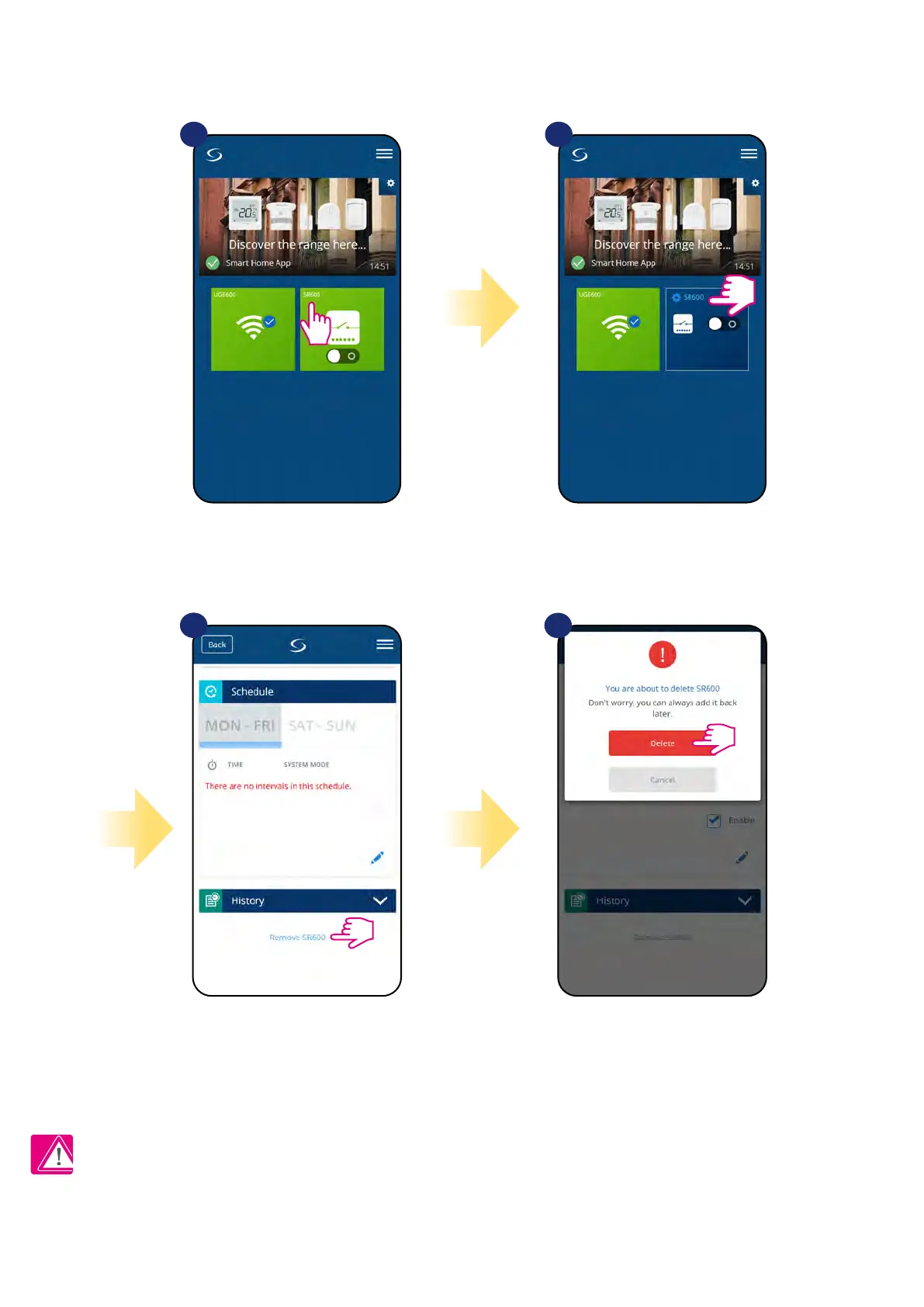
To make SR600 factory reset and remove it from the ZigBee network please follow steps below:
NOTE: Factory reset function removes SR600 from the ZigBee network. This means that device is not visible anymore in the „My equipment” list.
At the very bottom of
device’s menu choose „Remove”
option.
Press „Delete” button to remove
your device from the app and
conrm factory reset.
1 2
Select the device in the
main app menu.
3
4
Press device’s name.


 To Next Page