36
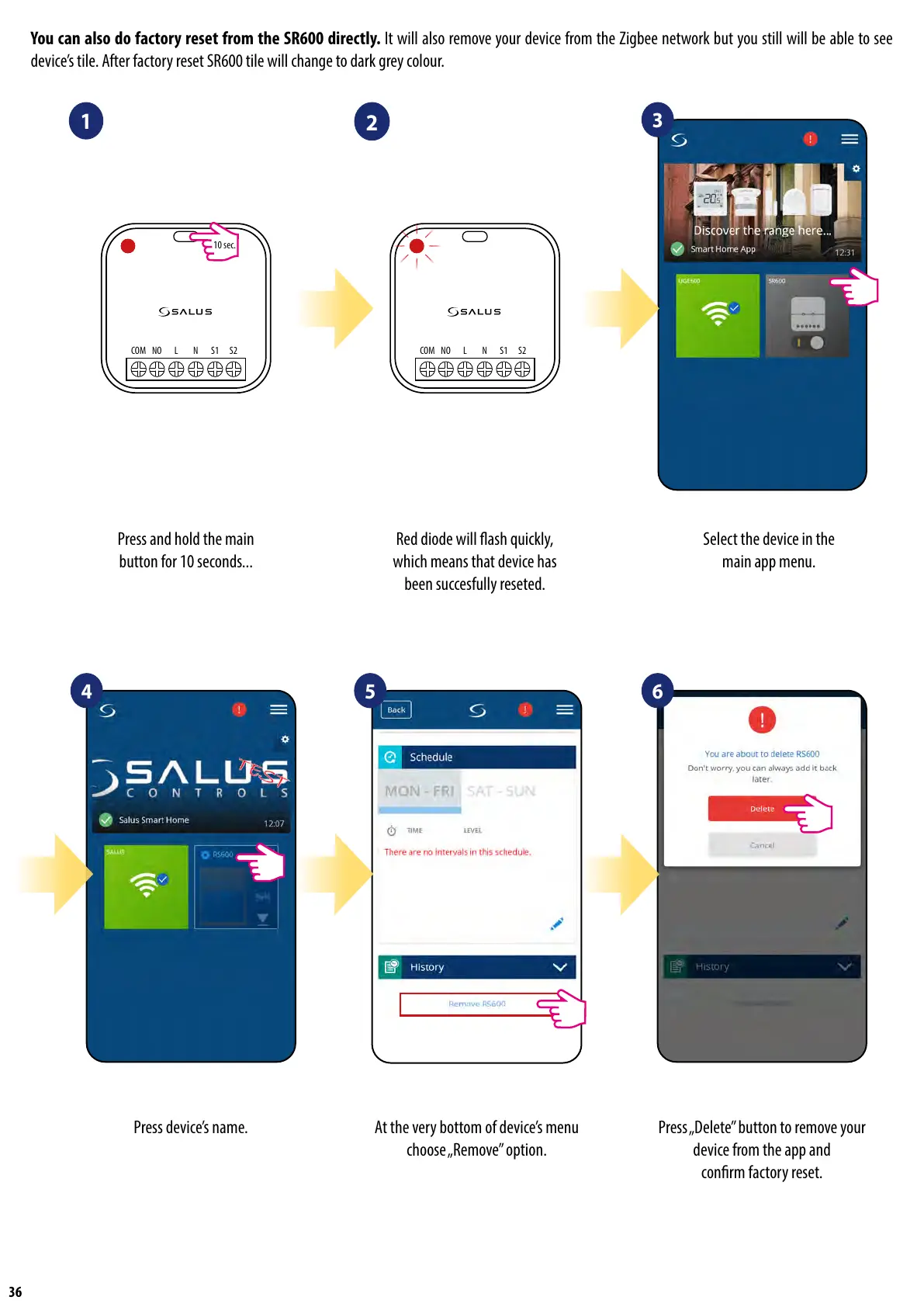
At the very bottom of device’s menu
choose „Remove” option.
Press „Delete” button to remove your
device from the app and
conrm factory reset.
Select the device in the
main app menu.
Press and hold the main
button for 10 seconds...
Red diode will ash quickly,
which means that device has
been succesfully reseted.
You can also do factory reset from the SR600 directly. It will also remove your device from the Zigbee network but you still will be able to see
device’s tile. After factory reset SR600 tile will change to dark grey colour.
1
2
3
4 5 6
Press device’s name.
NOCOM L N S1 S2
10 sec.
NOCOM L N S1 S2


 To Next Page