24
7.10 OneTouch rules (add/edit)
OneTouch - function that distinguish SALUS Smart Home system in terms of functionality. OneTouch rules are pre-congured set of actions dened
in the interface easy in use. You can switch it on or o anytime. OneTouch informs thermostat or other device how it has to work according to pre-set
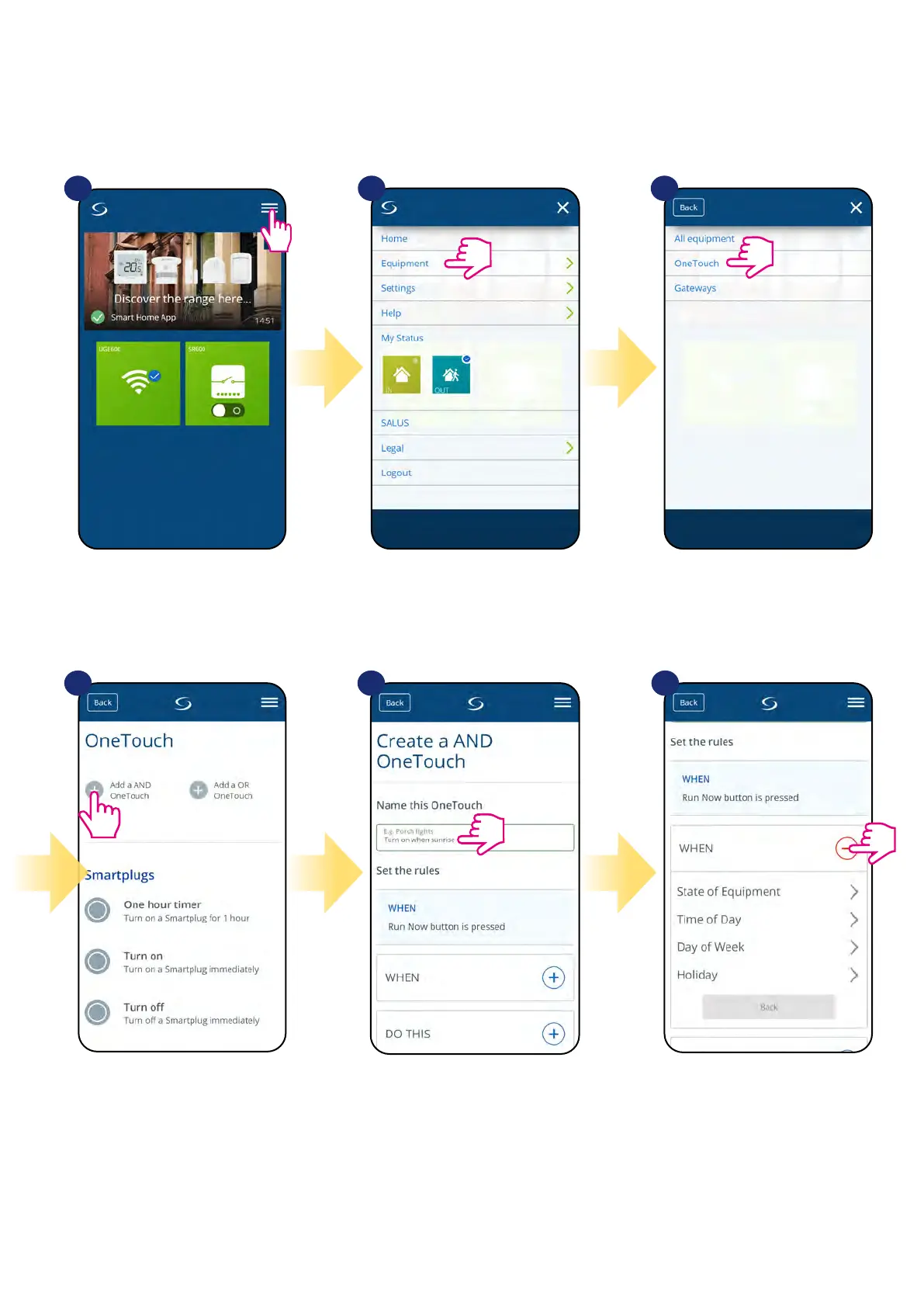
settings. To create example rule for SR600 please follow steps below (in this case smart relay will turn on when sunrise):
1
4 5 6
2 3
Open main menu in the app. Select equipment. Select OneTouch option.
Press „Add a AND OneTouch” button. Enter OneTouch rule name. At this step choose condition which
have to be fullll in order to activate
the rule.


 To Next Page