33
7.11 Error codes (exclamation mark in app)
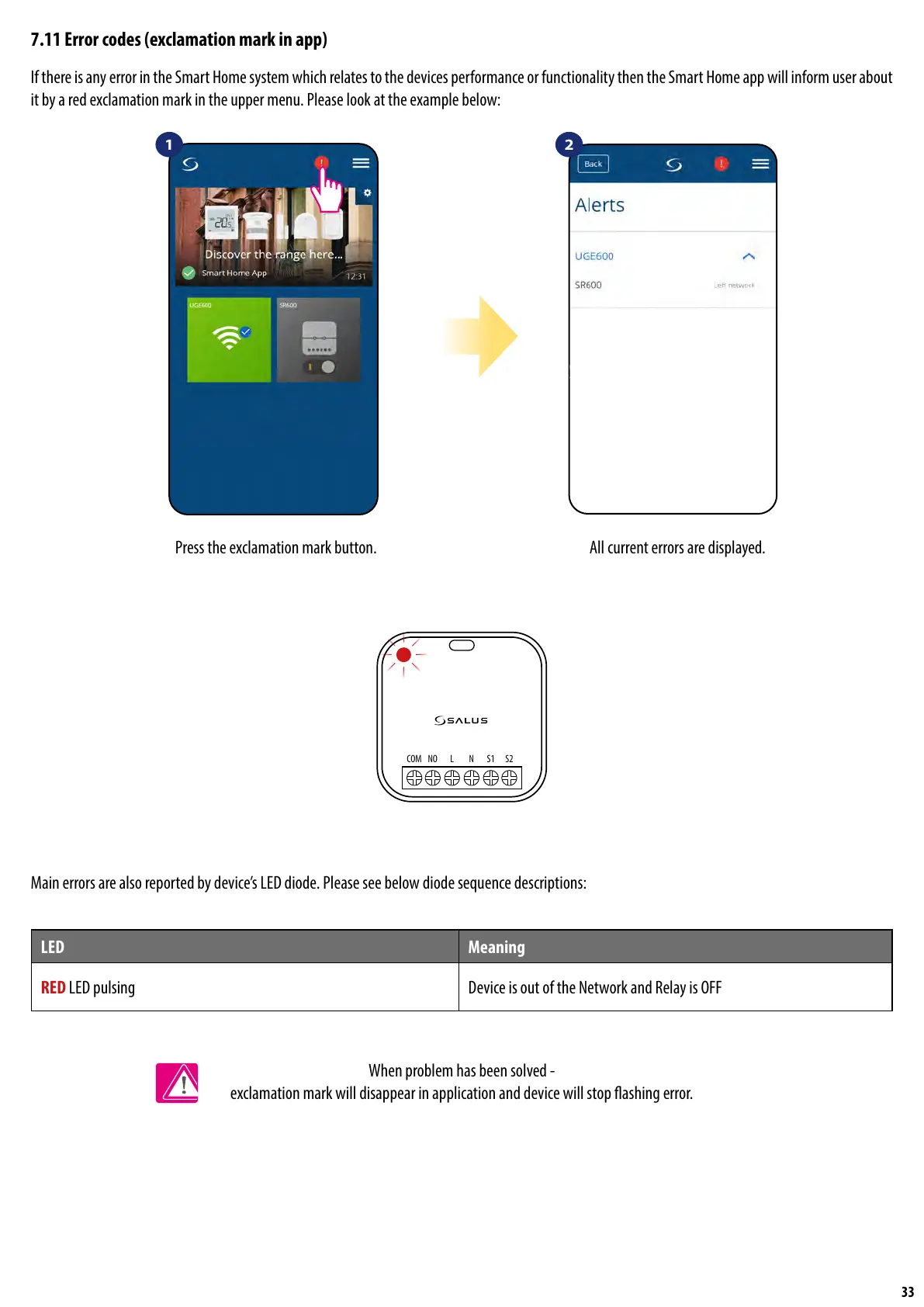
If there is any error in the Smart Home system which relates to the devices performance or functionality then the Smart Home app will inform user about
it by a red exclamation mark in the upper menu. Please look at the example below:
1 2
Press the exclamation mark button. All current errors are displayed.
Main errors are also reported by device’s LED diode. Please see below diode sequence descriptions:
When problem has been solved -
exclamation mark will disappear in application and device will stop ashing error.
LED Meaning
RED LED pulsing Device is out of the Network and Relay is OFF
NOCOM L N S1 S2


 To Next Page