7
Initial Set-up Instructions
The following instructions aid in the initial set-up of the ER-150II
Electronic Cash Register.
Unpack the Cash Register
1. Un-box and unwrap the cash register.
2. The following items should be included in the box:
• 1 roll of register paper
• 1 take-up spindle (for journal tape)
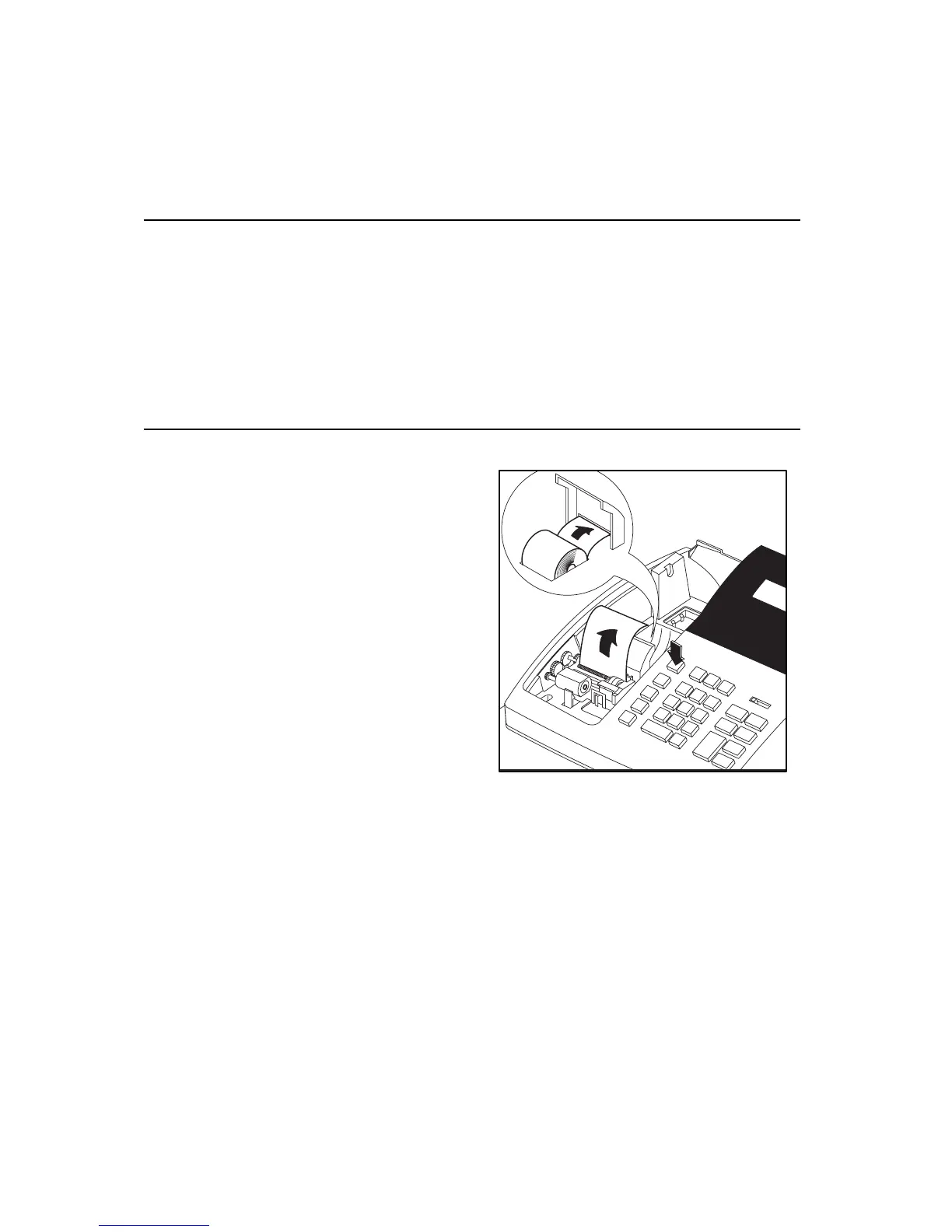
Load Paper
1. Cut or tear the end of the
register tape evenly to
insure proper feeding
through the printer.
2. Place paper roll in paper
compartment, with leading
edge of roll towards the rear
of the register, and feed the
end of the roll into the
printer through the paper
guide.
3. Press the FEED key until the paper begins to advance through
the printer. If the paper refuses to feed through the printer, make
certain the end of the tape is square and that it is routed properly.



 To Next Page