7. FIRST SWITCHING ON
STANDARD MENU
When switching on, the CYCLOMIX
TM
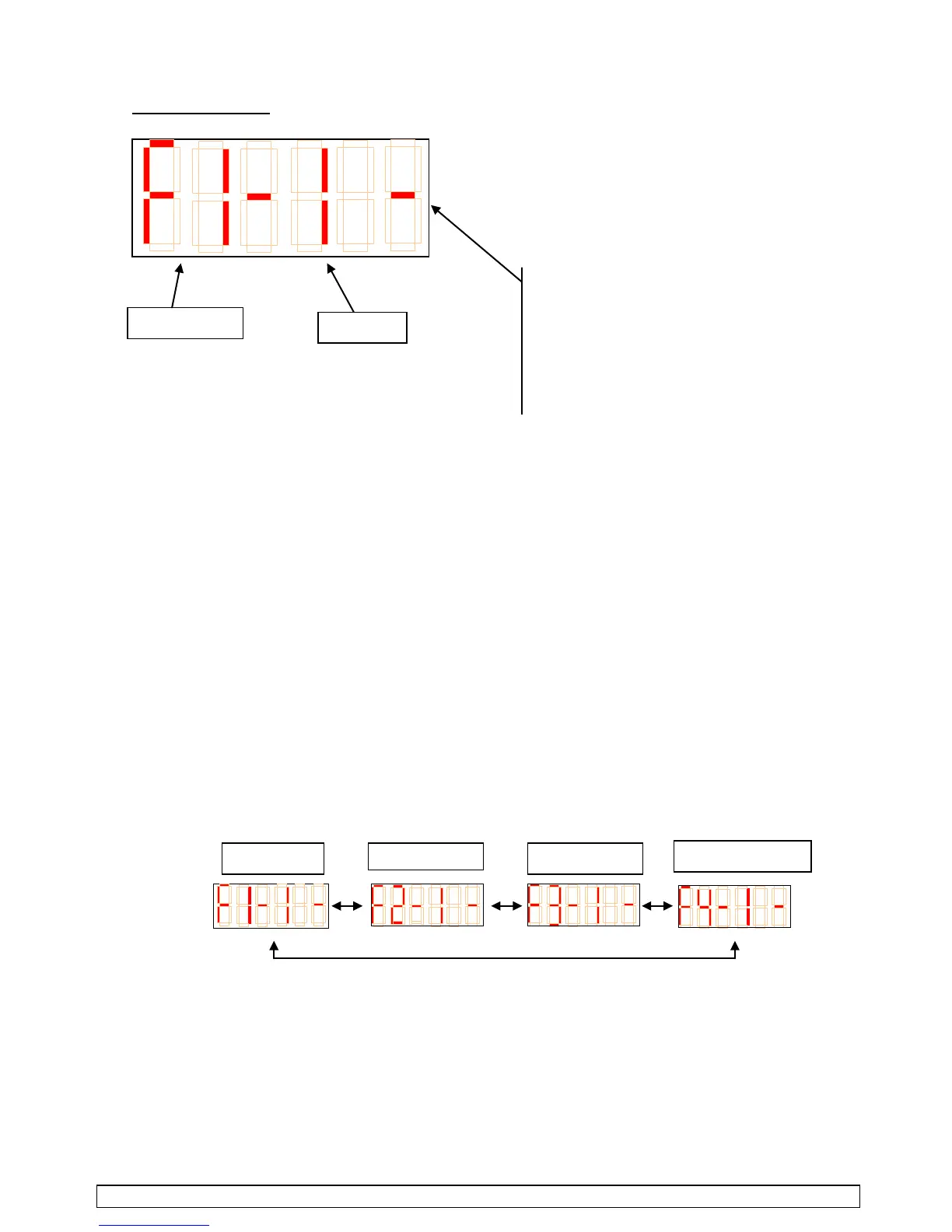
MICRO is waiting. The 'F-1' menu corresponds to the shift to the
production mode. There are 4 different menus : they enable to control the CYCLOMIX
TM
MICRO.
- F-1 : production
- F-2 : flushing
- F-3 : parameters
- F-4 : consumptions
To surf from a menu to another, you must move placing the magnet on the sensors indicated with '▲/▼'.
The menus scroll as follows :
(countdown from 9 to 0; 9 represents
90% of the remaining time before the
regeneration).
A line is visible when the CYCLOMIX
TM
MICRO is flushed.



 To Next Page