15
Samson AirLine
the AR1, then plug the adapter into any standard AC outlet. Slide the Power switch in the direction of the arrow to turn on the AR1;
the “Power/ RF” LED will light steadily red.
8. Turn on the power to your transmitter (using its Power on-off switch); the “Power/Battery” LED will flash if the battery is sufficiently
strong (if it lights steadily, the battery has less than 2 hours of power remaining and should be replaced). At this point, the
“Power/ RF” LED on the AR1 should change color from red to green, indicating that it is receiving valid RF signal and is placed and
positioned correctly.
9. Now it’s time to set the audio levels. Turn on your connected amplifier and/or mixer but keep its volume all the way down. If you
are using an AL1 or AH1 transmitter, make sure that it is unmuted (its Mute switch should be positioned away from the arrrow). Then
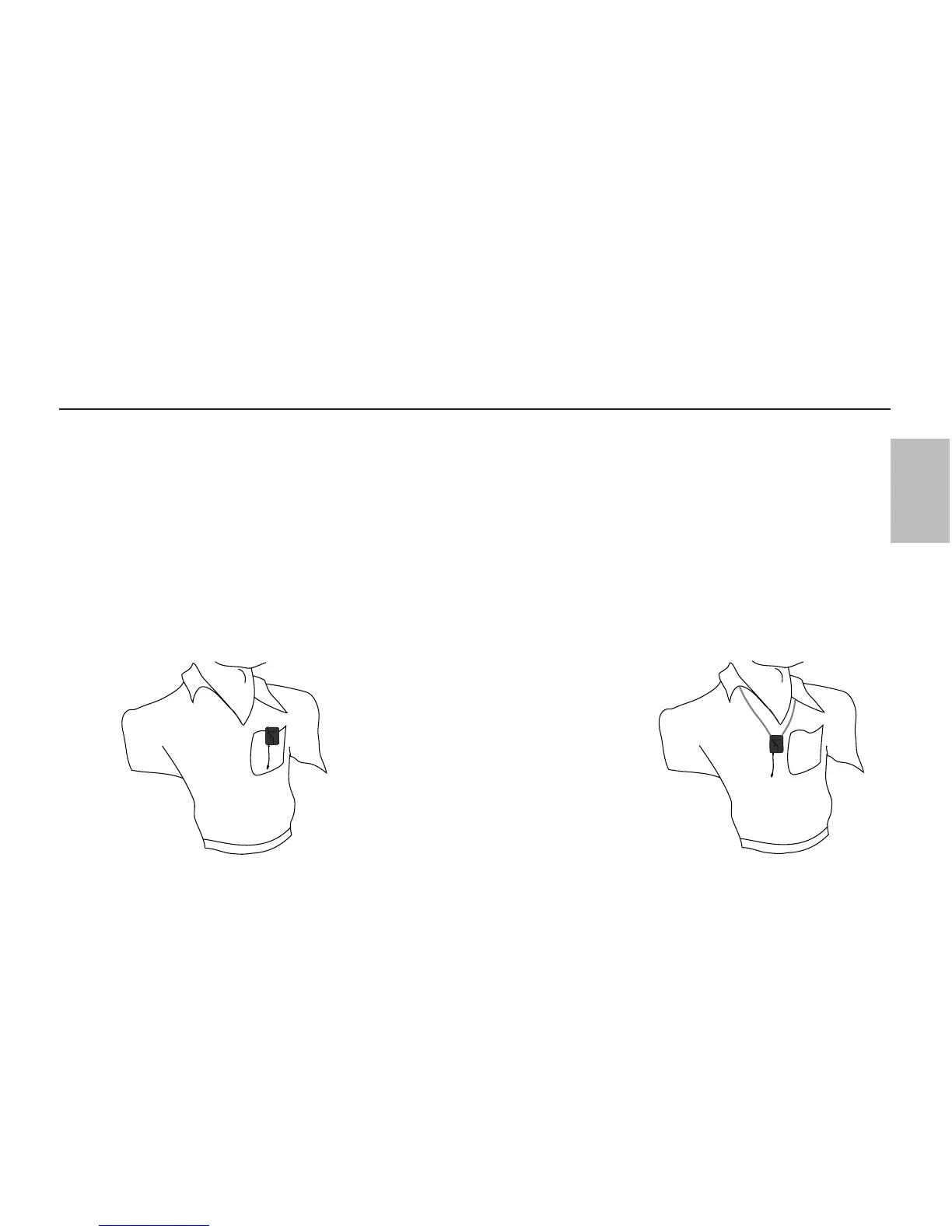
set the Volume knob on the AR1 fully clockwise; this is unity gain. If you are using an AL1 transmitter with the built-in microphone,
note that correct placement is critical to sound quality. We recommend that you place it as shown in the illustrations on this page—
unobstructed by clothing and either clipped to a shirt pocket or lapel, or worn around the neck on the supplied lanyard.
10. Speak or sing into your mic at a normal
performance level while slowly raising the volume
of your amplifier and/or mixer until the desired
level is reached. Note that
Unidirectional
microphones (mics which pick up signal from just
one direction) such as the built-in AL1 electret
condenser are less prone to feedback than other
types of mics. Any feedback problems you
encounter can be minimized by being sure not to
use the microphone directly in front of a PA
speaker or by using an equalizer to attenuate those
high- or mid-range frequencies which are causing
the feedback “squealing”.
Setting Up and Using Your AirLine System






 To Next Page