20
ENG
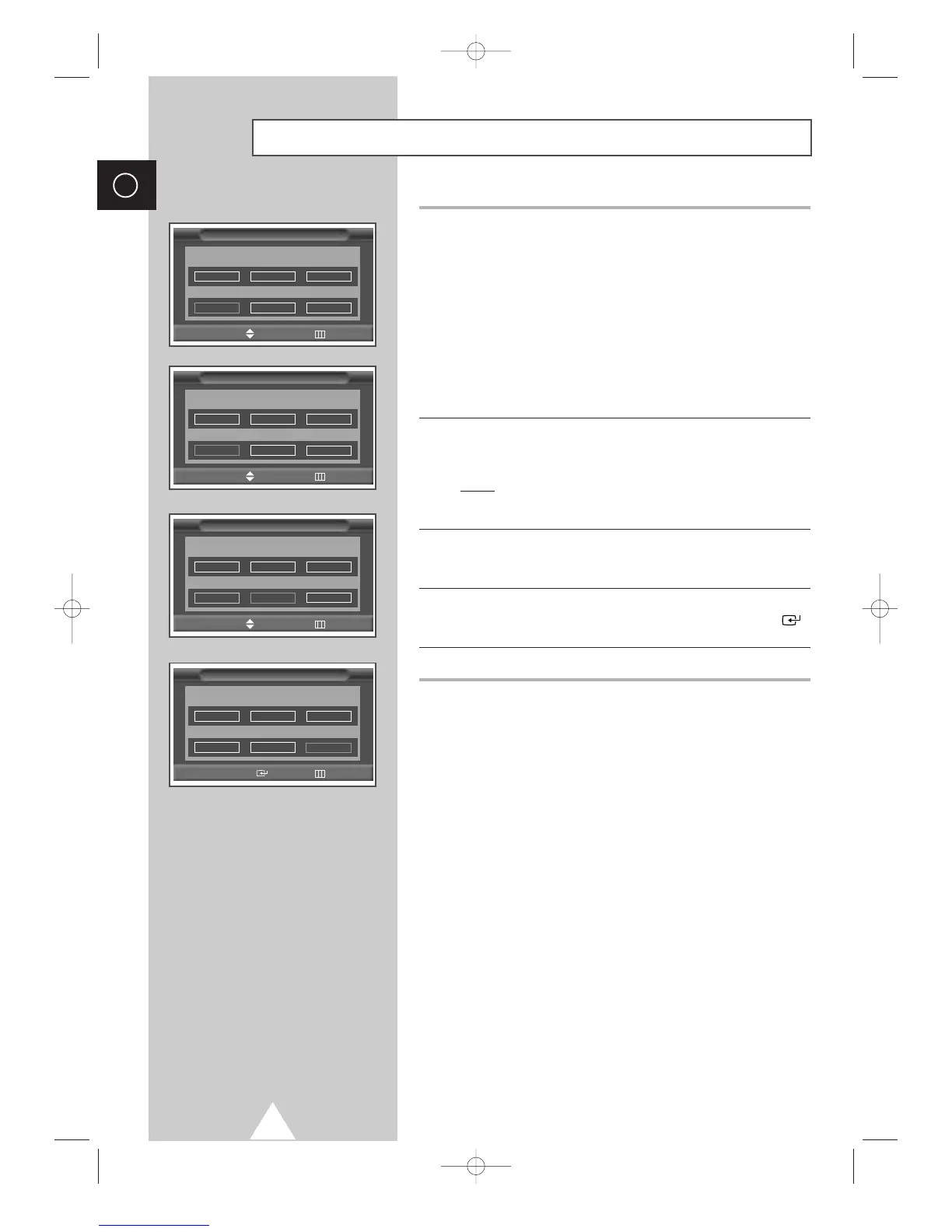
7 If you know the number of the channel to be stored, see the
following steps.
◆
Press the œ or √ button to select Channel.
◆
Press the † or … button to select C (Air channel) or S (Cable
channel).
◆
Press the √ button.
◆
Press the numeric buttons (0~9) to select indicate the required
number.
➣
If no sound or abnormal sound, re-select the sound standard
required.
8 If you do not know the channel numbers, select the Search by
pressing the
œ or √ button. Press the † or … button to start the
search.
Result
: The tuner scans the frequency range until the first
channel or the channel that you selected is received on
your screen.
9 To assign a programme number to a channel, select the Prog. by
pressing the
œ or √ button. Press the † or … button until you find
the correct number.
10 To store the channel and associated programme number, select
the
Store by pressing the œ or √ button. Press the ENTER ()
button.
11 Repeat Steps 7 to 10 for each channel to be stored.
☛
Channel mode
◆ C (Real channel mode):
You can select a channel by
entering the assigned number to each air broadcasting station
in this mode.
◆ S (Cable channel mode):
You can select a channel by
entering the assigned number for each cable channel in this
mode.
Storing Channels Manually (continued)
Manual Store
œœ √√
Move Adjust Return
Prog. Colour Sound
System System
9 Auto BG
Channel Search Store
C
--
59MHz ?
Manual Store
œœ √√
Move Adjust Return
Prog. Colour Sound
System System
9 Auto BG
Channel Search Store
C 02 59MHz ?
Manual Store
œœ √√
Move Adjust Return
Prog. Colour Sound
System System
9 Auto BG
Channel Search Store
C02 59MHz ?
Manual Store
œœ √√
Move Enter Return
Prog. Colour Sound
System System
9 Auto BG
Channel Search Store
C02 59MHz OK








 To Next Page