39
ENG
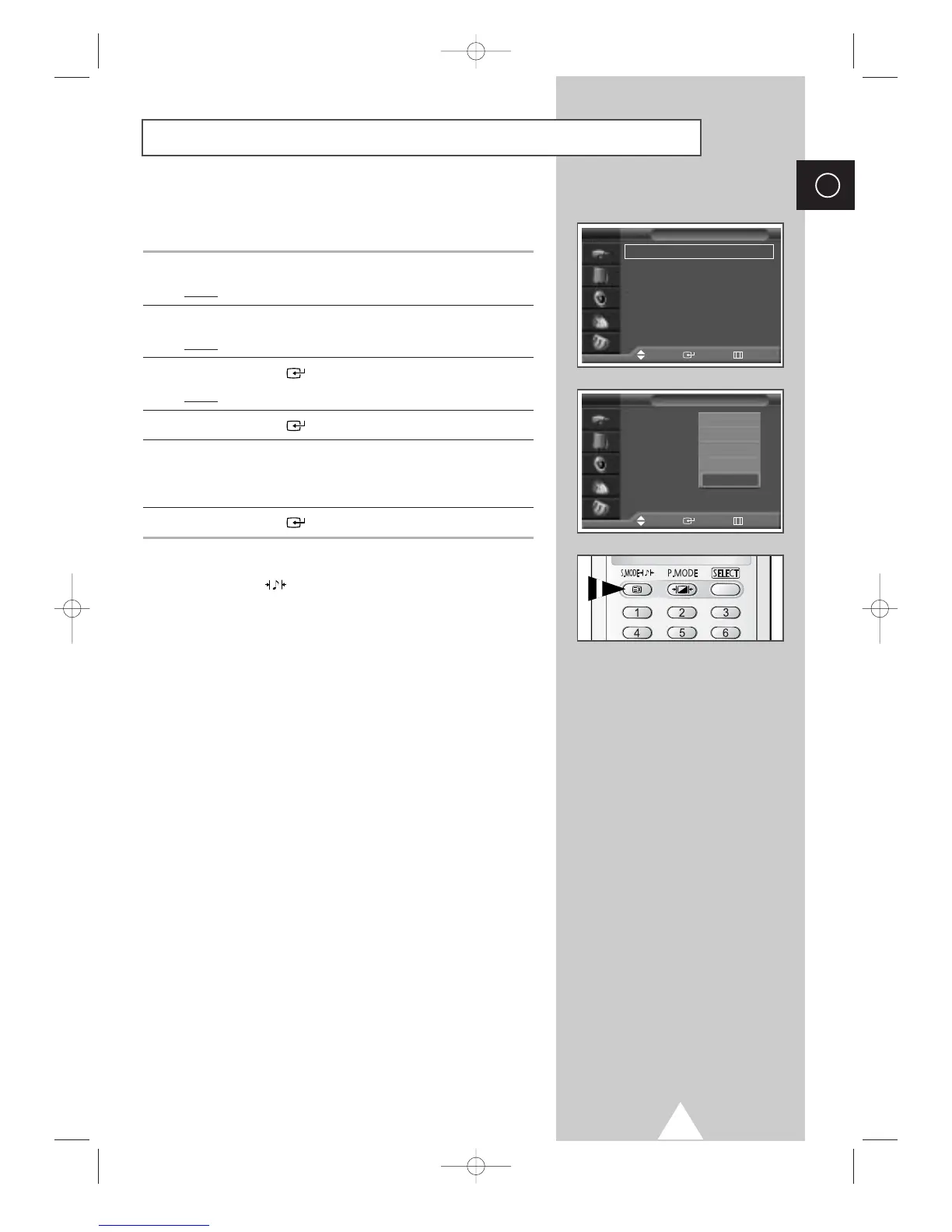
Changing the Sound Standard
You can select the type of special sound effect to be used when
watching a given broadcast.
1 Press the MENU button.
Result
: The main menu is displayed.
2 Press the † or … button to select Sound.
Result
:
The options available in the
Sound
group are displayed.
3 Press the ENTER () button.
Result
: The Mode is selected.
4 Press the ENTER () button again.
5 Select the option by pressing the † or … button. The sound
effects are displayed in the following order.
Standard
-
Music
-
Movie
-
Speech
-
Custom.
6 Press the ENTER () button to confirm.
➣
You can also set these options simply by pressing the
S.MODE (: Sound Mode) button.
Mode : Standard
√√
Equalizer
√√
Auto Volume : Off
√√
SRS TSXT : Off
√√
Internal Mute : Off
√√
Sound
Move Enter Return
TV
Mode : Standard
Equalizer
Auto Volume : Off
SRS TSXT : Off
Internal Mute : Off
Sound
Move Enter Return
TV
Standard
Music
Movie
Speech
Custom









 To Next Page