32
ENG
Viewing the Channel Scan Picture
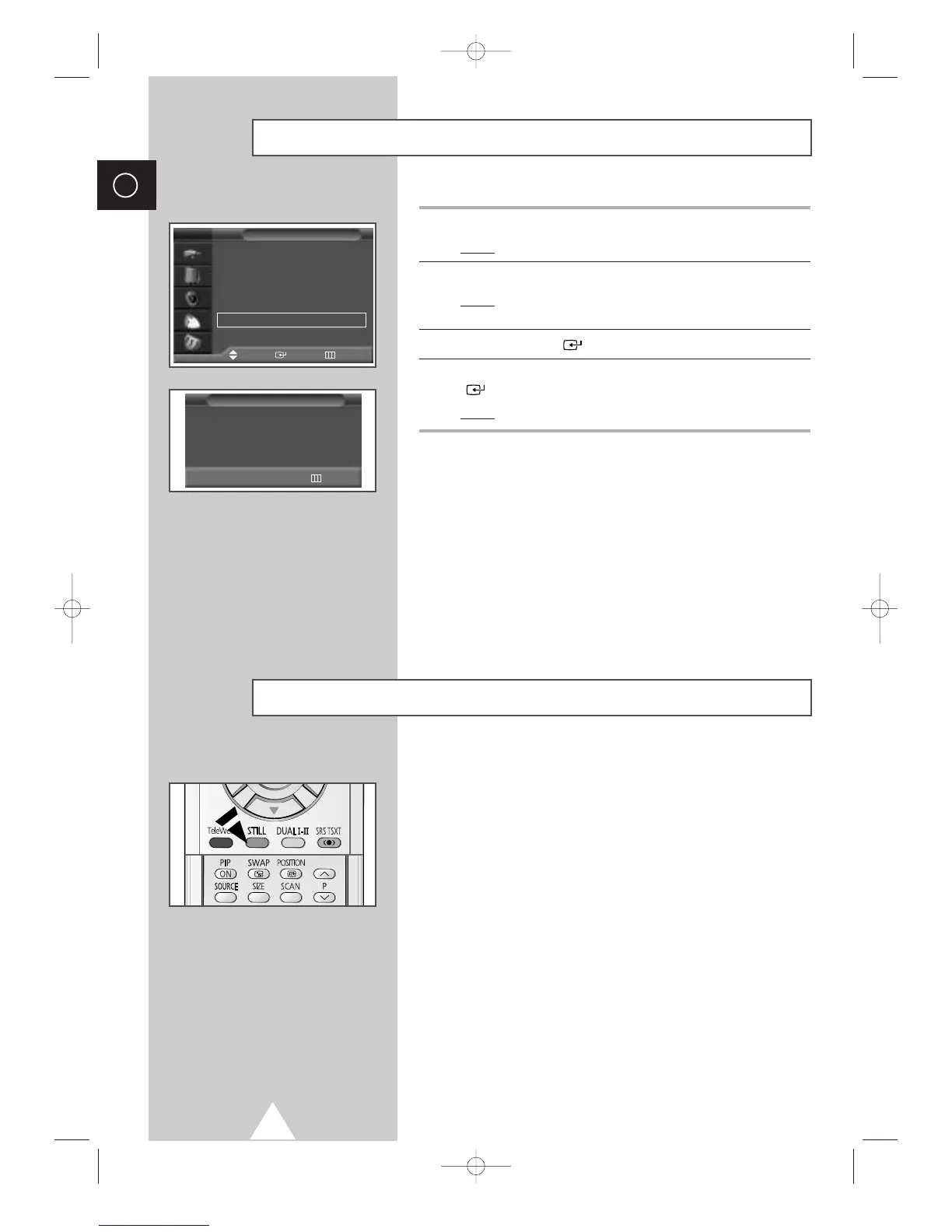
1 Press the MENU button.
Result
: The main menu is displayed.
2 Press the † or … button to select Channel.
Result
:
The options available in the
Channel
group are
displayed.
3 Press the ENTER () button.
4 Press the † or … button to select Ch. Scan. Press the ENTER
() button.
Result
: You can view every memorized channel in order.
➣
When PIP ON is activated, the PIP will appear in Large
mode and PIP channel will be scanned.
P 1 ✽
Ch. Scan
Return
You can freeze the picture when watching a television programme
simply by pressing the “STILL” button. To return to normal viewing,
press it again.
➣
In the PIP mode, the main and sub pictures are stilled at
the same time.
Freezing the Current Picture
Country : Austria
√√
Auto Store
√√
Manual Store
√√
Edit
√√
Fine Tune
√√
Ch. Scan
√√
Channel
Move Enter Return
TV








 To Next Page