47
ENG
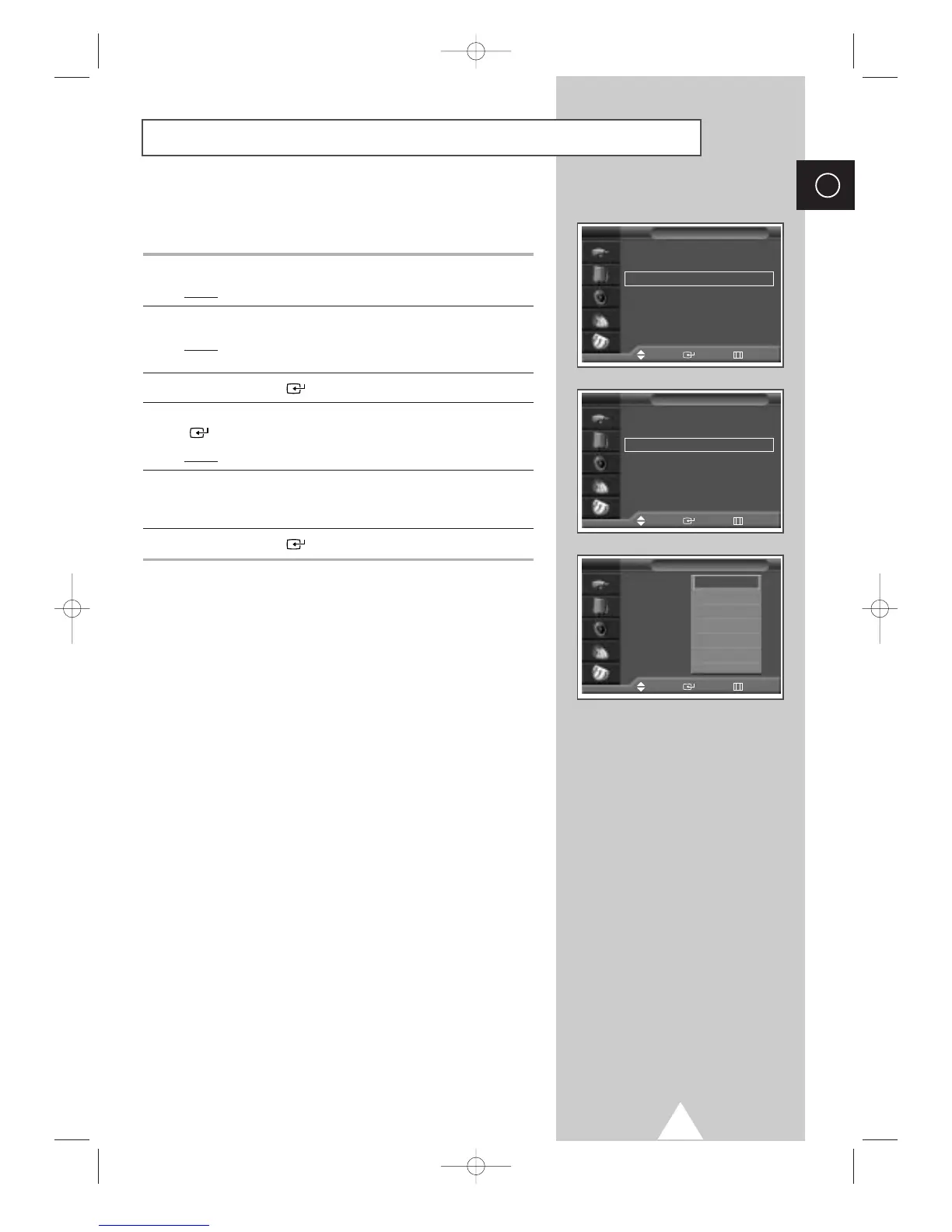
Redirecting an Input to the External Output
Time
√√
Language : English
√√
AV Setup
√√
Digital NR : On
√√
Miscellaneous
√√
PC Setup
√√
Setup
Move Enter Return
TV
Ext.1 : TV
√√
Ext.2 : TV
√√
Ext.3 : TV
√√
AV Setup
Move Enter Return
TV
Ext.1 : TV
Ext.2 : TV
Ext.3 : TV
AV Setup
Move Enter Return
TV
TV
Ext.1
Ext.2
Ext.3
AV1
AV2
†
Your television enables you to choose which audio/video signals
are output to the external connector.
1 Press the MENU button.
Result
: The main menu is displayed.
2 Press the † or … button to select Setup.
Result
: The options available in the Setup group are
displayed.
3 Press the ENTER () button.
4 Press the † or … button to select AV Setup. Press the ENTER
() button.
Result
: The
AV Setup menu is displayed.
5 Press the † or … button to select required input (Ext.2 or Ext.3).
Select the source to be directed to the output by pressing the
†
or … button.
6 Press the ENTER () button to confirm the change.






 To Next Page