6
ENG
Your New Plasma Display Panel
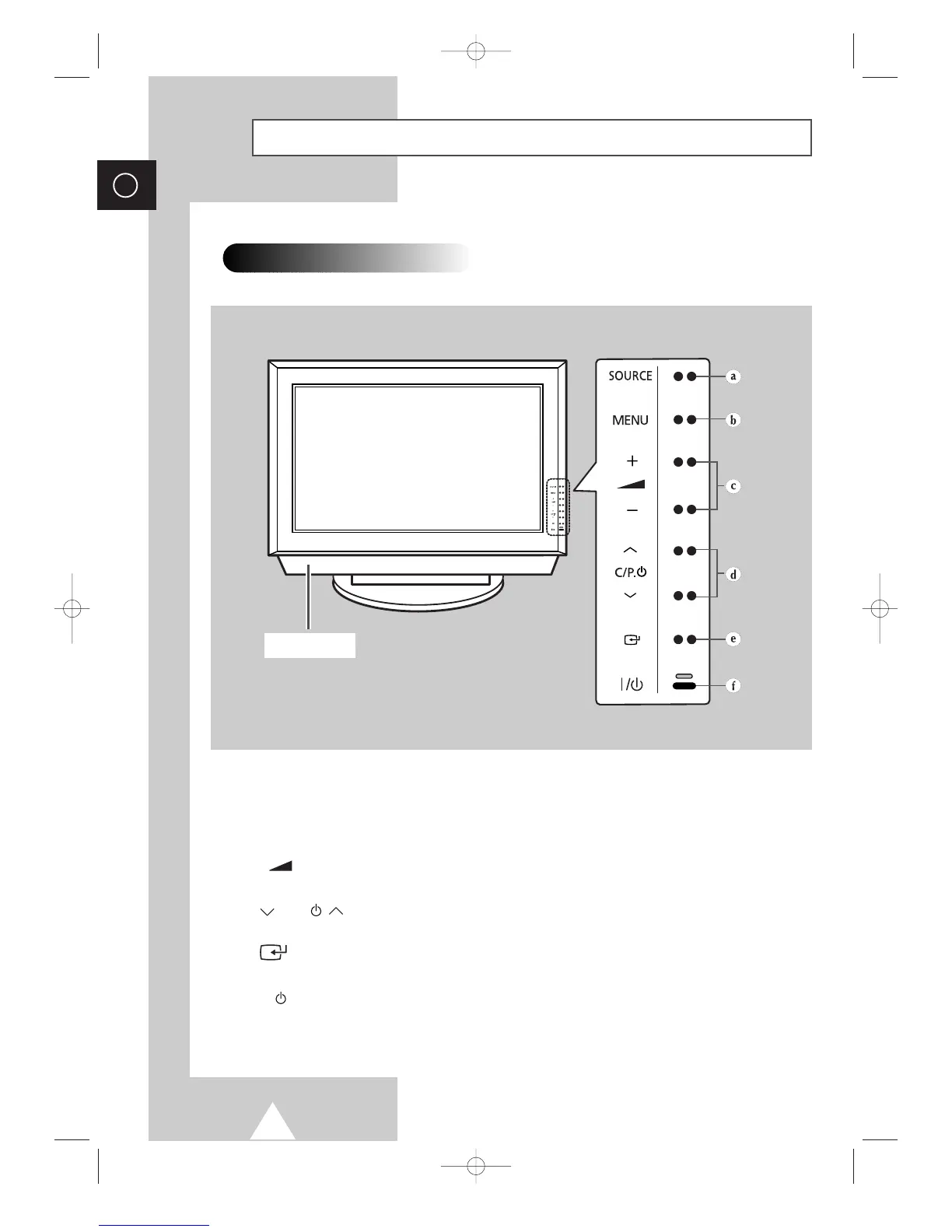
Front Panel
➢
The actual configuration on your PDP may be different,
depending on your model.
a) SOURCE
External input selection.
b) MENU
Menu display.
c)
-
+
Volume adjustment.
d) C/P.
Channel selection. Auto power On.
e)
Confirm your choice (Store or Enter)
f) I /
Press to turn the PDP on and off.
Speaker






 To Next Page