50
ENG
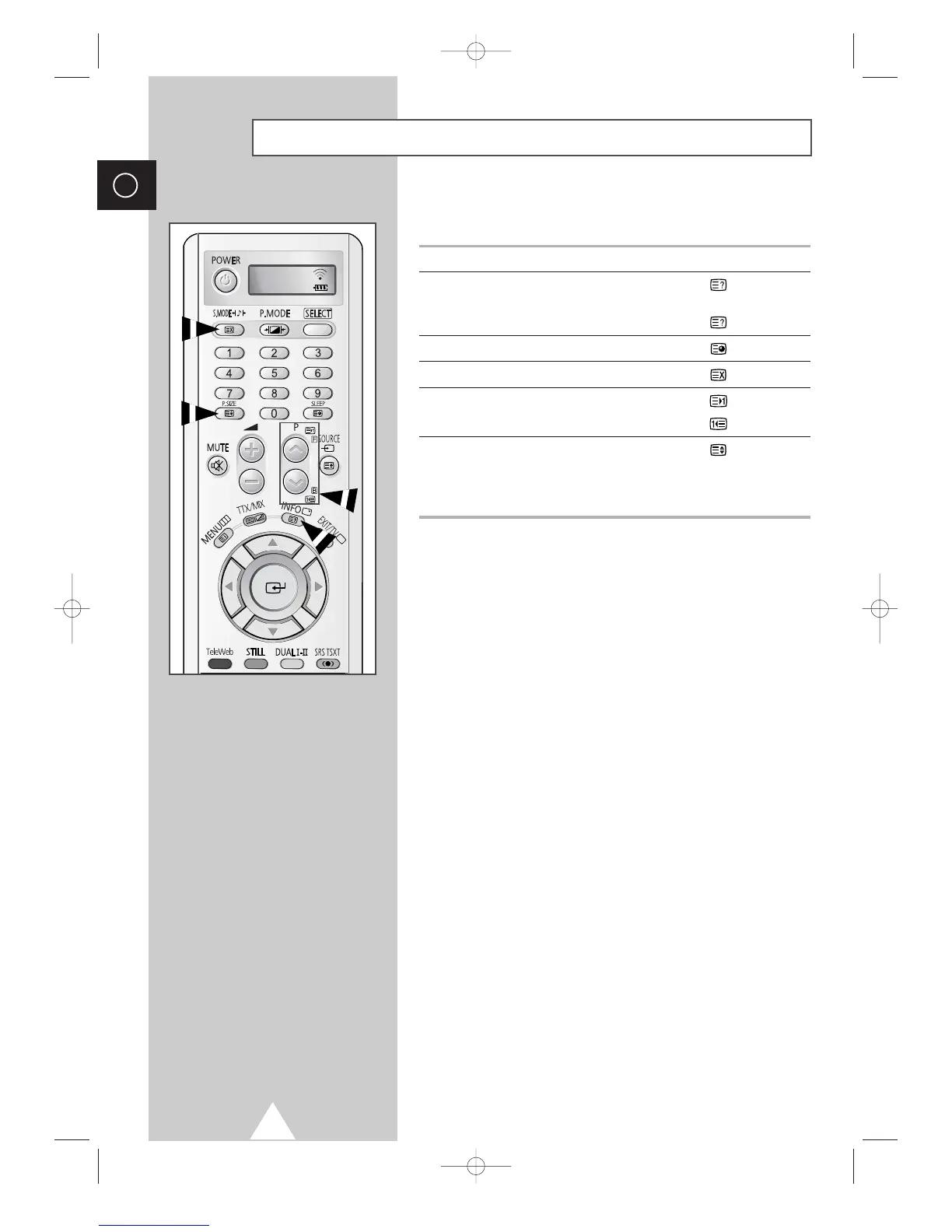
When you have displayed a Teletext page, you can select various
options to suit your requirements.
To display... Press the...
◆ Hidden text (reveal)
(answers to quiz games, for example)
◆ The normal screen (reveal) again
◆ A secondary page by entering its number (sub-page)
◆ The broadcast when searching for a page (cancel)
◆ The next page (page up)
◆ The previous page (page down)
◆ Double-size letters in the: (size)
• Upper half of the screen • Once
• Lower half of the screen • Twice
◆ The normal screen • Three times
Selecting Display Options
TV








 To Next Page