58
ENG
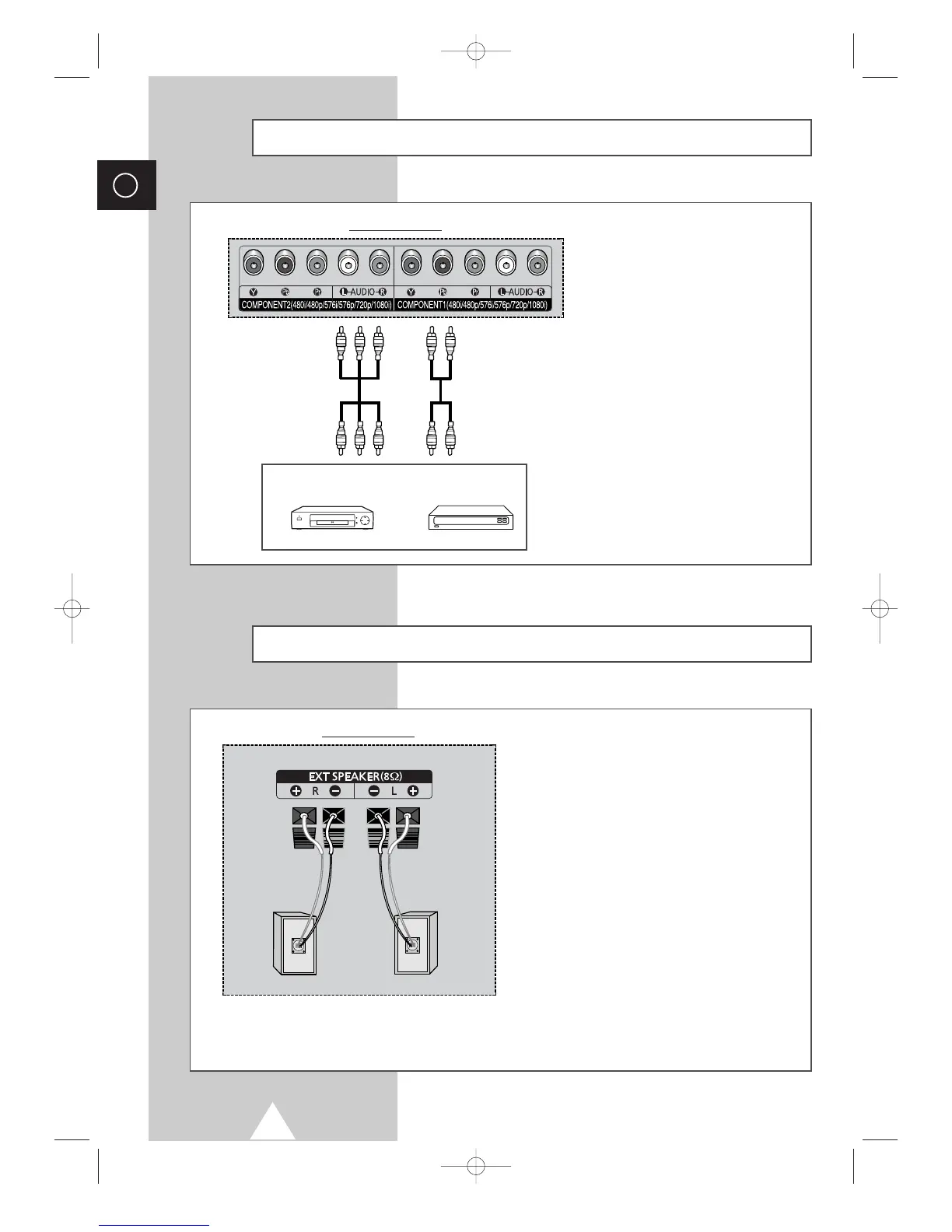
Connecting to the Component Input
①
The “COMPONENT 1” connectors are
used for equipment with a DVD output.
(480i/480p/576i/576p/720p/1080i)
②
The “COMPONENT 2” connectors are
used for DTV receiver.
(480i/480p/576i/576p/720p/1080i)
DVD
Rear of the TV
DTV receiver
①
②
Connecting Additional Speakers
To take advantage of the surround sound
system, connect additional speakers.
The speaker terminals are located on the rear of
the television:
◆ Two for the left-hand surround speaker
(marked
L)
◆ Two for the right-hand surround speaker
(marked
R)
➢
To improve the quality of the sound, connect
the:
◆ Red wire to the red terminal
◆ Black wire to the black terminal
Rear of the TV






 To Next Page