✎
Notes
x
This section describes the layout of the Front UI that appears when the TV is turned on. (Factory Mode > Genre
Mode: Enable).
x
The genre is a sub-list of each country.
x
The broadcast screen that was being displayed the last memorial channel.
– If a user wants to keep the previous country & genre channel map, press ‘BLUE’, RETURN, and the EXIT remote-
control key to close the Front UI.
✎
Etc.
x
Default Highlight : Last Memory items (Country, Genre)
x
Timeout (60 sec)
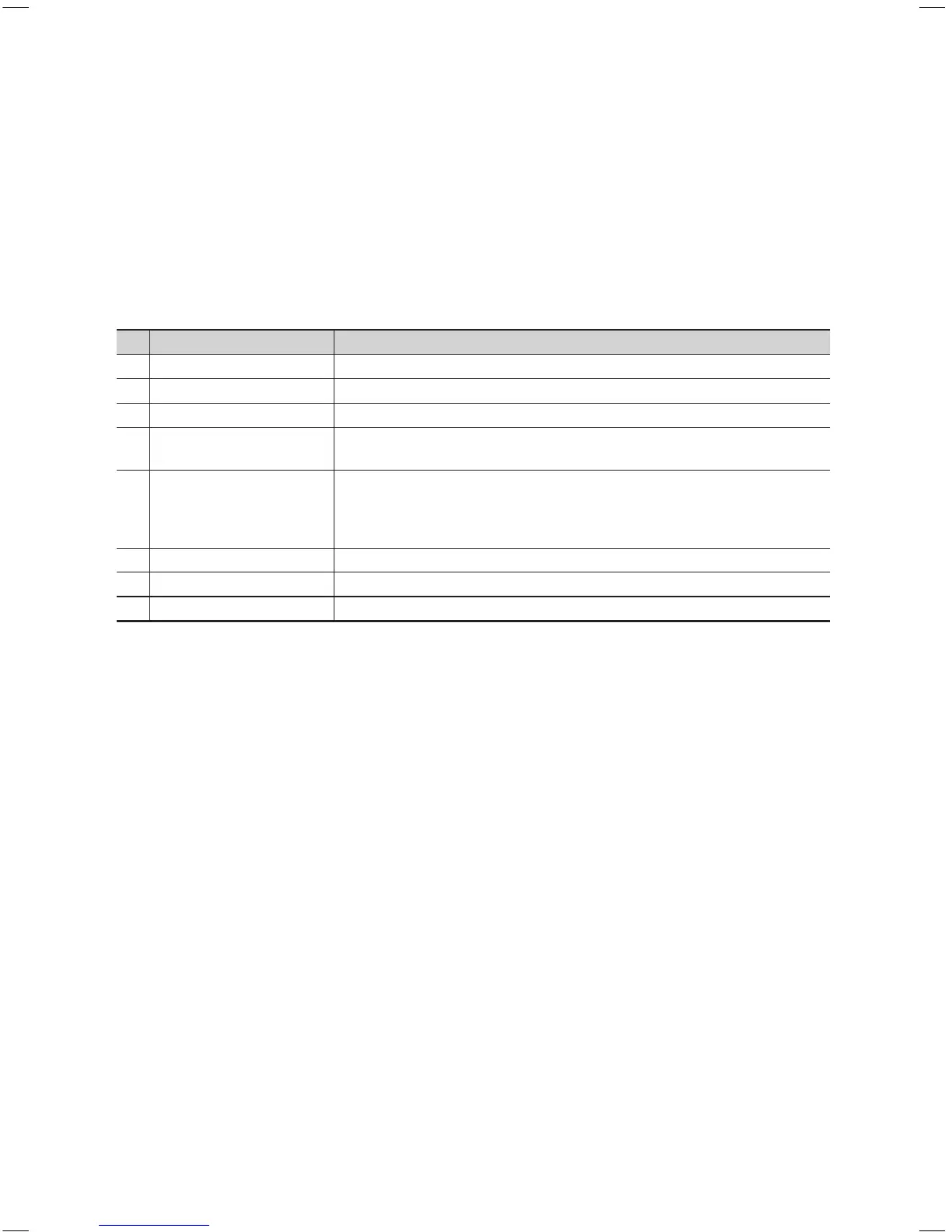
Elements
No Name Description
1 Background Screen y Displays the last memorized channel when the TV is turned on.
2 Function Title y This is name of the function.
3 Current Status y Displays the current Country/Genre settings.
4 Country Items
y The items for the country list are displayed.
y Displays the last selected country.
5 Genre Items
y The items for the genre list are displayed.
y Displays available genre items for each country that master managed in factory
mode (always provide the ‘All’ item).
y Displays the last selected genre.
6 Highlight y If the item title is too long to be displayed in the area, Auto Text Sliding works.
7 Indicator y This is displayed when there is a previous or next page.
8 Nav. Help y The key guide is aligned to the right.
[HB460-XC]Install Guide-ENG.indd 27 2013-04-03 �� 3:27:11



 To Next Page