11 Disassembly and Reassembly
11-8
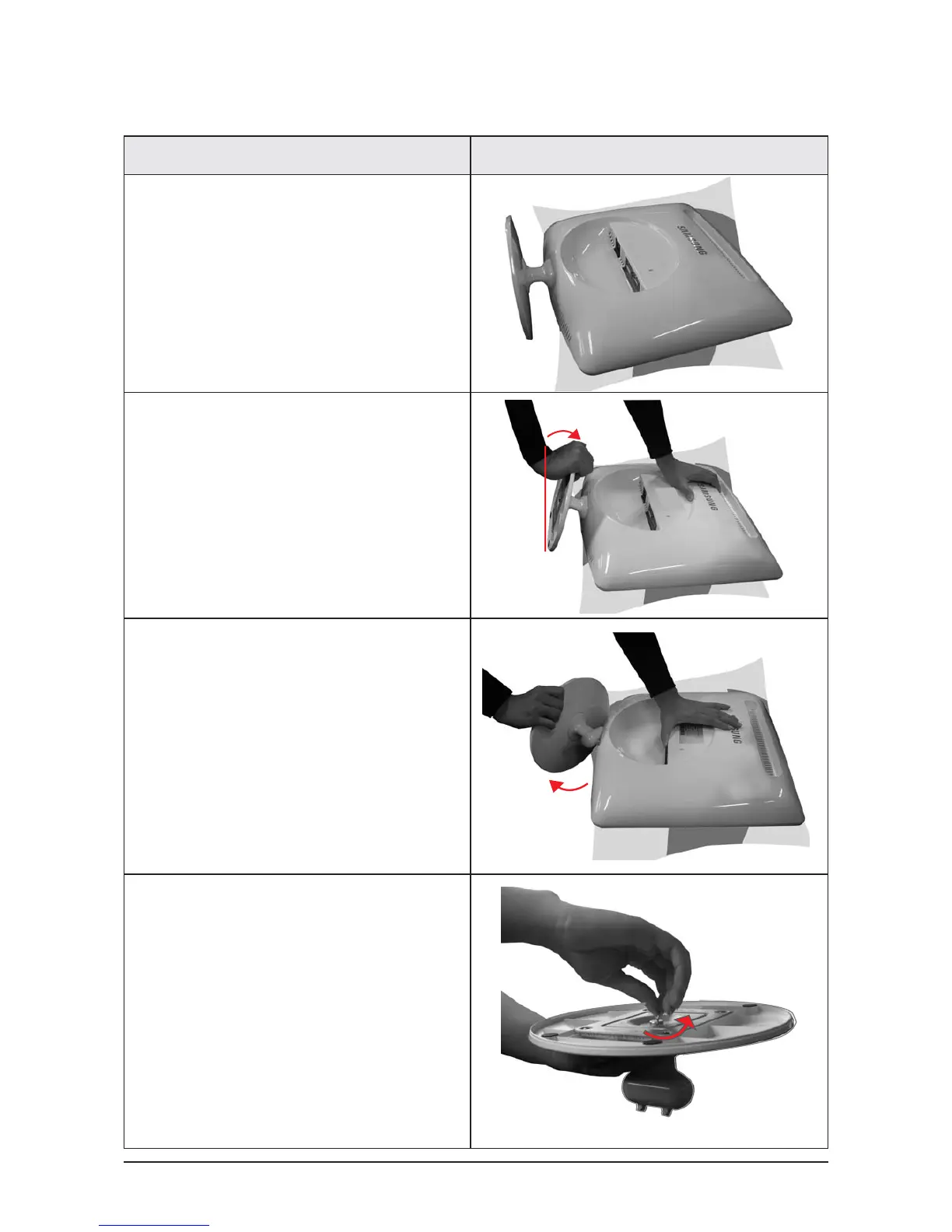
11-3-2 Removing the Stand
설설 명 사사진 설명
Description Picture Description
1. Place a soft cloth or cushion on the table
and place the monitor with the front facing
downwards.
2. Hold the monitor and lean the stand upwards.
3. Hold the monitor, and then twist the stand
strongly to the left and pull it out.
4. Stand the screw handles up and unfasten the
screws by turning them.






 To Next Page