Troubleshooting
4-4 Samsung Electronics
■ Setting outdoor unit option switch and address manually
▶ Setting the option
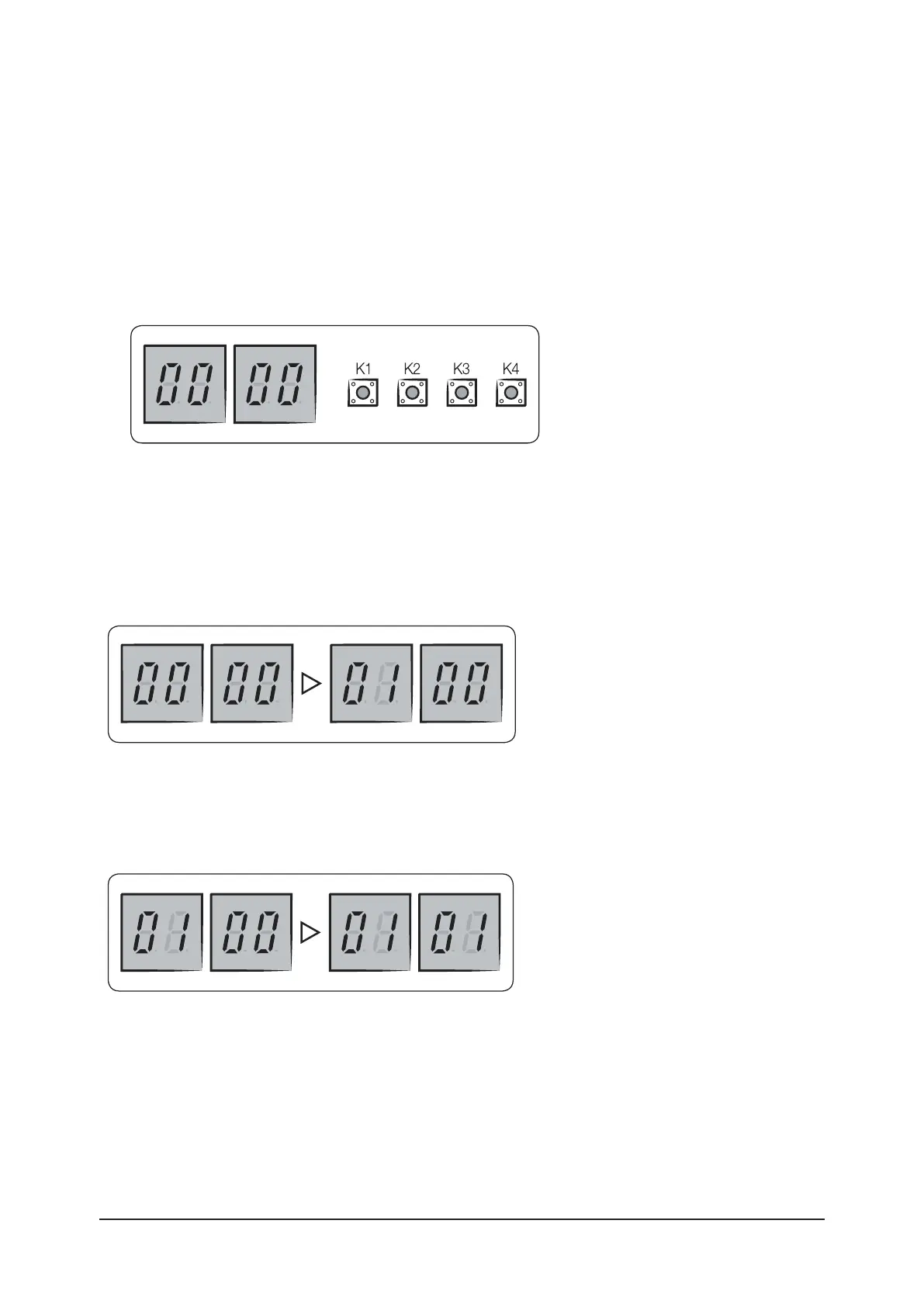
• Press and hold K2 to enter the option setting. (Only available when the operation is stopped)
– If you enter the option setting, display will show the following.
– Seg 1 and Seg 2 will display the number for selected option.
– Seg 3 and Seg 4 will display the number for set value of the selected option.
• If you have selected desired option, you can shortly press the K2 switch to adjust the value of the Seg 3, Seg 4
and change the function for the selected option
Example)
• If you have selected desired option, you can shortly press the K2 switch to adjust the value of the Seg 3, Seg 4
and change the function for the selected option.
Example)
• After selecting the function for options, press and hold the K2 switch for 2 seconds. Edited value of the option
will be saved when entire segments blinks and tracking mode begins.
Test operation mode and check mode (Cont.)



 To Next Page