Disassembly and Reassembly
3-24 Samsung Electronics
No Parts Procedure Remark
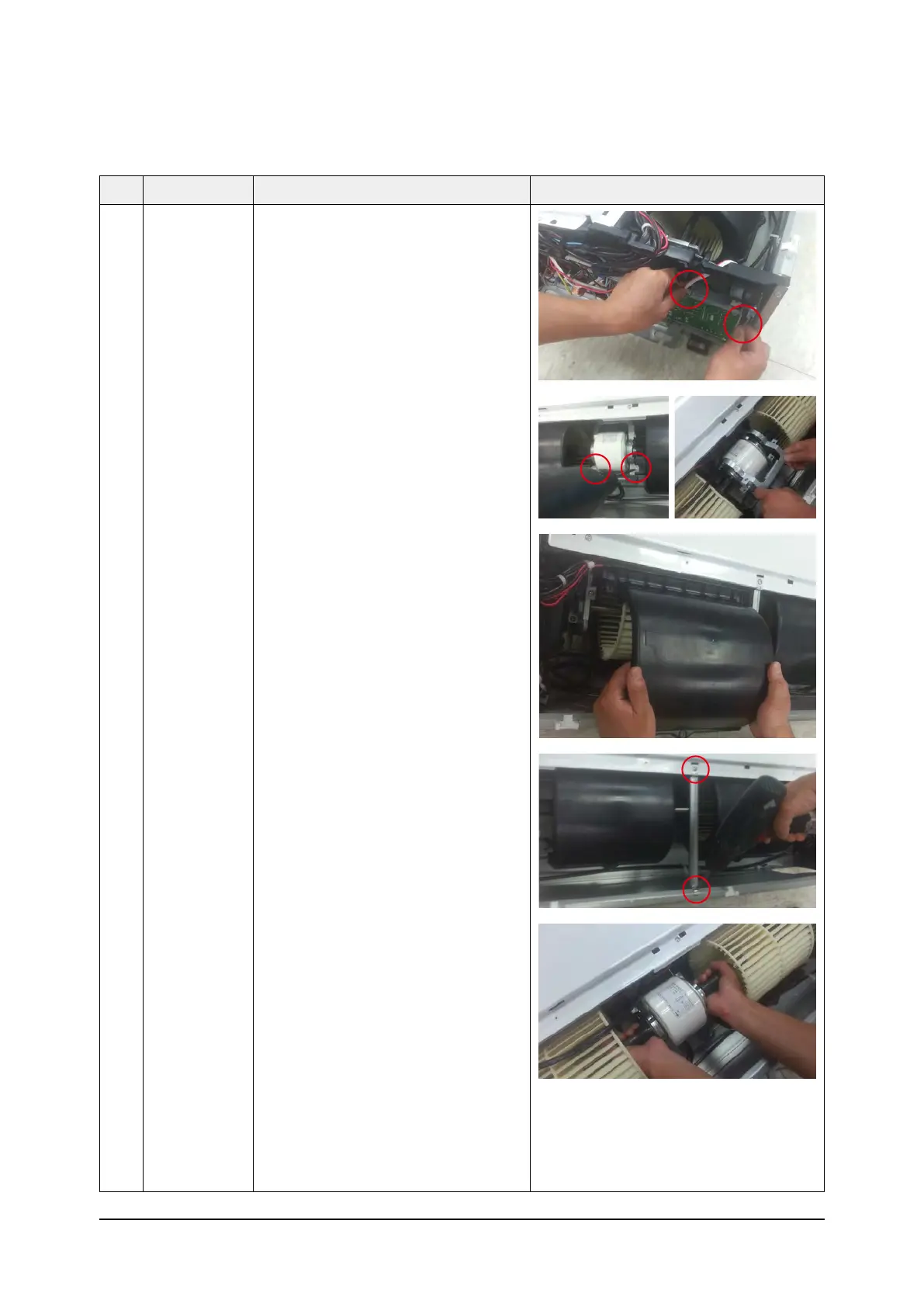
2 Fan & Motor 1) Disconnect 2 wires of Motor.
2) Detach Holder Motor by removing 2
screws.
3) Detach the Upper case of Fan. ( 4EA )
4) Detach Bracket Grille by removing 2
Screws.



 To Next Page