Disassembly and Reassembly
3-35 Samsung Electronics
■AC026RNADKG/AC035RNADKG/AC052RNADKG/AC071RNADKG
No Parts Procedure Remark
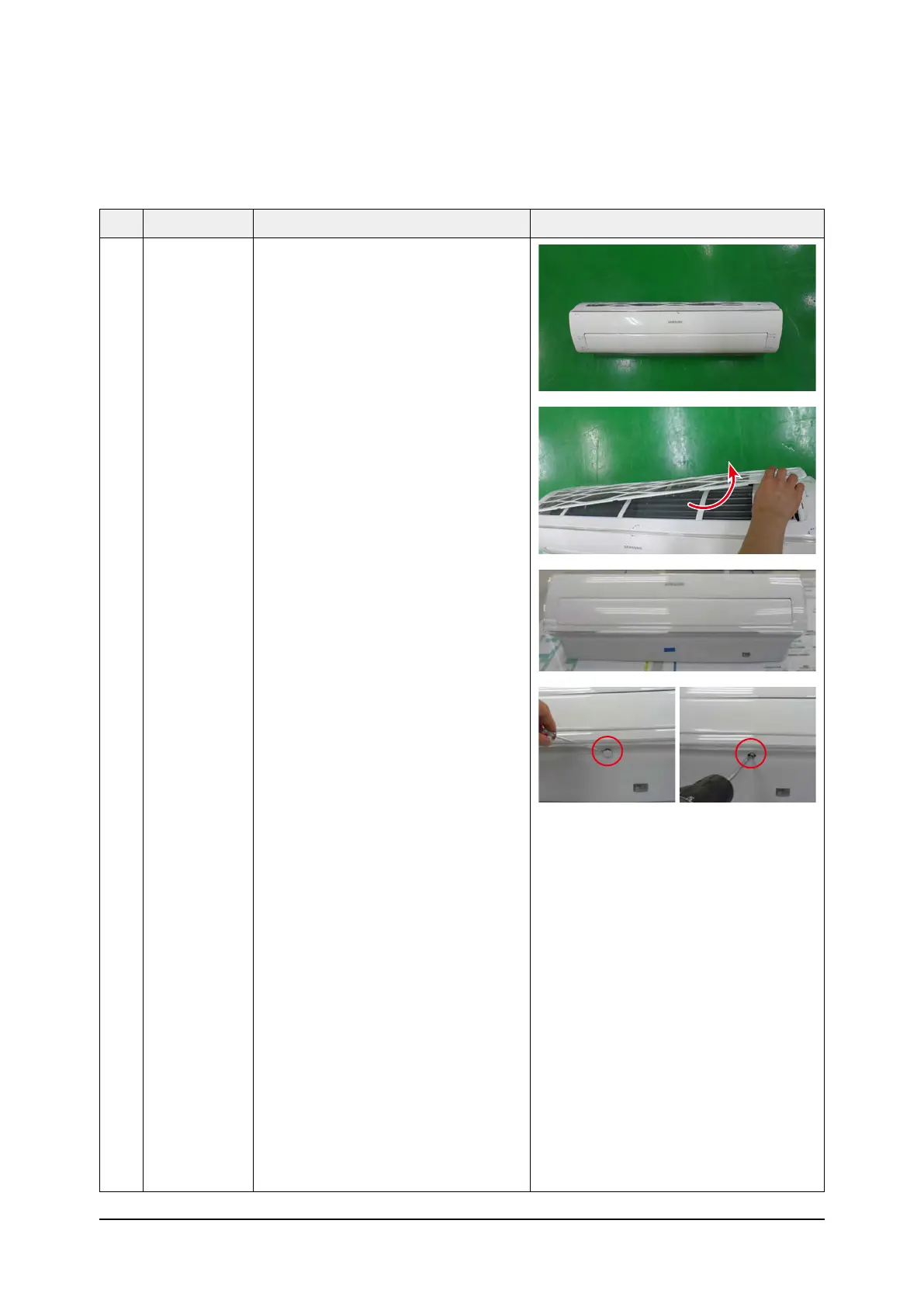
1 Panel-Front 1) Stop the driving of air conditioner and
shut off main power supply.
2) Detach FILTER PRE from the PANEL
FRONT.
3) Cover Panel is assembled on bottom of
indoor unit as shown in the figure.
Remove the Cap Screw as shown on
the right side and then remove the
screw and separate the Cover Panel.



 To Next Page