www.seconrenewables.com 0191 516 6553
info@seconrenewables.com
8
4.Access service mode by pushing and holding the up and down arrow for 10 seconds.
5.Enter password 0202
6.And push OK the unit is now in service mode.
7.Select Self-Test mode
8.Scroll down and select water pump ON, allow 15min for the system to circulate, bleeding the system at
the same time whilst checking the pressure whilst doing so.
9.Return Back to the Service Menu
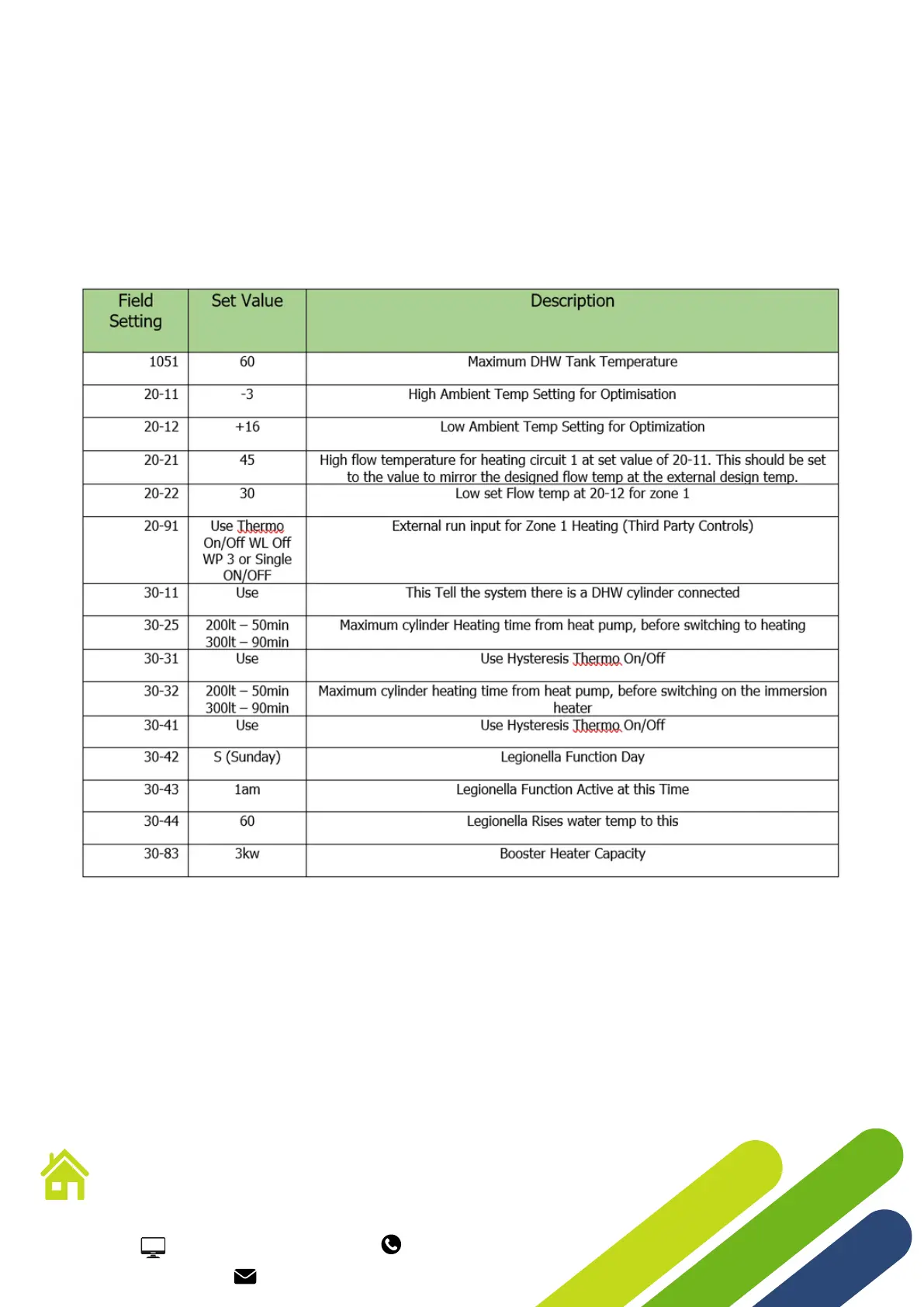
10.Select Field Setting Value
11.Using the Key Pad the Follow Values need to be set.
Continued...
12.Once FSV are set press the return key to return to the main menu (Front Screen).




 To Next Page