EasyManua.ls Logo

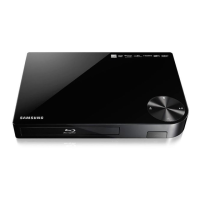
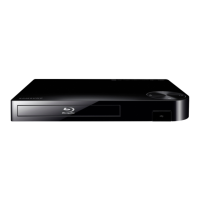
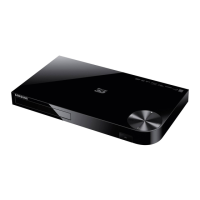
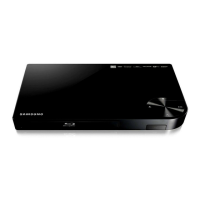
Samsung BD-F6700 - User Manual

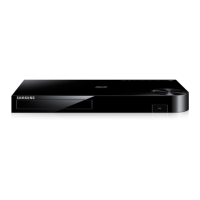
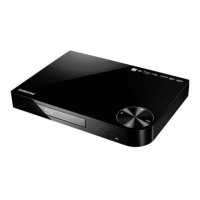
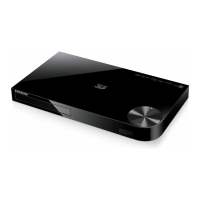
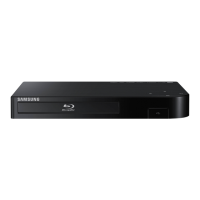
Samsung BD-F6700
69 pages
Print Icon
To Next Page IconTo Next Page
Loading...
imagine the possibilities
Thank you for purchasing this Samsung product.
To receive more complete service,
please register your product at
www.samsung.com/register
Blu-ray
Disc Player
user manual
BD-F6700

Table of Contents

Questions and Answers

  • G
    Grant RobinsonAug 13, 2025
    Why is my Samsung Blu-ray Player remote control not working?
    • C
      Christine BrownAug 13, 2025
      There are several reasons why your remote may not be working. First, check the batteries in the remote control and replace them if necessary. Second, make sure you are operating the remote control within 20 feet of the player. Finally, you can try resetting the remote by removing the batteries, holding down one or more buttons for several minutes to drain the microprocessor, and then reinstalling the batteries.
  • J
    Jennifer HamiltonAug 16, 2025
    What to do if I forgot the password for my Samsung Blu-ray Player?
    • M
      Michael KimAug 16, 2025
      To reset your password, press the p button (on front panel) for more than 5 seconds with no disc inside. The initialization message will appear on the screen, and the power will turn off automatically. When you turn your product on again, all the settings will be reset. Use this method only when absolutely necessary, as restoring factory default settings will delete all stored user BD data.
  • J
    John CarlsonAug 20, 2025
    What to do if my Samsung Blu-ray Player disc does not play?
    • M
      Mariah WilliamsAug 20, 2025
      First, ensure that the disc is installed with the label side facing up. Also, verify the region number of the Blu-ray Disc/DVD to ensure it is compatible with your player.
  • L
    Lisa MarksAug 25, 2025
    Why does the prohibition message appear on the screen of my Samsung Blu-ray Player?
    • C
      Christie WatkinsAug 25, 2025
      This message appears when an invalid button is pressed or the Blu-ray Disc/DVD's software doesn't support the feature you are trying to use (e.g., angles). It can also appear if you've requested a title or chapter number or search time that is out of range.
  • T
    Thomas PerezAug 27, 2025
    Why is there no audio from my Samsung Blu-ray Player?
    • R
      Randy MckinneyAug 27, 2025
      Ensure that you have selected the correct Digital Output in the Audio Options Menu.
  • L
    Luis SharpAug 31, 2025
    Why does play mode differ from the Setup Menu selection on my Samsung Blu-ray Player?
    • J
      Jeffrey ThomasAug 31, 2025
      Some of the functions selected in the Setup Menu may not work properly if the disc is not encoded with the corresponding function.
  • A
    Anthony WhiteSep 4, 2025
    Why doesn't the disc Menu appear on my Samsung Blu-ray Player?
    • T
      Travis CamposSep 4, 2025
      Ensure that the disc you are using actually has disc menus.
  • K
    kevinhaynesSep 8, 2025
    Why can't I change the screen ratio on my Samsung Blu-ray Player?
    • A
      Adam BakerSep 8, 2025
      The Screen Ratio might be fixed on your Blu-ray Disc/DVD. If so, there is no problem with the player.

Summary

Safety Information

General Safety Warnings

Covers warnings, cautions, and important safety instructions for operation.

Laser Product Safety

Safety precautions related to the Class 1 Laser Product.

Precautions and Handling

Detailed safety instructions, disc handling, cleaning, and storage guidelines.

3 D Viewing Precautions

Health and safety information specific to using the 3D function.

Copyright Information

Legal notice regarding the reproduction and copying of the manual.

Getting Started

Disc and Format Compatibility

Details on playable disc types, formats, and content compatibility.

Supported File Formats

Comprehensive list of supported video, audio, and subtitle file formats.

USB Connection Notes

Guidelines and limitations for connecting and using USB devices.

Player Components Overview

Identification and description of front and rear panel controls and ports.

Remote Control Guide

Explains the functions and operation of the remote control.

Connections

Connecting to a TV

Instructions for connecting the player to a television using an HDMI cable.

Connecting to Audio System

Methods for connecting the player to an AV receiver for audio output.

Network Connectivity

Options for connecting the player to a network via wired or wireless methods.

Settings

Initial Setup and Home Screen

Guide to initial player setup, language, and network configuration.

Navigating Settings Menu

Explains how to access and use the player's settings menu with the remote.

Display and Audio Settings

Configuration options for video output resolution, 3D, aspect ratio, and audio output.

Network Configuration

Detailed steps for setting up wired, wireless, WPS, and Wi-Fi Direct connections.

Software Updates

Instructions for updating the player's software via network or USB.

Media Play

Playing Discs and USB Devices

How to play commercial, recorded discs, and files from USB devices.

Network Media Playback

Using AllShare to play content from PCs or devices over a network.

Controlling Playback

Functions for controlling video and music playback, including remote buttons and menus.

Photo and Audio CD Functions

Features for ripping, shuffling, creating playlists, and managing photo content.

File Sending and Management

Instructions for sending files to online sites and managing content.

Network Services

Samsung Account and Smart Hub Setup

Steps to log in to Samsung account and set up Smart Hub for apps and content.

Apps Management

Downloading, starting, sorting, and managing applications within the player.

Web Browser and Internet Access

Using the browser, settings, and linking online accounts for internet services.

BD-LIVE Services

How to connect to and use BD-LIVE features for movie-related content.

Appendix

Compatibility and Legal Notices

Information on disc compatibility, copy protection, and network service disclaimers.

Additional Information and Notes

Details on 3D, aspect ratio, BD Wise, audio, and resolution settings.

Troubleshooting and Repairs

Solutions for common problems and information on seeking repair services.

Samsung BD-F6700 Specifications

General IconGeneral
3DYes
Depth194 mm
Width429 mm
Height40 mm
Weight1814 g
DisplayLED
Device typeBlu-Ray player
Product colorBlack
Audio decodersDolby Digital, Dolby Digital Plus, Dolby TrueHD, DTS, DTS-HD
Package weight2721 g
Playback disc typesCD, CD-R, CD-RW, DVD+R, DVD+RW, DVD-R, DVD-RW
Disc types supportedBD, CD-R, CD-RW, DVD, DVD+R, DVD+RW, DVD-R, DVD-RW
Playback disc formatsBlu-Ray audio, Blu-Ray video
Card reader integrated-
USB 2.0 ports quantity1
Audio formats supportedAAC, LPCM, MP3, WMA
Video formats supportedAVCHD, M-JPEG, MKV, MPEG2, MPEG4, MPO, WMV
Audio output channels7.1 channels

Related product manuals