EasyManua.ls Logo

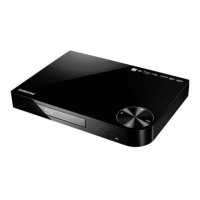
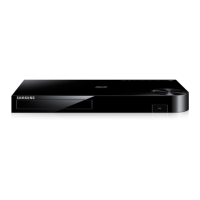
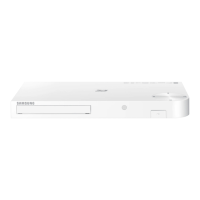
Samsung BD-FM59 - User Manual

Samsung BD-FM59
68 pages
Print Icon
To Next Page IconTo Next Page
Loading...
imagine the possibilities
Thank you for purchasing this Samsung product.
To receive more complete service,
please register your product at
www.samsung.com/register
Blu-ray
Disc Player
user manual
BD-FM59
BD-FM59C
Downloaded From Disc-Player.com Samsung Manuals

Table of Contents

Questions and Answers

Summary

Safety Information

General Warnings and Cautions

Covers electrical shock, laser safety, general cautions, and CATV installation note.

Class 1 Laser Product Details

Details laser safety classification and warnings.

Precautions

Important Safety Instructions

Key operational safety guidelines for the player.

Disc Handling and Storage Advice

Guidelines for disc care and safe handling.

Safety Information

Electrical Safety and 3 D Viewing Guidelines

Electrical safety, operational warnings, and 3D viewing advice.

Copyright Notice

Legal copyright information for the manual.

Getting Started

Disc and Format Compatibility

Information on playable and unplayable disc types.

Getting Started

Region Code Information

Explanation of regional coding for discs.

Logos of Playable Discs

Visual guide to compatible disc logos.

Supported Formats

Video File Support Details

Details on supported video codecs, resolutions, and bitrates.

Supported Formats

Music and Subtitle File Support

Details on supported audio, subtitle, and picture file formats.

Getting Started

USB Connection Notes and AVCHD Format

Important information and restrictions for USB devices and AVCHD playback.

Accessories

Supplied Accessories List

Lists all items included in the product package.

Front Panel

Front Panel Controls and Ports

Description of buttons, disc tray, and USB host.

Rear Panel

Rear Panel Connectivity Ports

Description of HDMI, LAN, and audio output ports.

Remote Control

Tour of the Remote Control and Battery Installation

Explanation of buttons, functions, and battery installation.

Connections

Connecting to a TV via HDMI

Guide for connecting the player to a television.

Connections

Connecting to an Audio System

Methods for connecting to AV receivers using HDMI or Optical.

Connections

Connecting to a Network Router

Instructions for wired and wireless network setup.

Settings

Initial Settings Procedure and Home Screen

Steps for initial player setup and interface overview.

Settings

Accessing Settings and Remote Control Usage

How to navigate settings menus using the remote.

Settings

Display Settings Functions

Options for picture adjustments like 3D, Aspect Ratio, BD Wise.

Settings

Audio and Network Settings Functions

Options for digital output, downmixing, network status, and Wi-Fi Direct.

Settings

Network Feature and System Settings

Details on AllShare, BD-Live, Smart Hub, and system setup.

Settings

System Settings: Device Manager and Keyboard;Mouse

Connecting and using USB keyboards/mice.

Settings

System Settings: Security and General

PIN, parental controls, time zone, and Anynet+ settings.

Settings

System Settings: Support Functions

Remote management, software updates, and reset options.

Networks and the Internet

Configuring Your Network Connection

Steps for wired and wireless network setup.

Networks and the Internet

Wireless Network Setup Methods

Automatic and manual wireless connection procedures.

Networks and the Internet

WPS Connection Methods

Using WPS (PBC and PIN) for network setup.

Wi-Fi Direct

Connecting Devices via Wi-Fi Direct

Procedures for connecting devices using PBC or PIN.

Settings

Upgrading Software and Update Now

Process for updating player software manually.

Settings

Auto Update and USB Software Update

Setting up automatic updates and updating via USB.

Media Play

The AllShare Play Screen and Commercial Discs

Accessing media and playing standard discs.

Media Play

Playing Files on USB and Recorded Discs

How to play media from USB and home-recorded discs.

Media Play

AllShare Network Function and Software Download

Using AllShare and installing its software.

Media Play

Playing PC Content via AllShare and Smartphone Control

Streaming media from PC and controlling playback with a phone.

Media Play

Controlling Video Playback and Tools Menu

Using remote buttons and menus for video playback.

Media Play

Search Functions and Playback Controls

Using search features and playback options like repeat and picture mode.

Media Play

Subtitle, Video Info, and View;Options Menus

Adjusting subtitles, viewing file info, and using media menus.

Media Play

Controlling Music Playback and Menus

Using remote buttons and menus for music playback.

Media Play

Audio CD Functions and Playlist Creation

Repeating, shuffling tracks, and creating playlists from audio CDs.

Media Play

Ripping CD Audio and Playing Photos

Converting CD audio to MP3 and viewing photos.

Media Play

Photo Settings, View Options, and Send Function

Adjusting photo display and uploading files.

Media Play

Using the Send Function for Files

Uploading files to online sites or devices.

Network Services

Logging In to Your Samsung Account

Steps to sign in to a Samsung account for services.

Network Services

Using Movies & TV Shows

How to access and view streaming content.

Network Services

Downloading and Using Apps

How to find, download, and use applications.

Network Services

Managing Downloaded Apps: Starting and Sorting

Running apps and organizing the downloaded list.

Network Services

App Management: Lock, Delete, and Move

Securing, removing, and organizing apps.

Network Services

Creating and Managing App Folders

Organizing apps into folders.

Network Services

Deleting Apps and Updating Applications

Removing apps and updating installed applications.

Network Services

Screen Mirroring and Web Browser Usage

Displaying device screens and accessing the internet.

Network Services

Web Browser Interface and Keyboard Usage

Understanding the browser and using the on-screen keyboard.

Network Services

Browser Settings and Keyboard Options

Configuring browser settings and keyboard features.

Network Services

Browser Privacy, Homepage, and Linking Accounts

Managing privacy, setting homepage, and linking online services.

BD-LIVE

Connecting to BD-LIVE Server

Requirements and steps for using BD-LIVE service.

Appendix

Compliance and Compatibility Notice

Information on disc compatibility and product compliance.

Appendix

Copy Protection and Network Service Disclaimer

Details on copyright protection and service terms.

Appendix

License Information and Trademarks

Details on Dolby, DTS, HDMI, and other licenses.

Additional Information

Notes on 3 D Settings, Aspect Ratio, and BD Wise

Specific notes for 3D playback, aspect ratio, and BD Wise.

Digital Output and PCM Downsampling Notes

Information on digital audio output and PCM settings.

Appendix

BD-LIVE Connection and Audio;Subtitle Selection

Details on BD-LIVE connection and language selection.

Appendix

Resolution According to Contents Type

Table detailing resolution settings for different content.

Appendix

Digital Output Selection Guide

Comprehensive table for digital audio output settings.

Troubleshooting

Remote Control and Disc Playback Issues

Solutions for remote control and disc playback problems.

Menu, Screen Ratio, and Audio Problems

Troubleshooting for menu, screen ratio, and audio issues.

Blank Screen and Password Reset

Solutions for blank screens and forgotten passwords.

Appendix

Picture Quality, HDMI, and AllShare Troubleshooting

Solutions for picture issues, HDMI output, and AllShare problems.

Appendix

BD-LIVE Service Troubleshooting and Repairs

Solutions for BD-LIVE issues and product repair procedures.

Appendix

Product Specifications

Technical details like power, dimensions, and connectivity.

Limited Warranty to Original Purchaser

Warranty Terms and Conditions

Details of the product's warranty coverage and limitations.

Questions or Comments?

Contact and Support Information

How to get help from Samsung.

Summary

Safety Information

General Warnings and Cautions

Covers electrical shock, laser safety, general cautions, and CATV installation note.

Class 1 Laser Product Details

Details laser safety classification and warnings.

Precautions

Important Safety Instructions

Key operational safety guidelines for the player.

Disc Handling and Storage Advice

Guidelines for disc care and safe handling.

Safety Information

Electrical Safety and 3 D Viewing Guidelines

Electrical safety, operational warnings, and 3D viewing advice.

Copyright Notice

Legal copyright information for the manual.

Getting Started

Disc and Format Compatibility

Information on playable and unplayable disc types.

Getting Started

Region Code Information

Explanation of regional coding for discs.

Logos of Playable Discs

Visual guide to compatible disc logos.

Supported Formats

Video File Support Details

Details on supported video codecs, resolutions, and bitrates.

Supported Formats

Music and Subtitle File Support

Details on supported audio, subtitle, and picture file formats.

Getting Started

USB Connection Notes and AVCHD Format

Important information and restrictions for USB devices and AVCHD playback.

Accessories

Supplied Accessories List

Lists all items included in the product package.

Front Panel

Front Panel Controls and Ports

Description of buttons, disc tray, and USB host.

Rear Panel

Rear Panel Connectivity Ports

Description of HDMI, LAN, and audio output ports.

Remote Control

Tour of the Remote Control and Battery Installation

Explanation of buttons, functions, and battery installation.

Connections

Connecting to a TV via HDMI

Guide for connecting the player to a television.

Connections

Connecting to an Audio System

Methods for connecting to AV receivers using HDMI or Optical.

Connections

Connecting to a Network Router

Instructions for wired and wireless network setup.

Settings

Initial Settings Procedure and Home Screen

Steps for initial player setup and interface overview.

Settings

Accessing Settings and Remote Control Usage

How to navigate settings menus using the remote.

Settings

Display Settings Functions

Options for picture adjustments like 3D, Aspect Ratio, BD Wise.

Settings

Audio and Network Settings Functions

Options for digital output, downmixing, network status, and Wi-Fi Direct.

Settings

Network Feature and System Settings

Details on AllShare, BD-Live, Smart Hub, and system setup.

Settings

System Settings: Device Manager and Keyboard;Mouse

Connecting and using USB keyboards/mice.

Settings

System Settings: Security and General

PIN, parental controls, time zone, and Anynet+ settings.

Settings

System Settings: Support Functions

Remote management, software updates, and reset options.

Networks and the Internet

Configuring Your Network Connection

Steps for wired and wireless network setup.

Networks and the Internet

Wireless Network Setup Methods

Automatic and manual wireless connection procedures.

Networks and the Internet

WPS Connection Methods

Using WPS (PBC and PIN) for network setup.

Wi-Fi Direct

Connecting Devices via Wi-Fi Direct

Procedures for connecting devices using PBC or PIN.

Settings

Upgrading Software and Update Now

Process for updating player software manually.

Settings

Auto Update and USB Software Update

Setting up automatic updates and updating via USB.

Media Play

The AllShare Play Screen and Commercial Discs

Accessing media and playing standard discs.

Media Play

Playing Files on USB and Recorded Discs

How to play media from USB and home-recorded discs.

Media Play

AllShare Network Function and Software Download

Using AllShare and installing its software.

Media Play

Playing PC Content via AllShare and Smartphone Control

Streaming media from PC and controlling playback with a phone.

Media Play

Controlling Video Playback and Tools Menu

Using remote buttons and menus for video playback.

Media Play

Search Functions and Playback Controls

Using search features and playback options like repeat and picture mode.

Media Play

Subtitle, Video Info, and View;Options Menus

Adjusting subtitles, viewing file info, and using media menus.

Media Play

Controlling Music Playback and Menus

Using remote buttons and menus for music playback.

Media Play

Audio CD Functions and Playlist Creation

Repeating, shuffling tracks, and creating playlists from audio CDs.

Media Play

Ripping CD Audio and Playing Photos

Converting CD audio to MP3 and viewing photos.

Media Play

Photo Settings, View Options, and Send Function

Adjusting photo display and uploading files.

Media Play

Using the Send Function for Files

Uploading files to online sites or devices.

Network Services

Logging In to Your Samsung Account

Steps to sign in to a Samsung account for services.

Network Services

Using Movies & TV Shows

How to access and view streaming content.

Network Services

Downloading and Using Apps

How to find, download, and use applications.

Network Services

Managing Downloaded Apps: Starting and Sorting

Running apps and organizing the downloaded list.

Network Services

App Management: Lock, Delete, and Move

Securing, removing, and organizing apps.

Network Services

Creating and Managing App Folders

Organizing apps into folders.

Network Services

Deleting Apps and Updating Applications

Removing apps and updating installed applications.

Network Services

Screen Mirroring and Web Browser Usage

Displaying device screens and accessing the internet.

Network Services

Web Browser Interface and Keyboard Usage

Understanding the browser and using the on-screen keyboard.

Network Services

Browser Settings and Keyboard Options

Configuring browser settings and keyboard features.

Network Services

Browser Privacy, Homepage, and Linking Accounts

Managing privacy, setting homepage, and linking online services.

BD-LIVE

Connecting to BD-LIVE Server

Requirements and steps for using BD-LIVE service.

Appendix

Compliance and Compatibility Notice

Information on disc compatibility and product compliance.

Appendix

Copy Protection and Network Service Disclaimer

Details on copyright protection and service terms.

Appendix

License Information and Trademarks

Details on Dolby, DTS, HDMI, and other licenses.

Additional Information

Notes on 3 D Settings, Aspect Ratio, and BD Wise

Specific notes for 3D playback, aspect ratio, and BD Wise.

Digital Output and PCM Downsampling Notes

Information on digital audio output and PCM settings.

Appendix

BD-LIVE Connection and Audio;Subtitle Selection

Details on BD-LIVE connection and language selection.

Appendix

Resolution According to Contents Type

Table detailing resolution settings for different content.

Appendix

Digital Output Selection Guide

Comprehensive table for digital audio output settings.

Troubleshooting

Remote Control and Disc Playback Issues

Solutions for remote control and disc playback problems.

Menu, Screen Ratio, and Audio Problems

Troubleshooting for menu, screen ratio, and audio issues.

Blank Screen and Password Reset

Solutions for blank screens and forgotten passwords.

Appendix

Picture Quality, HDMI, and AllShare Troubleshooting

Solutions for picture issues, HDMI output, and AllShare problems.

Appendix

BD-LIVE Service Troubleshooting and Repairs

Solutions for BD-LIVE issues and product repair procedures.

Appendix

Product Specifications

Technical details like power, dimensions, and connectivity.

Limited Warranty to Original Purchaser

Warranty Terms and Conditions

Details of the product's warranty coverage and limitations.

Questions or Comments?

Contact and Support Information

How to get help from Samsung.

Samsung BD-FM59 Specifications

General IconGeneral
BrandSamsung
ModelBD-FM59
CategoryBlu-ray Player
LanguageEnglish

Related product manuals