EasyManua.ls Logo

Samsung BD-F8500M - User Manual

Samsung BD-F8500M
21 pages
Print Icon
To Next Page IconTo Next Page
Loading...
BD-F8500M
BD-F8900M
E-MANUAL
Thank you for purchasing this Samsung product.
To receive more complete service,
please register your product at
www.samsung.com/register
imagine the possibilities
BD-HDD Combo
user manual

Other manuals for Samsung BD-F8500M

Questions and Answers

  • J
    jennifercarterSep 9, 2025
    Why does an error occur when using BD-Live service on Samsung BD-F8500M?
    • G
      Garrett LeeSep 9, 2025
      If you encounter an error when using the BD-Live service on your Samsung Blu-ray Player, check that the memory device has at least 1 GB of free space to accommodate the BD-Live service. You can check the available size in Delete BD Data.
  • M
    Melissa HillAug 23, 2025
    How to fix Samsung BD-F8500M remote control not working?
    • A
      alexis31Aug 23, 2025
      If no operation can be performed with the remote control of your Samsung Blu-ray Player, check the batteries and replace them if needed. Ensure you are within 6.1 meters of the player. For resetting the remote control, remove the batteries, hold down one or more buttons for several minutes, then reinstall the batteries.
  • R
    Ryan McdonaldAug 25, 2025
    Why is there no HDMI output from my Samsung BD-F8500M?
    • T
      Tonya NguyenAug 25, 2025
      If your Samsung Blu-ray Player has no HDMI output, check the connection between the TV and the player's HDMI jack. Verify that your TV supports 576p, 720p, 1080i, or 1080p HDMI input resolution.
  • S
    Scott JonesAug 26, 2025
    Why is AllShare connection unstable between Samsung BD-F8500M and PC?
    • P
      Philip QuinnAug 27, 2025
      If the AllShare connection between your Samsung Blu-ray Player and PC is unstable, check if you have a firewall enabled. If so, disable the firewall function.
  • D
    delacruzmelissaAug 27, 2025
    What to do if the screen is blocked on my Samsung BD-F8500M Blu-ray Player?
    • S
      Sally PerryAug 27, 2025
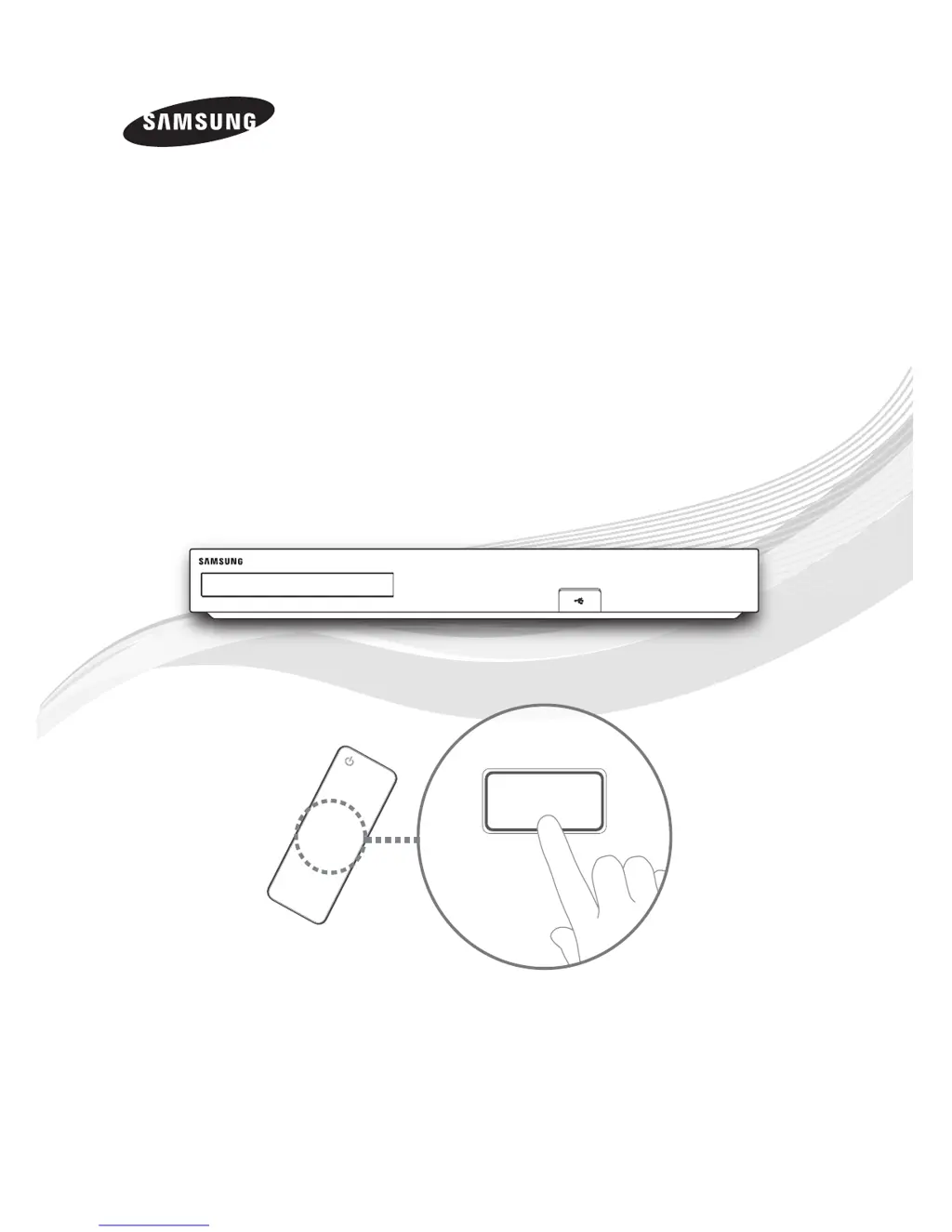
      If the screen is blocked because the HDMI output is set to a resolution your TV doesn't support (like 1080p), press the button on the top panel for more than 5 seconds when there's no disc inside and you are on the home screen. This will revert all settings to the factory defaults. Note that this will delete all stored user BD data.
  • U
    uarnoldAug 29, 2025
    What to do if my Samsung BD-F8500M disc does not play?
    • S
      Samantha GreeneAug 29, 2025
      If your Samsung Blu-ray Player is not playing discs, make sure the disc is placed with the label side facing up. Also, check the region number of the Blu-ray or DVD disc to ensure it is compatible.
  • J
    Jason CaseySep 17, 2025
    Why the screen ratio cannot be changed on Samsung BD-F8500M?
    • K
      Kaitlin WhiteSep 18, 2025
      The Screen Ratio is fixed on your Blu-ray/DVD disc. This is not a problem with the product.
  • Z
    zcookSep 19, 2025
    What to do if I forgot my password on Samsung Blu-ray Player?
    • S
      Stephanie PhillipsSep 22, 2025
      If you've forgotten your password, you can reset all settings, including the PIN, to the factory defaults. To do this, press and hold the 5 (STOP) button on the top panel for more than 5 seconds when there is no disc inside and you are on the home screen. Be aware that this action will erase all stored user BD data, so only use this method if absolutely necessary.
  • X
    xclarkSep 7, 2025
    How to connect to BD-Live server on Samsung BD-F8500M Blu-ray Player?
    • J
      Joshua HebertSep 7, 2025
      If you're having trouble connecting to the BD-Live server with your Samsung Blu-ray Player, first check the network connection using the Network Status menu. Ensure a USB memory device with at least 1 GB of free space is connected. Verify that the BD-Live Internet Connection menu is set to Allow(All). If problems persist, contact the content provider or update the product firmware.
  • M
    Miss Toni CarrSep 4, 2025
    Why can't I see files in AllShare on my Samsung BD-F8500M?
    • M
      Michael ZavalaSep 4, 2025
      If you can see folders shared through AllShare on your Samsung Blu-ray Player but cannot see the files, note that AllShare only displays files corresponding to the Videos, Photos, and Music categories. Files that do not correspond to these categories may not be displayed.

Summary

Available Recording Time for internal HDD

Front Panel or Rear Panel

Remote Control

Tour of the Remote Control

Details the functions of each button on the remote control.

Setting the Remote Control to Operate Your TV

TV Control Codes

Lists the codes required to set the remote to control compatible TVs.

Connections

Connecting to a TV

Illustrates the steps for connecting the product to a television.

Connecting to an Audio System

Explains how to connect the product to an audio system for sound output.

Network Connection

Wired Network

Describes the procedure for connecting the product via a wired network.

The Setup Procedure

Accessing the Settings Screen

Troubleshooting

Disc and Format Compatibility

Warning

CAUTION (Laser)

Warns about potential hazardous laser exposure risks.

CLASS 1 LASER PRODUCT

Classifies the product as a Class 1 Laser Product for safety purposes.

Precautions

Important Safety Instructions

Lists essential safety instructions for the proper operation of the unit.

Handling Cautions

Connect a USB device before using the Timeshift and Recorded TV functions

Specifications

Samsung BD-F8500M Specifications

General IconGeneral
TypeBlu-ray Player
3D PlaybackYes
Smart FeaturesYes
Wi-FiYes
USB Ports2
HDMI Output(s)1
Ethernet PortYes
Disc PlaybackBlu-ray, DVD, CD
Video OutputHDMI
Audio OutputHDMI, Optical, Coaxial
Dimensions (W x H x D)430 x 54 x 219 mm

Related product manuals