EasyManua.ls Logo

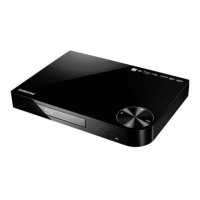
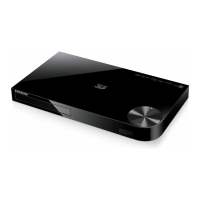
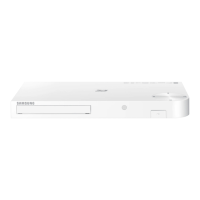
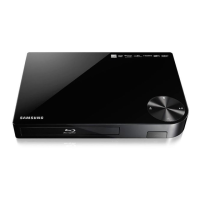
Samsung BD-FM57C - User Manual

Samsung BD-FM57C
24 pages
Print Icon
To Next Page IconTo Next Page
Loading...
imagine the possibilities
Thank you for purchasing this Samsung product.
To receive more complete service,
please register your product at
www.samsung.com/register
Blu-ray
Disc Player
user manual
BD-FM57C
ENGLISH

Questions and Answers

  • J
    justin74Aug 19, 2025
    How to reset forgotten password on Samsung BD-FM57C?
    • B
      bfloresAug 20, 2025
      To reset a forgotten password on your Samsung Blu-ray Player: Press and hold the @ button on the top panel for more than 5 seconds when there is no disc inside. This will revert all settings, including the password, to the factory defaults. Be aware that all stored user BD data will be deleted when you restore the factory default settings, so only use this method if absolutely necessary.
  • F
    fjeffersonAug 21, 2025
    What to do if Samsung BD-FM57C Blu-ray Player remote control not working?
    • R
      Randall BurnsAug 21, 2025
      If your Samsung Blu-ray Player's remote control isn't working, try the following: * Check and replace the batteries in the remote control. * Ensure you are within 20 feet of the player. * Remove the batteries, press and hold any button for a few minutes to reset the remote, then reinstall the batteries.
  • J
    Jason AndersonAug 23, 2025
    How to fix no HDMI output on Samsung BD-FM57C Blu-ray Player?
    • R
      Richard WilliamsAug 25, 2025
      To fix a lack of HDMI output on your Samsung Blu-ray Player: * Verify the HDMI connection between the player and the TV. * Confirm that your TV supports the HDMI input resolution (480p, 720p, 1080i, or 1080p).
  • K
    Kenneth DavisAug 26, 2025
    Why is my Samsung BD-FM57C showing a blank screen?
    • N
      Nicholas RichmondAug 26, 2025
      If your Samsung Blu-ray Player is showing a blank screen, it could be due to the HDMI output being set to a resolution that your TV doesn't support (for example, 1080p). To resolve this, press and hold the @ button on the top panel for more than 5 seconds with no disc inside. This will reset all settings to the factory defaults. Note that all stored user BD data will be deleted.
  • S
    Samantha MurphyAug 27, 2025
    Why won't my Samsung BD-FM57C play the disc?
    • A
      Adam DuncanAug 28, 2025
      If your Samsung Blu-ray Player won't play a disc: * Make sure the disc is placed with the label side facing up. * Check the region code of the Blu-ray Disc/DVD to ensure it's compatible with your player.
  • T
    Tom ClarkAug 30, 2025
    Why is the picture noisy or distorted on my Samsung BD-FM57C?
    • T
      Terry FreemanAug 30, 2025
      If the picture on your Samsung Blu-ray Player is noisy or distorted, it may be due to a dirty or scratched disc. Clean the disc to resolve this issue.
  • R
    rebecca30Aug 31, 2025
    Why is there no audio from my Samsung BD-FM57C?
    • R
      Rachel RichardsAug 31, 2025
      If there is no audio from your Samsung Blu-ray Player, ensure that you have selected the correct Digital Output in the Audio Options Menu.
  • B
    bclementsSep 3, 2025
    What causes an abnormal HDMI output screen on a Samsung BD-FM57C Blu-ray Player?
    • D
      Dana NashSep 3, 2025
      An abnormal HDMI output screen, such as random noise, on your Samsung Blu-ray Player indicates that your TV does not support HDCP (High-bandwidth Digital Content Protection).
  • D
    Dale BlairSep 4, 2025
    Why does video play intermittently on my Samsung BD-FM57C Blu-ray Player?
    • C
      curtiskimberlySep 5, 2025
      If the video on your Samsung Blu-ray Player plays intermittently: * Check the stability of your network connection. * Ensure the network cable is properly connected and that the network is not overloaded.
  • M
    Michael SmithSep 6, 2025
    Why is the DLNA connection unstable between my Samsung Blu-ray Player and PC?
    • R
      Robert KnightSep 6, 2025
      An unstable DLNA connection between your Samsung Blu-ray Player and PC can occur if the IP addresses on the same subnetwork are not unique, causing IP interference. Also, check if you have a firewall enabled; if so, disable it.

Summary

Safety Information and Precautions

Warnings, Cautions, and Laser Product Information

Details safety warnings, laser class classification, and specific precautions for product operation.

Important Safety Instructions

Lists essential guidelines for safe and proper operation of the unit.

Getting Started

File Format Support Details

Remote Control and Connections

Connecting Player to TV

Guides the user through connecting the Blu-ray player to a television using an HDMI cable.

System Connections

Connecting to Network Router

Provides instructions for setting up a network connection using a router.

Player Settings and Configuration

Initial Setup and Menu Navigation

Guides through the first-time setup process, language selection, and menu navigation.

Advanced Display Settings

Audio Settings and Output

Digital Audio Output Configuration

Details options for selecting digital audio output formats and bitstream settings.

Network Setup Procedures

Automatic and Manual Wireless Network Setup

Provides step-by-step instructions for establishing a wireless network connection.

Security Key and PIN Configuration

Guides on setting up secure network access using security keys or PINs.

Network Features and Services

WPS Connection Setup

Explains the Wi-Fi Protected Setup (WPS) process for easy network connection.

Network Testing and BD-Live Services

Covers checking network connectivity and accessing BD-Live online features.

Data Management and System Settings

Software Upgrade and System Functions

USB Software Upgrade Process

Provides instructions for upgrading the player's firmware using a USB flash drive.

Media Playback Operations

Playing Files from USB Devices

Details how to access and play media files (videos, music, photos) stored on a USB device.

Content Playback and Control

Media Playback Features

Appendix: Troubleshooting

Resolving Common Player Issues

Offers solutions for various problems like remote control failure, disc playback errors, and HDMI issues.

Appendix and Product Specifications

Detailed Product Specifications

Lists the technical specifications of the Blu-ray player, including power, dimensions, and supported connectivity.

Samsung BD-FM57C Specifications

General IconGeneral
BrandSamsung
ModelBD-FM57C
CategoryBlu-ray Player
LanguageEnglish

Related product manuals