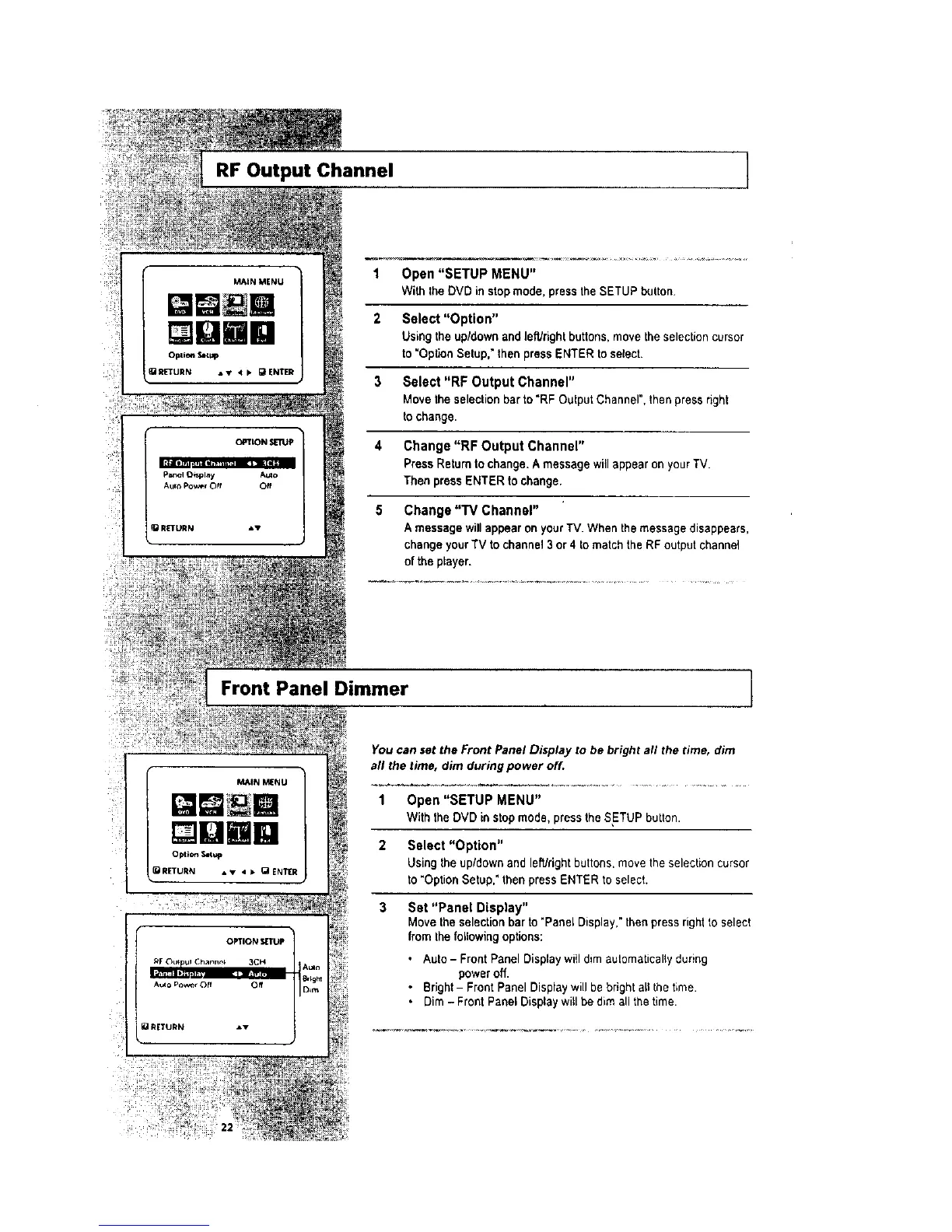
RF Output Channel ]
1 Open "SETUP MENU"
With the DVD in stopmode, press the SETUP button.
2 Select "Option"
Using the up/down and leWrightbuttons, movethe selection cursor
to "OpUoo Setup," then press ENTER to select.
3 Select "RF Output Channel"
Move the selectionbar to "RF Output Channel", then press right
to change.
4 Change "RF Output Channel"
Press Return to change. A message will appear on your TV.
Then press ENTER to change.
5 Change "TV Channel"
A message willappear on your TV. When the message disappears,
change your TV to channel 3or 4 to match the RF output channel
of the player.
Front Panel Dimmer ]
_IN _NU
[]UBR
Opt ion Setup
_RETURN • • • > (_ ENTER
You can set the Front Panel Display to be bright all the time, dim
all the time, dim during power off.
1 Open "SETUP MENU"
With the DVD in stopmode, press the SETUP button.
2 Select "Option"
Using the up/down and leWrightbuttons,move the selection cursor
to "Option Setup." then press ENTER to select.
3 Set "Panel Display"
Move the selection bar to "Panel Display,"then press rightto select
from the following options:
• Auto - Front Panel Display wi(I dim automaticallyduring
power off.
• Bright- Front Panel Display will be bright all the time.
• Dim - Front Panel Display will be dim all the time.




 To Next Page