I Special Playback Features
During DVD/CD playback you can select from the following
special playb#ck options. To resume normal playback, press the b,-n
(Play/Pause) button,
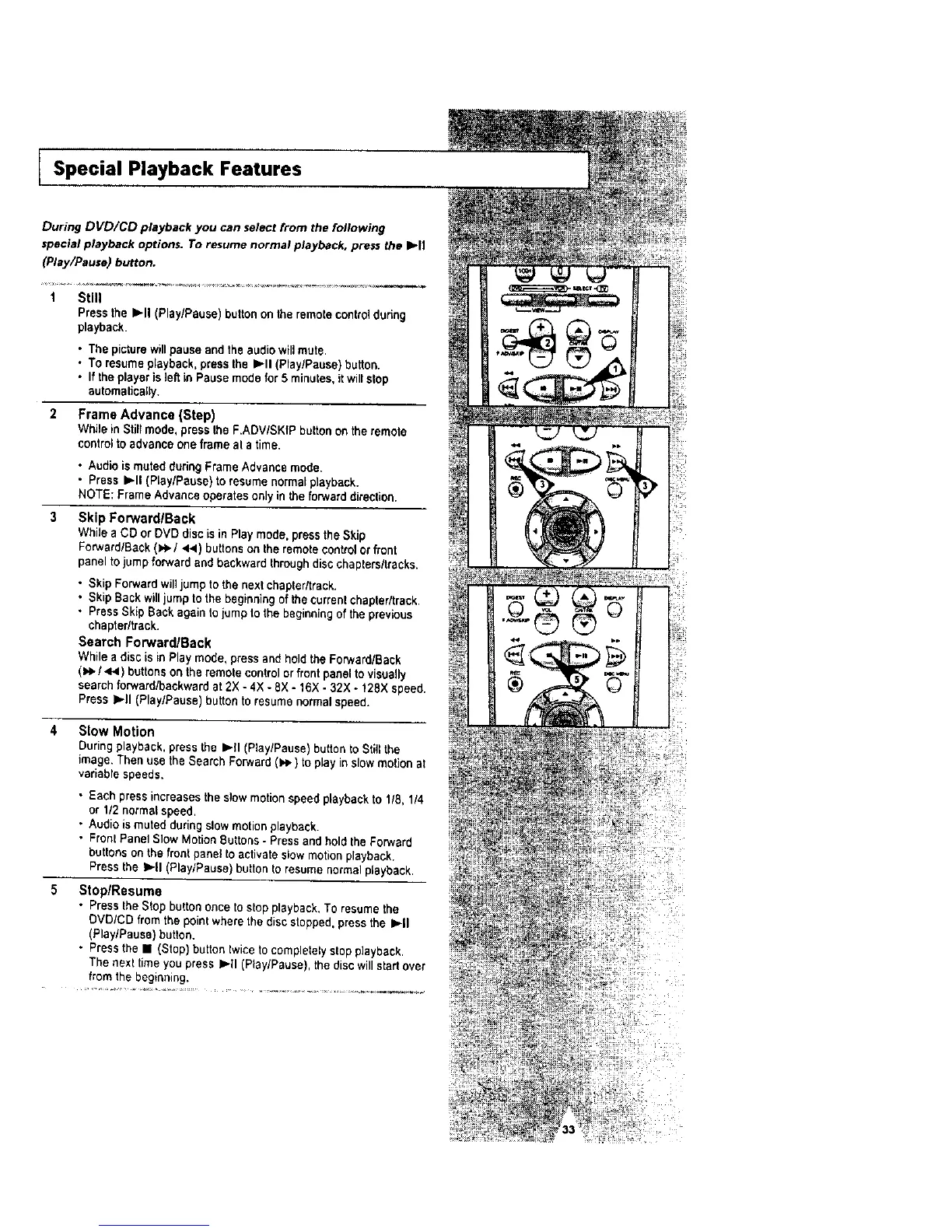
1 Still
Press the I_11(Play/Pause) buttonon the remote contr01dottng
playback.
• The picture willpause and the audiowill mute.
• To resumeplayback, press the I_11 (Play/Pause) button.
• If the player is]eft in Pause mode for 5 minutes, itwill stop
automatically.
2 Frame Advance {Step)
While in Stiltmode, press the F.ADV/SKfP buttonon the remote
controlto advance one frame at a time.
• Audio is muted during Frame Advance mode.
• Press IP-ll (Play/Pause) to resume normal playback.
NOTE: Frame A_vance operatesonly in the forward_irection.
Skip ForwardlBack
While a CO or OVO diecis in Play mode, press the S;'Jp
Forward/Back (),,_./44 ) buttonson the remote controlor font
panel tojump forward and backward throughdisc chapters/tracks.
• Skip Forward willjump to the next chapter/track.
• Skip Back willjump to the beginningof the currentchapter/track.
• Press Skip Back again tojump to the beginningof the previous
chapter/track.
Search Forward/Back
While a disc is in Play mode, press and hold the Forward/Back
(),e./441) buttonson the remote controlor front panel tovisually
search forward/backward at 2X - 4X - 8X - 16X - 32X - 128X speed.
Press l_tt (PiaylPause) button to resume normalspeed.
4 Slow Motion
During playback,press the I_.ll (P_ay/Pause')button _oStill the
image, Then use the Search Forward ()e,) to play inslow motion at
variable speeds.
• Each press increases the slow motion speed playback to 118,1/4
or 1/2 normal speed.
• AL_dieis muted during stowmotion playback.
• Fronl Panel Slow Motion Buttons- Pressand hold the Forward
butlons on the front panel to activate slow motion playback,
Press the I=,.|1{P_ay/Pause) button to resume normalp_ayback.
Stop/Resume
• Press the Stop button once to stop playback. To resume the
OVD/CD from the pointwhere the discstepped, press the I=,-II
(Play/Pause) button.
• Press the I (Stop) button twice to completelystop playback.
The next time you press I=,-II(Play/Pause), the discwillstart over
from the beginning.




 To Next Page