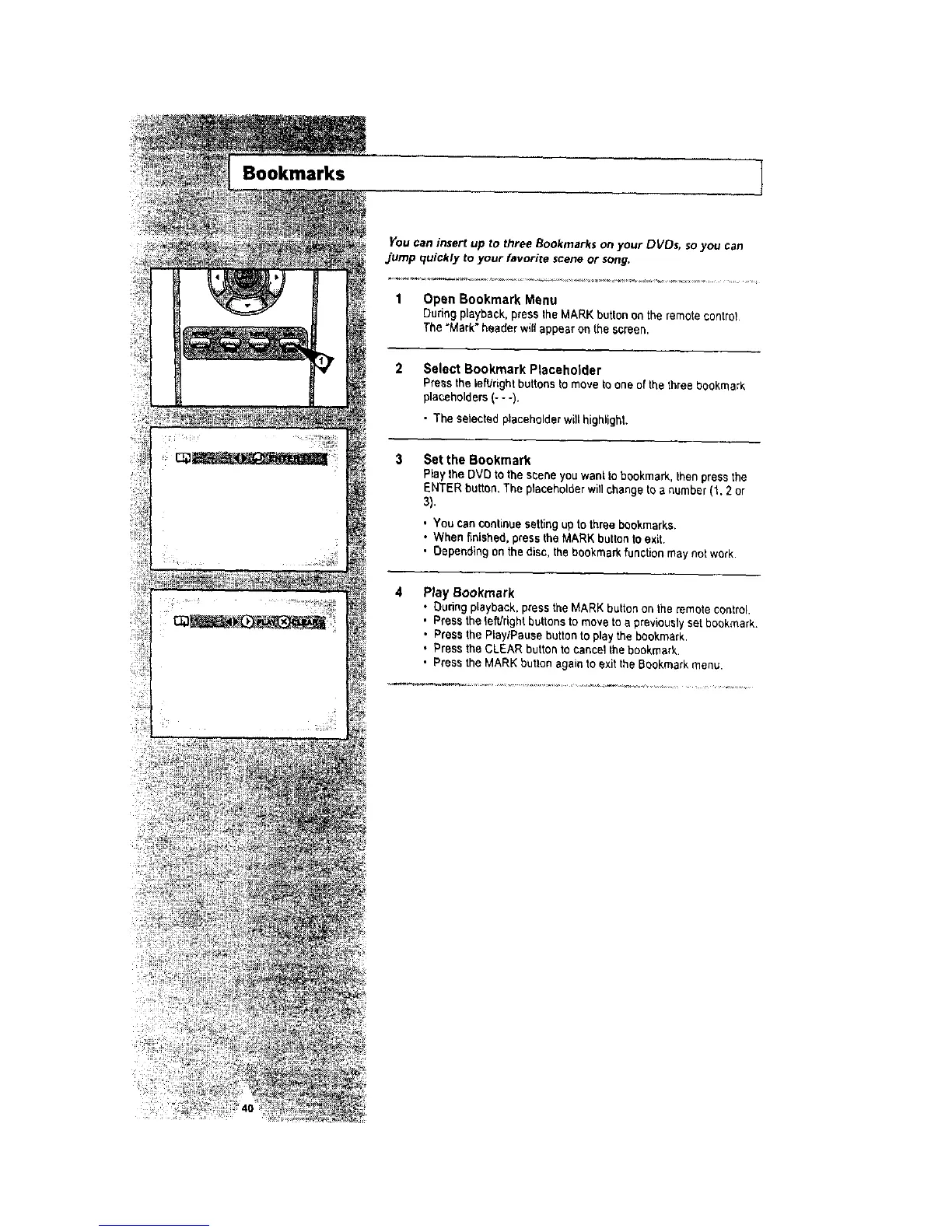
You can insert up to three Bookmarks on your DVDs, so you can
jump quickly to your favorite scene or song,
I Open Bookmark Menu
Ouri_ playback, press the _ARK button _,_ the remote Control
The "Mark" header will appear on the screen.
Bookmarks
2
3
Select Bookmark Placeholder
Press the iefVdghtbuttons to move to one of the three bookmark
placeholders(- - -).
• 3"heselected placeholder will highlight.
Set the Bookmark
RaytheDVDto thesceneyouwanttobookmark,thenpressthe
ENTERbutton,Theplacaholderwillchangetoa number(1.2 or
3).
, You can continuesetting up to three bookmarks.
• When finished, press the MARK button to exit.
• Depending on the disc, the bookmark function may not work.
Play Bookmark
• Dudng playback, press the MARK buttonon the remote control.
• Presstheto,rightbuttonstomove toa previouslysetbookmark,
• Press the PlaylPause button to play the bookmark,
• Press the CLEAR button to cancel thebookmark.
• Press the MARK button again to exit the Bookmark menu.





 To Next Page