
 To Next Page

A
Alan BrownSep 14, 2025
What causes an abnormal HDMI output screen on Samsung DVD Player?
- MmooneyjackieSep 14, 2025
If snow noise appears on the screen, it means that your TV does not support HDCP (High-bandwidth Digital Content Protection).

What causes an abnormal HDMI output screen on Samsung DVD Player?
If snow noise appears on the screen, it means that your TV does not support HDCP (High-bandwidth Digital Content Protection).
What to do if Samsung DVD-VR355 remote control doesn’t work?
Ensure that you are pointing the remote control at the remote control sensor on your Samsung DVD Recorder & VCR. Make sure you are within the operational distance (15ft) and that there are no obstacles between the remote control and the DVD Recorder & VCR. Finally, check if the batteries are depleted and replace them if needed.
What to do if my Samsung DVD Player cannot play the disc?
First, check whether the disc is inserted correctly with the label facing up. Next, verify the regional code of your DVD disc. Finally, be aware that your Samsung DVD Recorder & VCR might not be able to playback some types of disc.
Why does my Samsung DVD-VR355 have no audio output?
Check whether you selected correct digital output options in the Audio Output Options menu.
What to do if the disc tray is ejected after 2 to 5 seconds in Samsung DVD Player?
Insert the disc again and try to play. It should work properly once any condensation has evaporated.
Why can't I see normal broadcasts on my Samsung DVD-VR355?
Check the tuner/external setting. It should be on tuner.
Why Samsung DVD-VR355 angle operation does not work during playback of a DVD disc?
Angle operation is available only when the disc contains images captured at different angles.
Why Samsung DVD Player you cannot see normal broadcasts?
Check the tuner/external setting. It should be on tuner. Check the TV antenna connections.
What causes no video or audio output on Samsung DVD-VR355?
If you have moved your DVD Recorder & VCR suddenly from a cold place to a warm place, do not connect the plug to the power outlet and wait for two hours. The disc tray will eject after 2 to 5 seconds. Then insert the disc and try to play again. It will work properly when condensation has evaporated.
Why Samsung DVD Player has no HDMI output?
Verify that the Video output is HDMI enabled. Check the connection between the TV and the HDMI jack of the DVD Recorder & VCR.
Safety precautions, warnings regarding laser, electric shock, and FCC regulations.
Operating instructions, handling cautions, and general precautions for safe use.
Progressive scan, MPEG4 playback, HDMI connection, and EZ REC MODE features.
Steps for selecting the correct disc type and formatting it for recording.
Introduction to the direct and timer recording methods.
Installing batteries and troubleshooting remote control issues.
Overview of remote control buttons, their functions, and TV control capabilities.
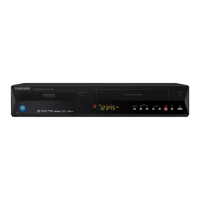
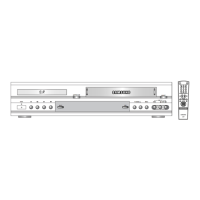
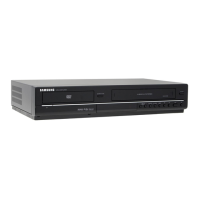
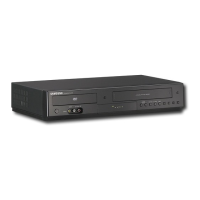
Identification of front panel components and display indicators.
Identification of all rear panel connection jacks and ports.
Connecting the antenna for TV reception, including setup without a cable box.
Connecting the unit to a TV using an HDMI cable for digital video and audio.
Connecting the unit to a TV using an HDMI-DVI cable, requiring separate audio.
Connecting audio output to the TV to use TV speakers.
Connecting VCRs, cable boxes, or DVD players to the unit's AV 1 IN or S-VIDEO IN jacks.
Setting parental controls, rating levels, and passwords to restrict content.
Performing basic VCR recordings and understanding recording time limits.
Recording the current channel and pausing/resuming recordings.
Recording from external devices and managing the recording process.
Recording from camcorders using the DV input jack.
Performing recordings in preset increments using the OTR function.
Setting up timed recordings for DVD and VCR, including mode selection.
Copying content from DVD to VCR, including direct copy method.
Copying content from VCR to DVD, including direct copy.
Solutions for common issues like no power, recording problems, playback errors, and sound issues.
Solutions for common VCR problems like no power, tape issues, recording failures, and picture distortions.
Explanations and solutions for various error messages displayed by the unit.
Detailed technical specifications including power, dimensions, input/output ports, and DVD formats.
Details of the limited warranty, exclusions, and contact headquarters information.
 General
| Progressive scan output | Yes |
|---|---|
| Playback formats | DivX |
| Dimensions (WxDxH) | 430 x 321 x 79 mm |
| Power requirements | 220-240V; 50Hz |
| Optical disc recording | DVD-R DL, DVD-R/-RW/+R /+RW, DVD-RAM |
| Audio decoders | Dolby Digital |
| Audio formats supported | MP3 |
| Channels quantity | 99 channels |
| Device type | DVD recorder |
| Product color | Black |
| Number of optical discs | 1 discs |
| Composite video out | 1 |
| SCART ports quantity | 2 |
| Programming period | 30 day(s) |
| Power consumption (standby) | 6 W |
| Power consumption (typical) | 30 W |
| Certification | CE, SEMKO |