Playback/Editing
56
Playing back
Learn how to play back photos, videos, or voice memos, and manage files.
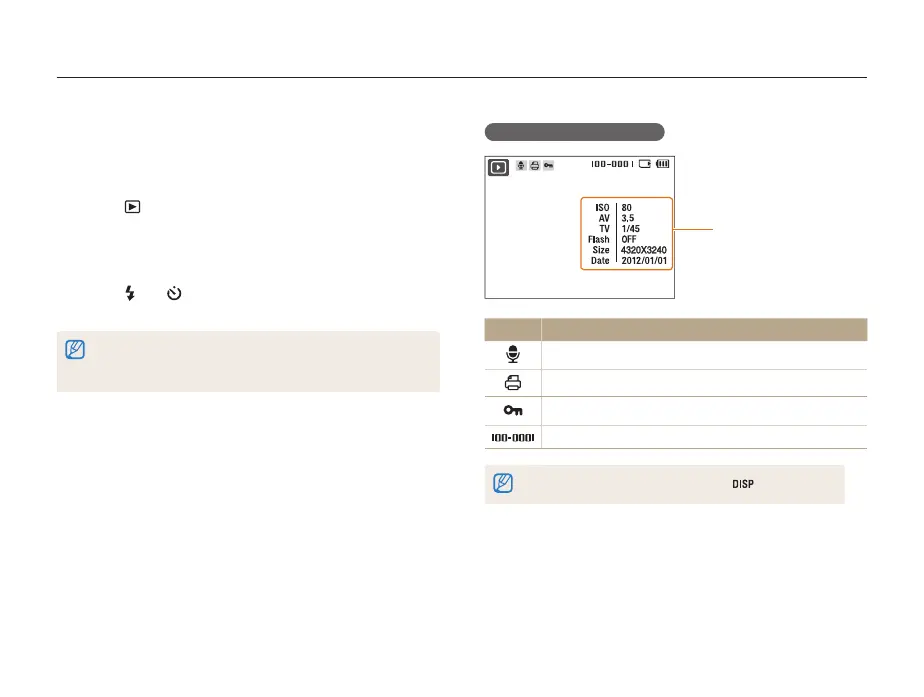
Display in Playback mode
Information
Icon Description
Photo includes a voice memo
Print order has been set (DPOF)
Protected file
Folder name – File name
To display file information on the screen, press [ ].
Starting Playback mode
View photos or play videos and voice memos stored in your
camera.
1
Press [ ].
• The most recent file you have taken or recorded is displayed.
• If the camera is off, it will turn on and display the most recent
file.
2
Press [ ] or [ ] to scroll through files.
• Press and hold to scroll through files quickly.
You may not be able to edit or play back files that were captured with other
cameras, due to unsupported sizes (image size, etc) or codecs. Use a
computer or another device to edit or play back these files.



 To Next Page