Getting started
12
3
►
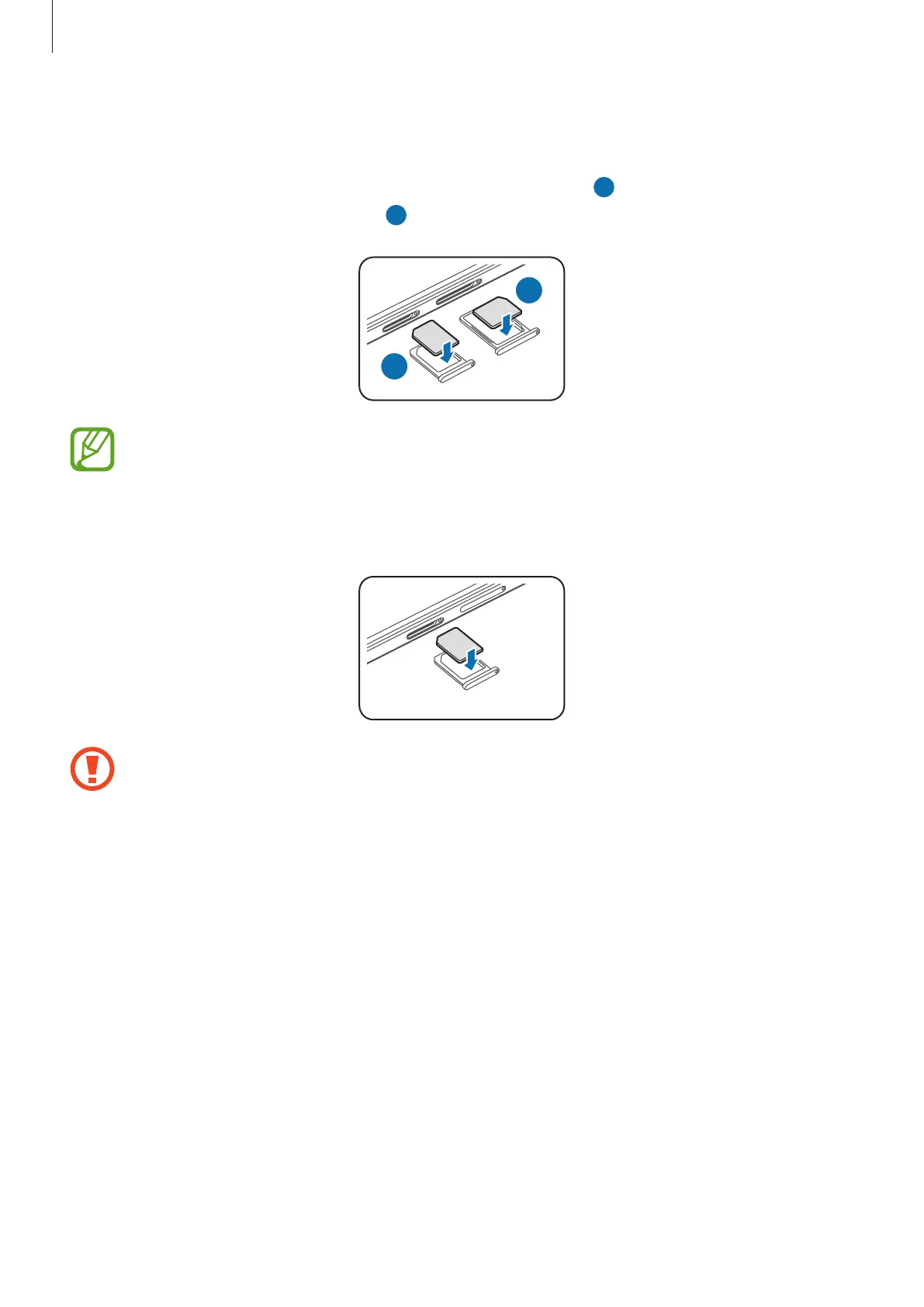
Dual SIM models: Place the SIM or USIM card on the SIM card tray with the gold-
coloured contacts facing downwards.
Place the primary SIM or USIM card on the SIM card tray 1 (
1 ) and the secondary SIM or
USIM card on the SIM card tray 2 (
2 ).
2
1
The SIM card tray 2 also serves as the memory card tray. However, you cannot place
both the SIM or USIM card and the memory card at the same time.
►
Single SIM models: Place the SIM or USIM card on the SIM card tray with the gold-
coloured contacts facing downwards.
Use caution not to lose or let others use the SIM or USIM card. Samsung is not
responsible for any damages or inconveniences caused by lost or stolen cards.







 To Next Page