Messages & email
65
►
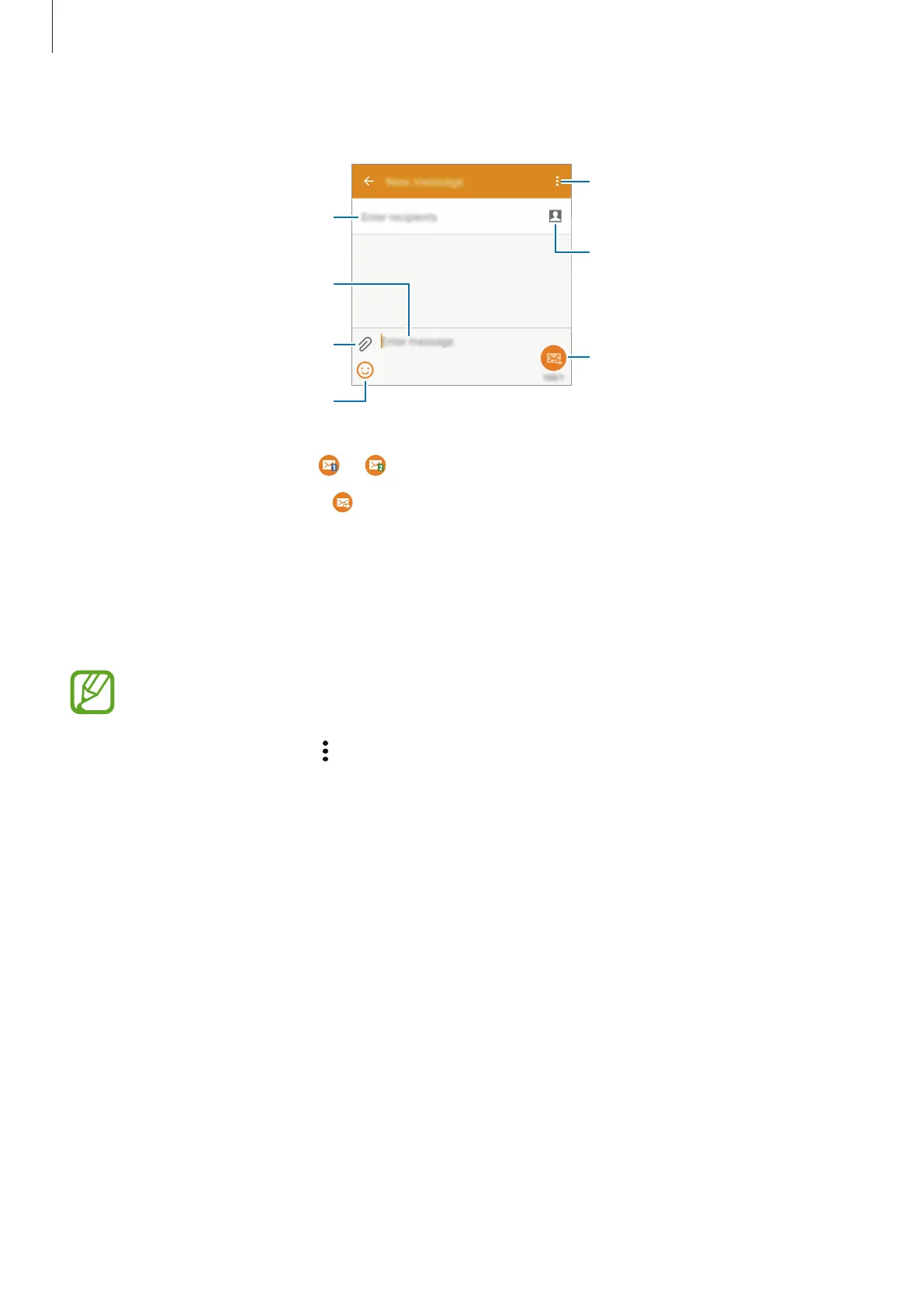
Single SIM models:
Access additional options.
Enter a message.
Select contacts from the
contacts list.
Enter emoticons.
Enter recipients.
Attach files.
Send the message.
4
►
Dual SIM models: Tap or to send the message.
►
Single SIM models: Tap to send the message.
Viewing incoming messages
Incoming messages are grouped into message threads by contact. Select a contact to view
the person’s messages.
You may incur additional charges for sending or receiving messages when you are
roaming.
While viewing a message, tap
to view more options.









 To Next Page