Motions & usability features
49
One-handed operation
You can switch to one-handed operation mode to conveniently operate the device with one
hand.
On the Apps screen, tap
Settings
→
Display and wallpaper
→
One-handed operation
, and
then tap the
One-handed operation
switch to activate it.
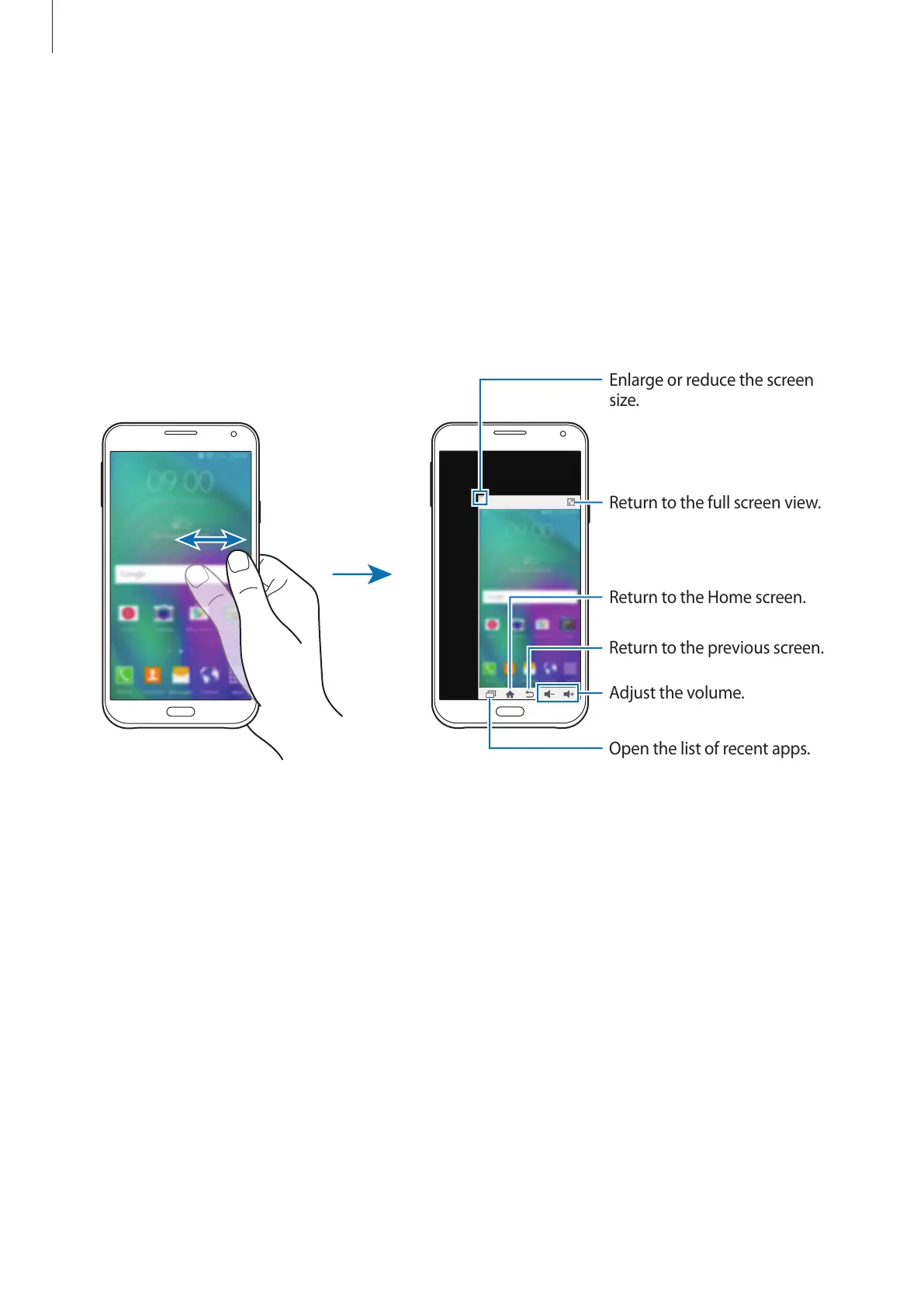
To switch to one-handed operation mode, hold the device in one hand. Then, quickly drag
your thumb from the edge of the screen to the centre of the screen and back again.
Enlarge or reduce the screen
size.
Return to the full screen view.
Adjust the volume.
Return to the previous screen.
Return to the Home screen.
Open the list of recent apps.











 To Next Page