68
Camera
Basic shooting
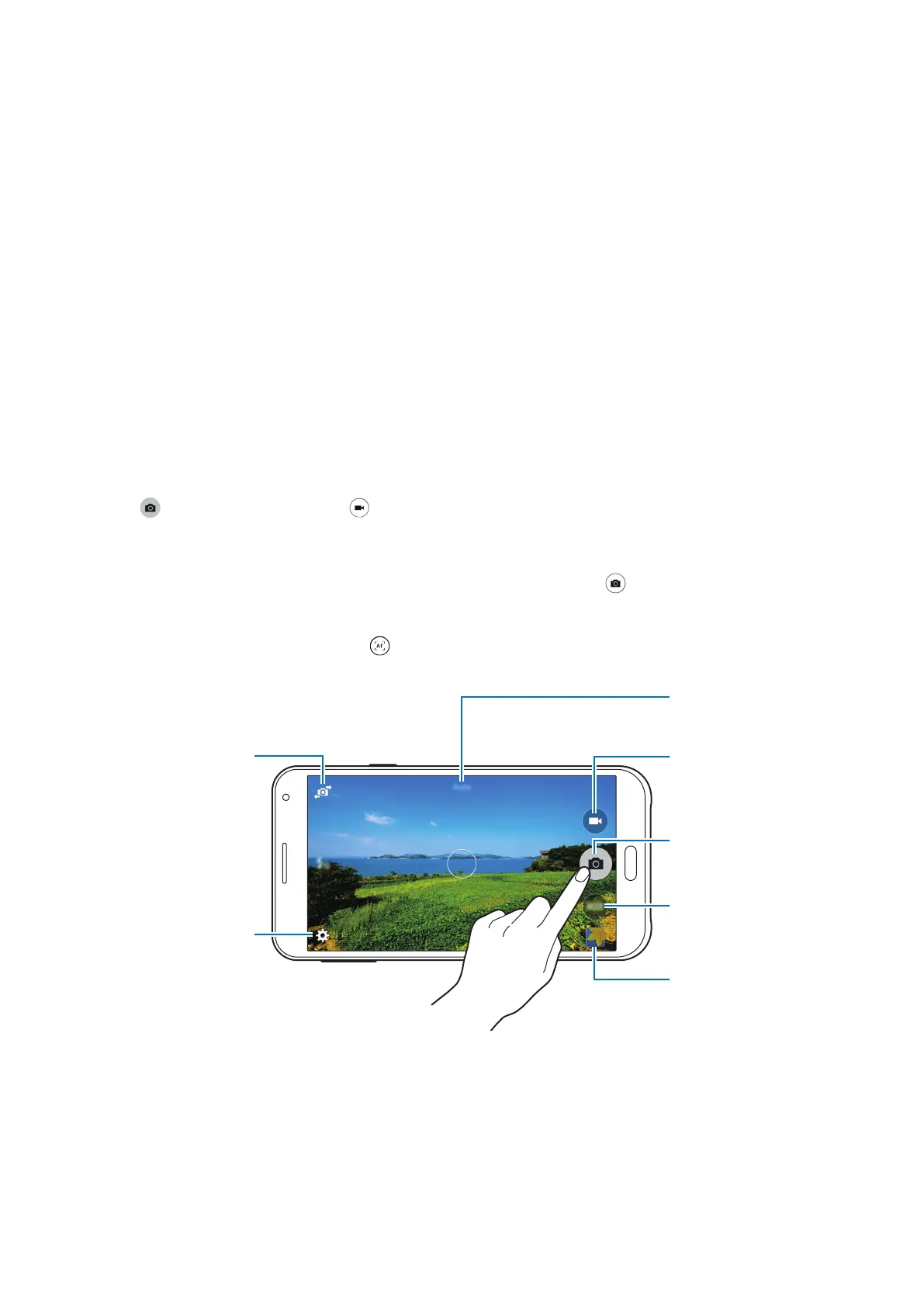
Taking photos or recording videos
1
Tap
Camera
on the Apps screen.
2
Tap the image on the preview screen where the camera should focus.
3
Tap to take a photo or tap to record a video.
•
Spread two fingers apart on the screen to zoom in, and pinch to zoom out.
•
To capture an image from the video while recording, tap .
•
To change the focus while recording a video, tap where you want to focus. To focus on
the centre of the screen, tap
.
Change the shooting
mode.
Start recording a
video.
Take a photo.
View photos and
videos you have
captured.
Display current mode.
Switch between the
front and rear
cameras.
Change camera
settings.








 To Next Page