Basics
25
Home screen layout
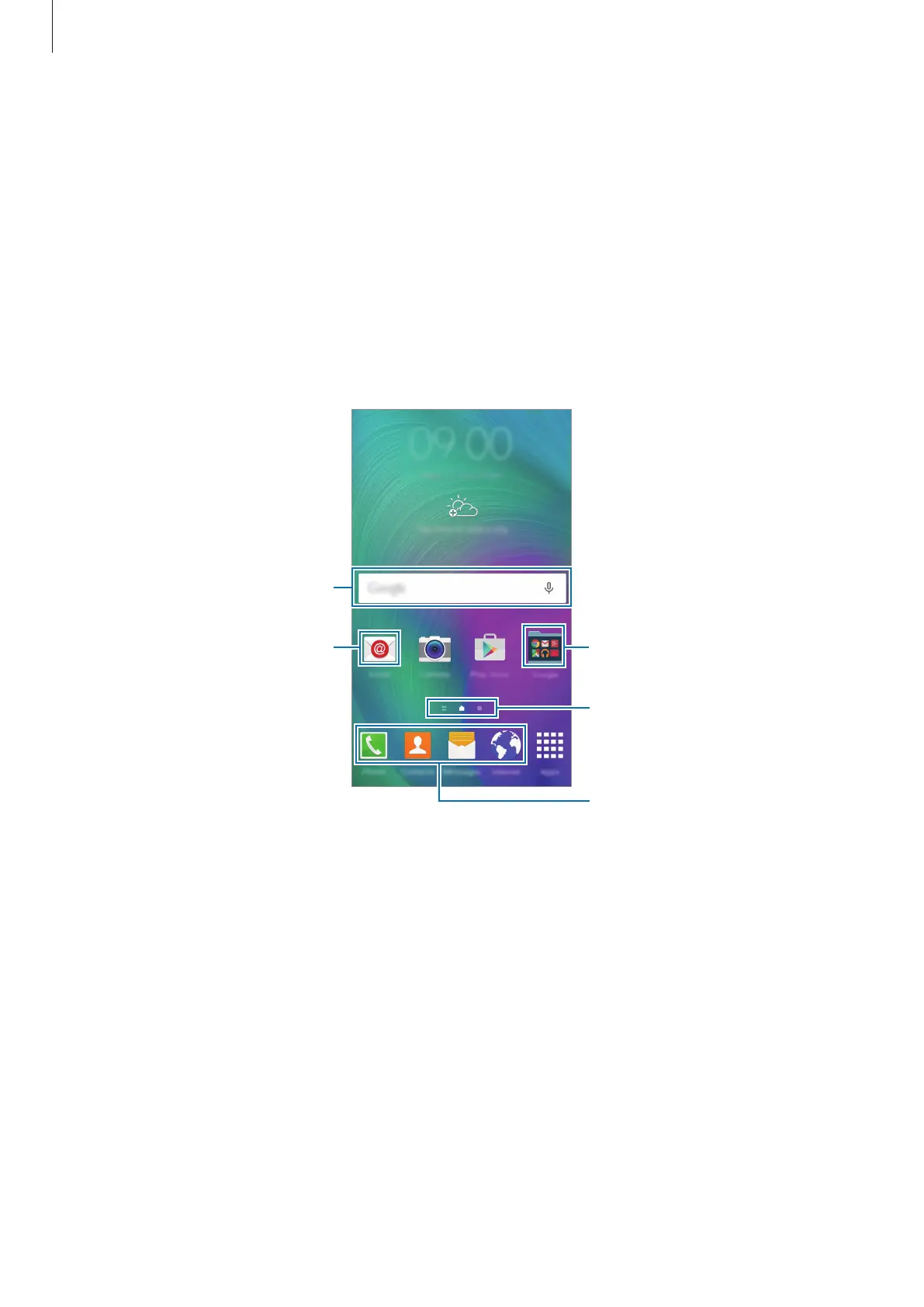
Home screen
The Home screen is the starting point for accessing all of the device’s features. It displays
widgets, shortcuts to apps, and more. Widgets are small apps that launch specific app
functions to provide information and convenient access on your Home screen.
To view other panels, scroll left or right, or tap one of the screen indicators at the bottom of
the screen. To customise the Home screen, refer to Managing the Home screen.
A widget
An app
Screen indicators
A folder
Favourite apps







 To Next Page