58
Phone
Making calls
Tap
Phone
on the Apps screen.
►
Dual SIM models: Tap
Keypad
, enter a phone number, and then tap or to make a
voice call, or tap
to make a video call.
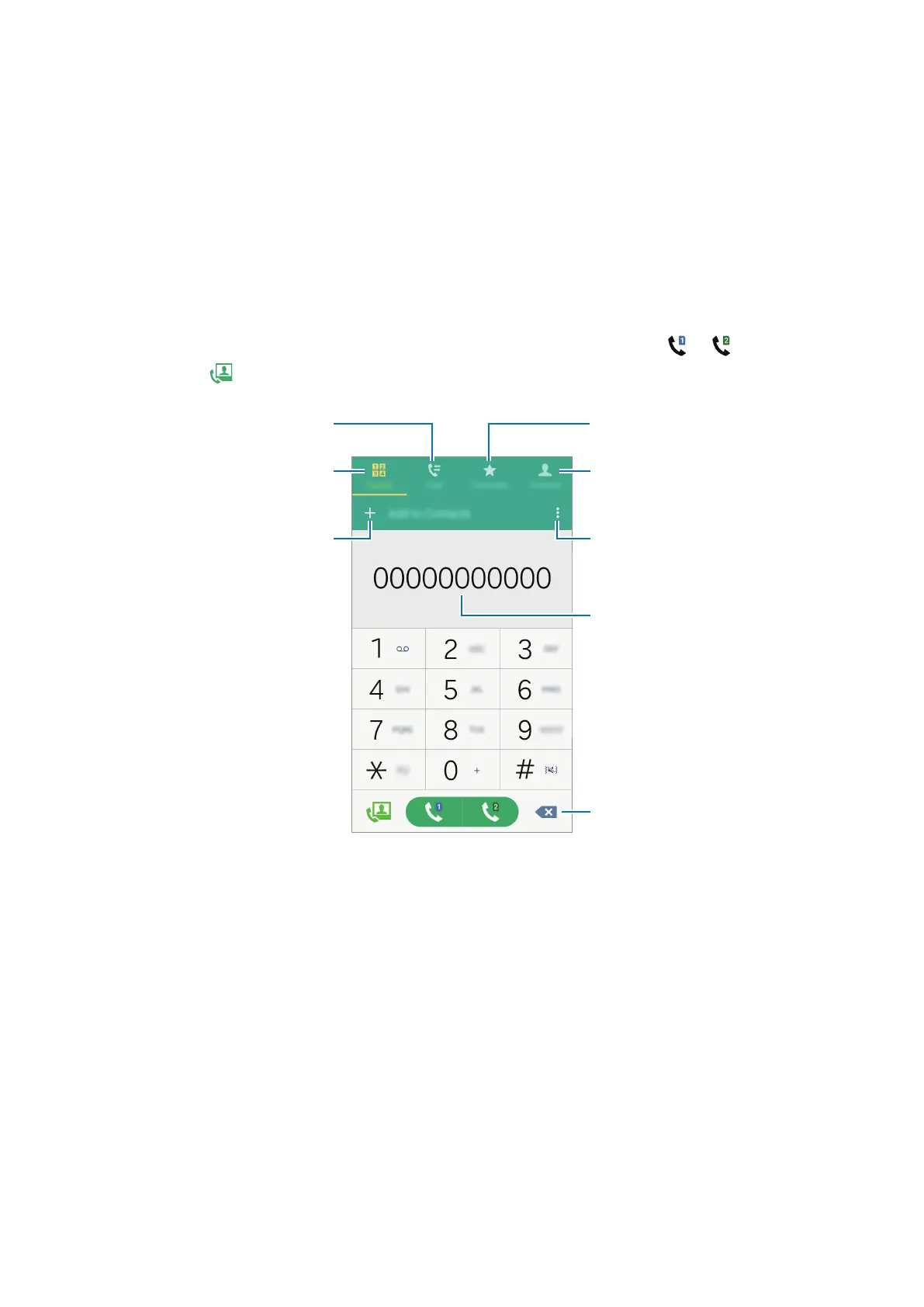
Access additional options.
Preview the phone number.
View favourite contacts.
Delete a preceding character.
View the contacts list.
View call and message logs.
Add the number to the contacts
list.
Enter the number using the
keypad.













 To Next Page