Useful apps and features
87
Voice Recorder
Recording voice memos
Tap
Voice Recorder
on the Apps screen.
Tap
to start recording. Speak into the microphone. Tap to pause recording. To cancel
recording, tap
. Tap to finish recording.
While recording a voice memo, tap
to insert a bookmark.
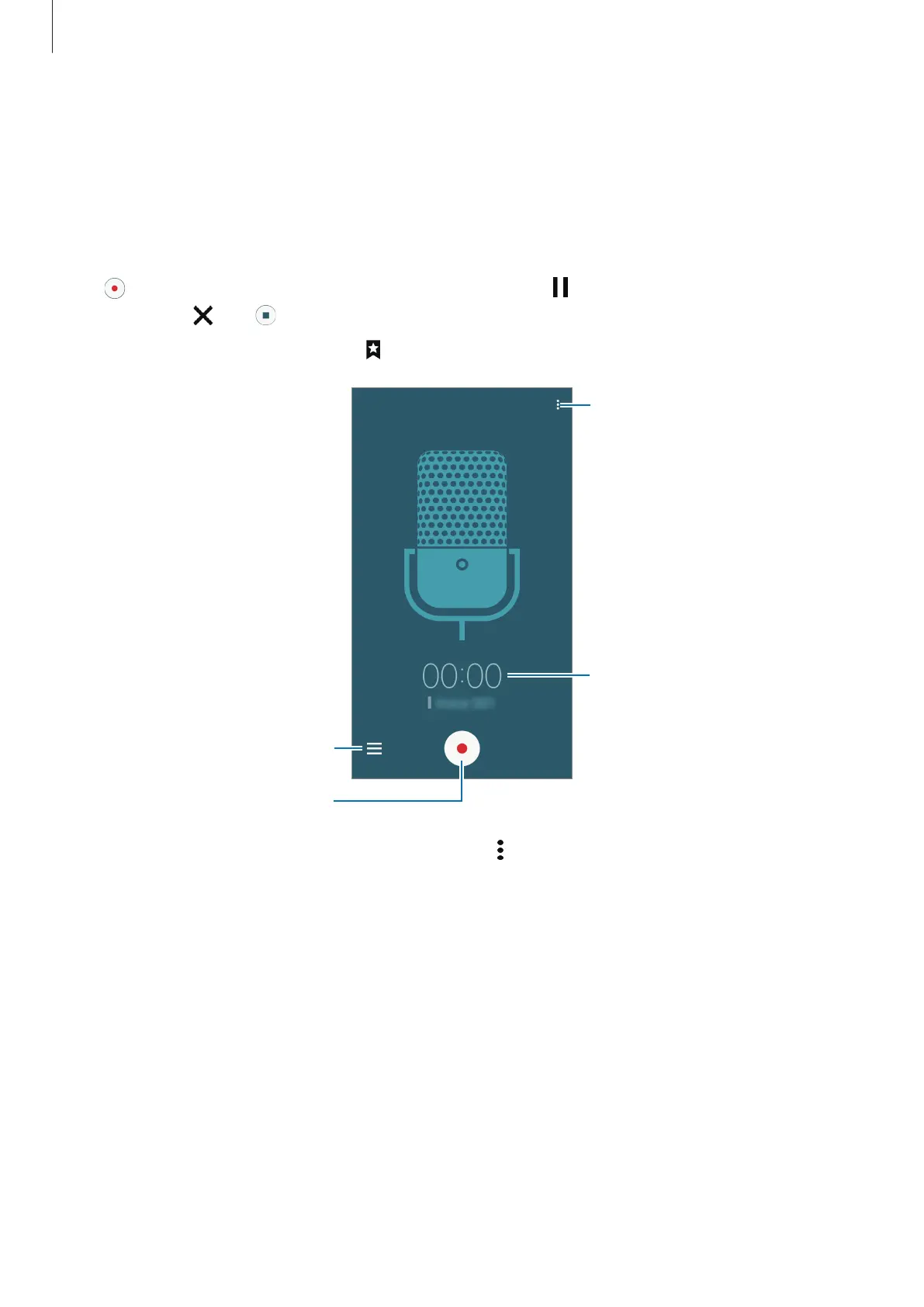
Display the list of voice memos.
Access additional options.
Start recording.
Recording elapsed time
To set the device to remove background noise, tap
→
Settings
, and then tick
Noise
reduction
.











 To Next Page