Messages & email
67
Reading emails
Tap
Email
on the Apps screen.
Tap
, select an email account to use, and new messages are retrieved. To manually retrieve
new messages, tap
.
Tap a message to read.
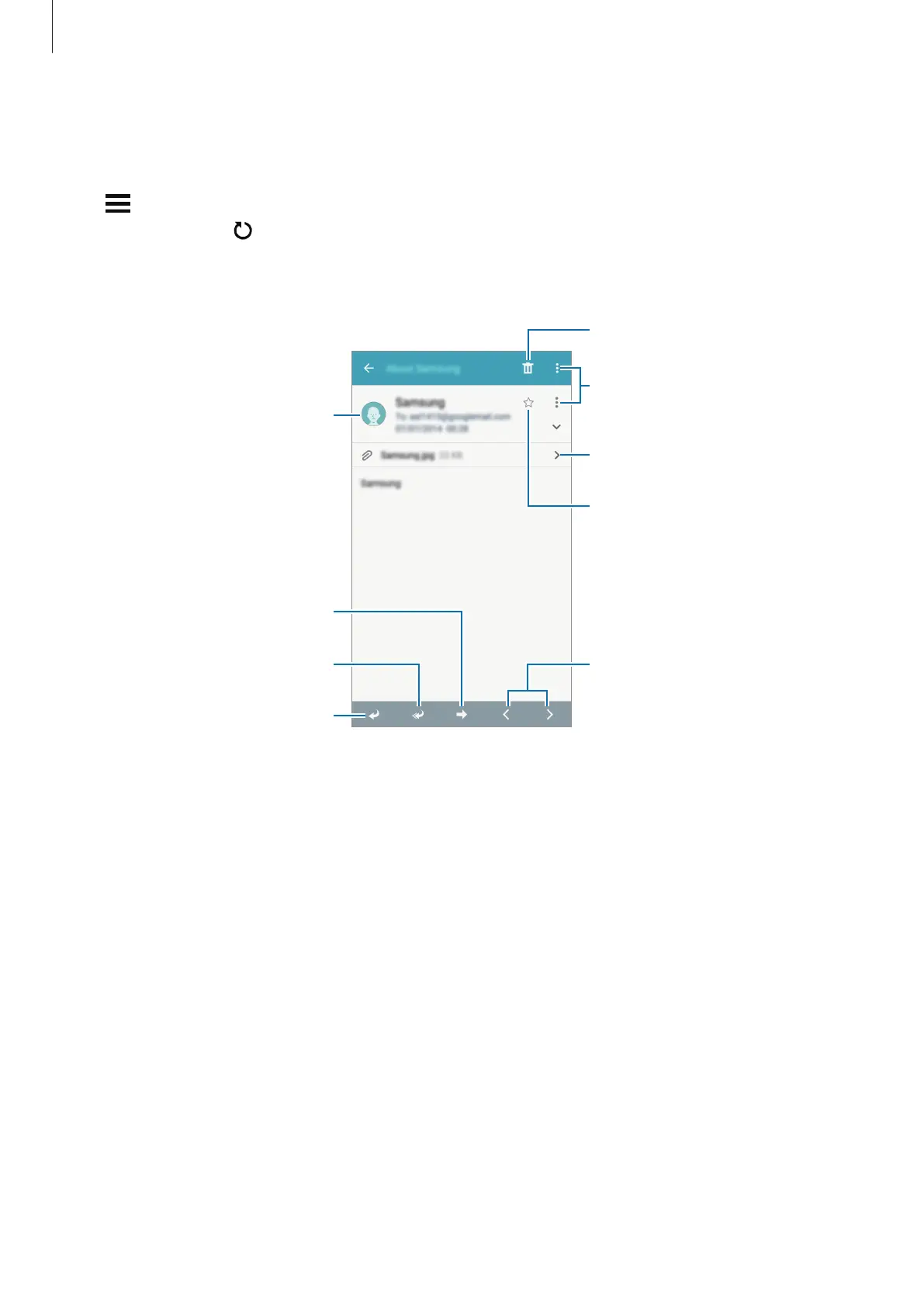
Open attachments.
Reply to the message.
Add this email address to the
contacts list or view other
options.
Mark the message as a reminder.
Reply to all recipients.
Forward the message.
Go to the previous or next
message.
Access additional options.








 To Next Page