Basics
30
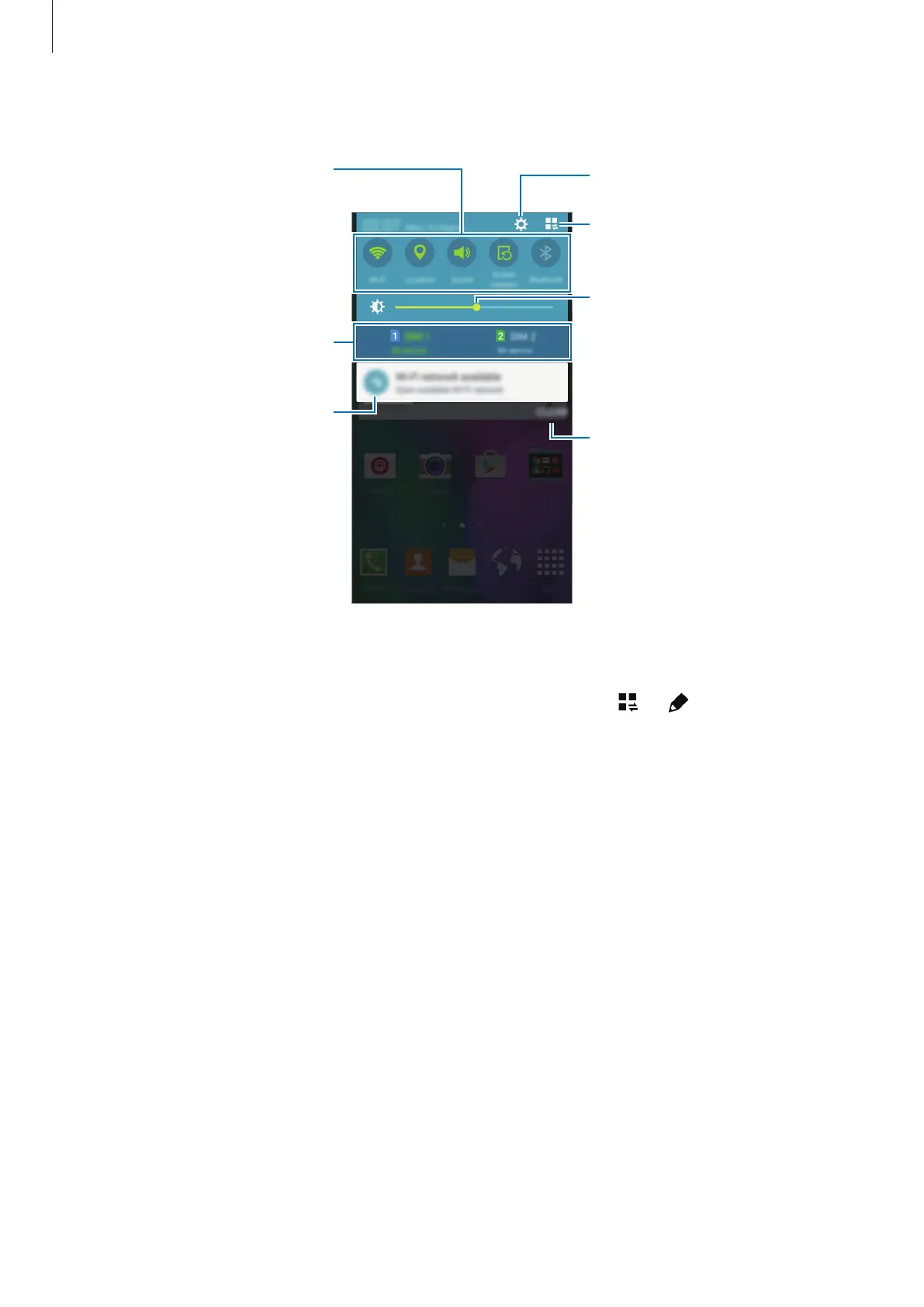
You can use the following functions on the notifications panel.
Launch Settings.
Tap a notification and perform
various actions.
Adjust the brightness.
View all quick setting buttons.
Activate or deactivate options.
Tap and hold a button to view
more detailed settings.
Clear all notifications.
Select a SIM or USIM card. (dual
SIM models)
Rearranging quick setting buttons
To rearrange quick setting buttons on the notifications panel, tap
→
, tap and hold an
item, and then drag the item to another location.







 To Next Page