Connecting with other devices
98
S Beam (NFC-enabled models)
Use this feature to send data, such as videos, images, and documents.
1
Activate the S Beam feature on the receiving device.
2
On the Apps screen, tap
Settings
→
NFC and sharing
→
NFC
, and then tap the
NFC
switch to activate it. Alternatively, open the quick setting panel and tap
NFC
to activate it.
3
Tap
S Beam
and tap the
S Beam
switch to activate it.
4
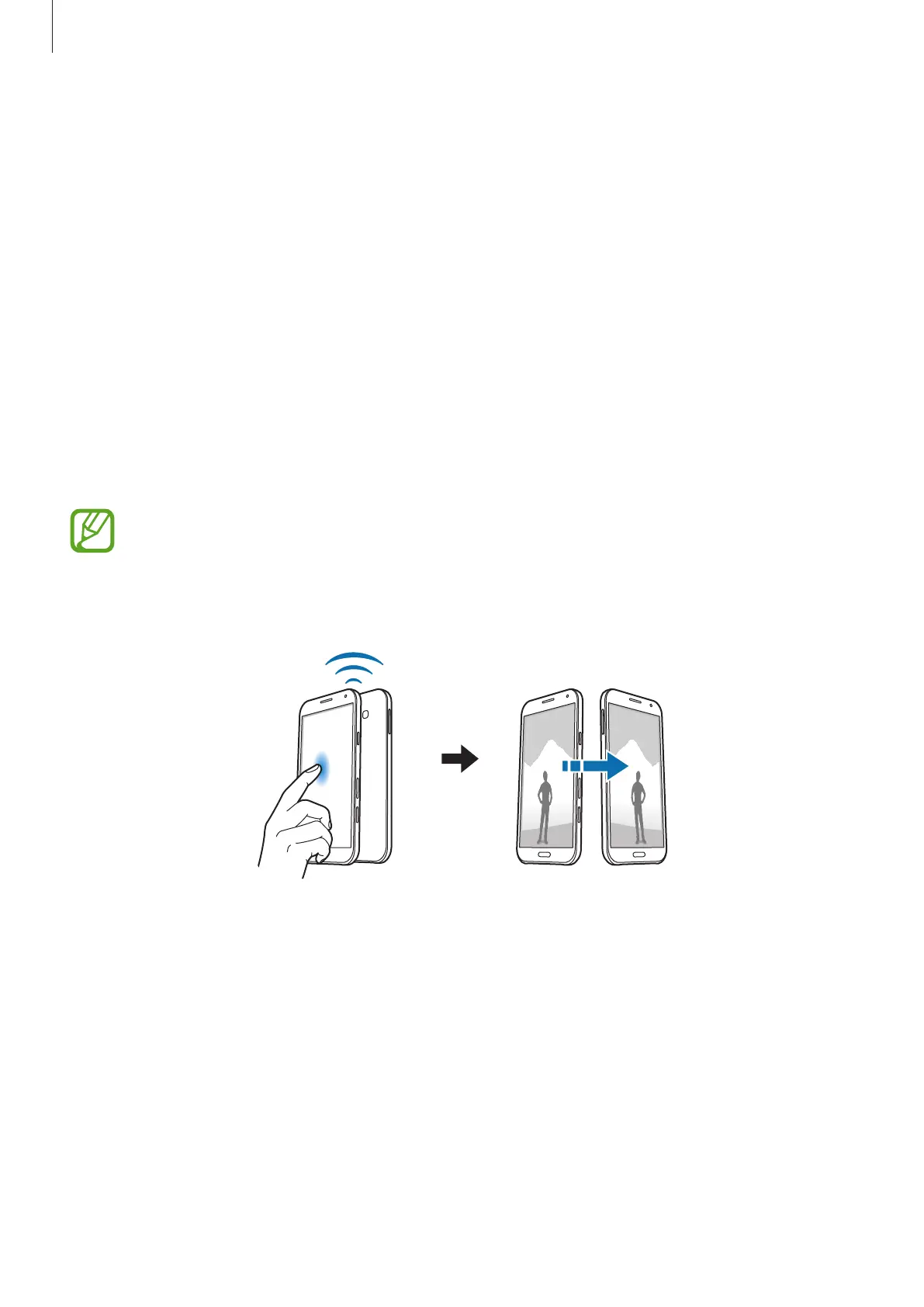
Select a file and touch the other device’s NFC antenna to your device’s NFC antenna.
5
When
Touch to beam.
appears on the screen, tap your device’s screen to send the file.
•
Do not send copyright-protected data via S Beam. Doing so may violate copyright
laws. Samsung is not responsible for any liabilities caused by the illegal use of
copyrighted data.
•
If both devices try to send data simultaneously, the file transfer may fail.









 To Next Page