Getting started
7
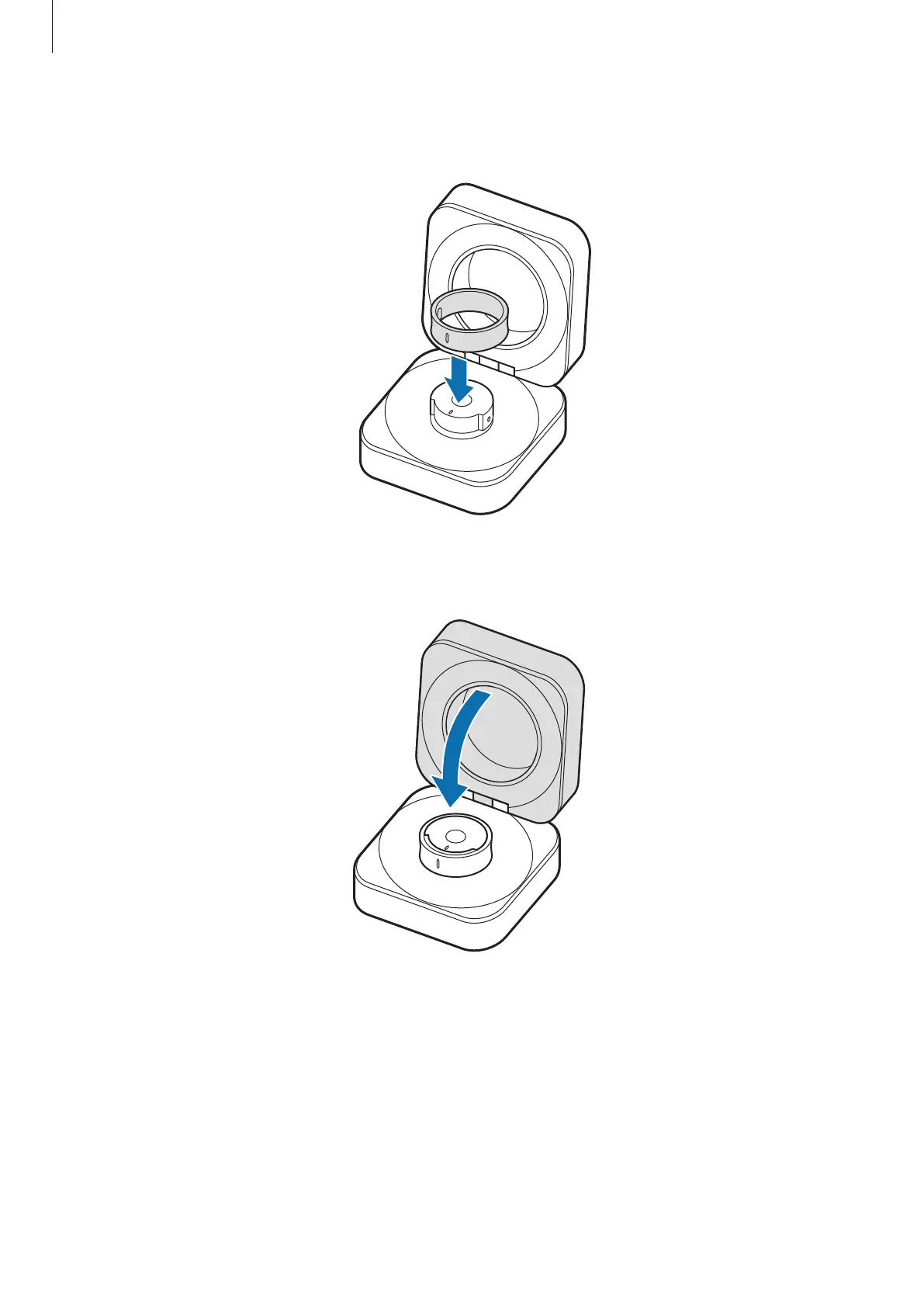
4 Align the orientation indicator of the Ring with the marker on the charging case’s
Ring holder and place it in the charging case.
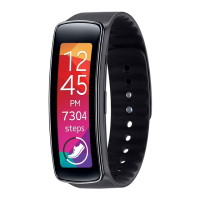
5 Close the charging case.
The Ring will be charged first, and then the charging case will be charged.
6 After fully charging, disconnect the charging case from the charger. First disconnect
the USB cable from the charging case and then unplug the charger from the electric
socket.


 To Next Page