Getting started
8
Wireless charging
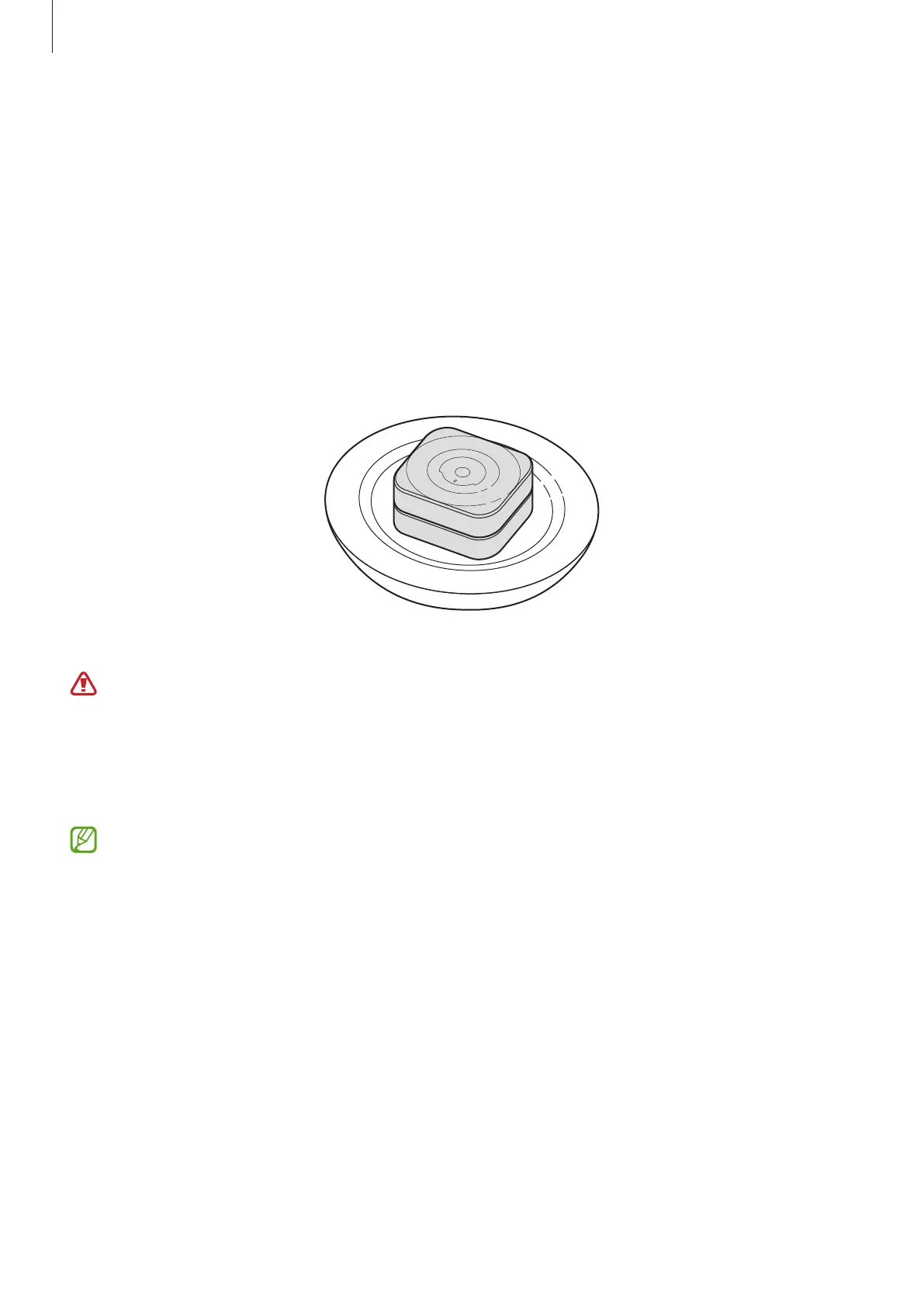
The charging case has a built-in wireless charging coil. You can charge the battery by
using a wireless charger (sold separately).
1 Open the charging case.
2 Align the orientation indicator of the Ring with the marker on the charging case’s ring
holder and place it in the charging case.
3 Close the charging case.
4 Place the centre of the charging case’s bottom on the centre of the wireless charger.
5 After fully charging, disconnect the charging case from the wireless charger.
Precautions for wireless charging
Do not place the charging case on the wireless charger when conductive materials,
such as metal objects and magnets, are placed between the charging case and the
wireless charger. The Ring and the charging case may not charge properly or may
overheat, or the charging case may be damaged.
Use Samsung-approved wireless chargers. If you use other wireless chargers, the
battery may not charge properly.


 To Next Page