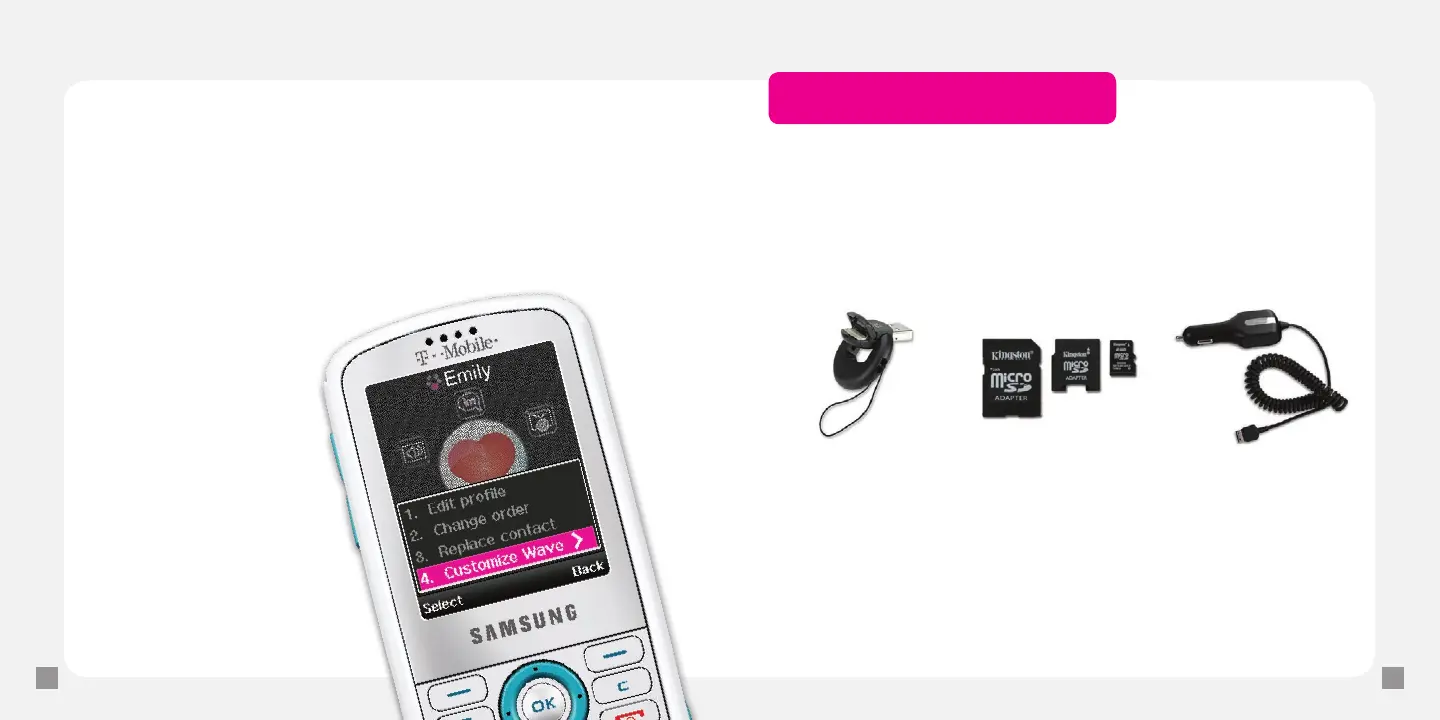
Wave hello to your contact
1. From the main screen, scroll to the myFaves contact
and press the OK key.
2. Scroll to and select Wave Hello.
Edit your wave
1. From the main screen, scroll
to the myFaves contact and
press the OK key.
2. Select Options >
Customize Wave.
3. Select Create custom
wave, Change to a kiss,
Change to a hug,
or Change to wave.
*Accessory selection subject to change and may vary by location.
Accessories for your Phone
Whether you are looking for a charger, a fashionable carrying case, a Bluetooth
®
headset, or just want to browse for fun extras for your phone, T-Mobile is the
place to shop for accessories. Here are a few examples…
To purchase accessories for your phone, visit T-Mobile.com,
call 1.800.204.2449 or visit your nearest T-Mobile store.
Memory Card
Car ChargermicroSD–USB
Adapter







 To Next Page