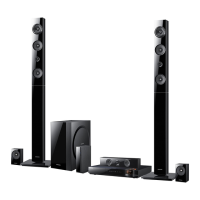
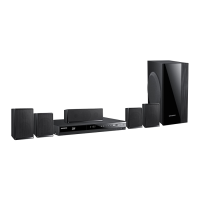
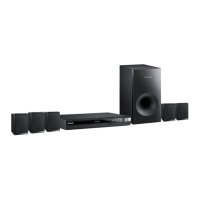
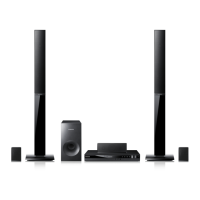
EasyManua.ls Logo

Samsung HT-E6750W - User Manual

Samsung HT-E6750W
68 pages
Print Icon
To Next Page IconTo Next Page
Loading...
imagine the possibilities
Thank you for purchasing this Samsung product.
To receive more complete service,
please register your product at
www.samsung.com/register
7.1CH Blu-ray™
Home Entertainment System
user manual
HT-E6750W

Table of Contents

Questions and Answers

  • I
    Isaiah OconnorSep 12, 2025
    Why is there no sound when listening to TV audio through my Samsung Home Theater System?
    • M
      mcgrathtaylorSep 12, 2025
      If you hear no sound while listening to TV audio through your Samsung Home Theater System, pressing the OPEN/CLOSE ^ button while using the D. IN or AUX functions turns on the Blu-ray/DVD disc functions and mutes the TV audio.
  • T
    Tracey CooperSep 10, 2025
    What causes errors when using BD-LIVE service on Samsung Home Theater System?
    • M
      Melissa DunnSep 10, 2025
      If an error occurs when using the BD-LIVE service on your Samsung Home Theater System, ensure the memory device has at least 1GB of free space, which you can check in BD Data Management.
  • N
    nicole48Sep 9, 2025
    Why doesn't the menu screen appear on my Samsung HT-E6750W?
    • A
      Alexis MilesSep 9, 2025
      If the menu screen does not appear on your Samsung Home Theater System, you may be using a disc that does not contain menus.
  • J
    Jeffrey ThomasSep 8, 2025
    Why does playback on my Samsung HT-E6750W delay after pressing Play/Pause?
    • J
      Joseph WallaceSep 8, 2025
      If playback doesn't start immediately when you press Play/Pause on your Samsung Home Theater System, and you are using a deformed or scratched disc, wipe the disc clean.
  • K
    Kenneth Torres DVMAug 23, 2025
    Why does my Samsung Home Theater System remote control not work?
    • C
      clayton17Aug 23, 2025
      If the remote control for your Samsung Home Theater System isn't working, ensure you're within its operational range and at the correct angle relative to the sensor. Also, verify that you've selected the correct mode (TV/BD) on the remote and check if the batteries are drained.
  • A
    Amy MartinSep 6, 2025
    Why Samsung HT-E6750W Home Theater System playback does not start?
    • S
      Stephanie DavisSep 6, 2025
      If playback doesn't start on your Samsung Home Theater System, check the region number of the Blu-ray/DVD disc, as discs purchased from abroad may not be playable. Note that CD-ROMs and DVD-ROMs cannot be played on this system. Also, make sure that the rating level is correct.
  • D
    David SchmidtSep 4, 2025
    How to fix sound not working on Samsung HT-E6750W Home Theater System?
    • R
      Richard PerezSep 4, 2025
      If no sound is coming from your Samsung Home Theater System, remember that the system doesn't play sound during fast, slow, or step motion playback. Check if the speakers are correctly connected and the speaker setup is customized properly. Also, check if the disc is severely damaged.
  • M
    Miranda SanchezSep 3, 2025
    Why won't my iPod connect to my Samsung Home Theater System?
    • M
      michelefoxSep 4, 2025
      To resolve the issue of an iPod failing to connect, check the condition of the iPod connector and Dock. Also, ensure that the iPod software version is up to date.
  • C
    christyberrySep 2, 2025
    Why can I only hear sound from a few speakers on my Samsung Home Theater System?
    • T
      Tami DanielSep 2, 2025
      Sound may only come from a few speakers because some Blu-ray/DVD discs output sound only from the front speakers. Check if the speakers are connected properly and adjust the volume. When listening to a CD, radio, or TV, sound is typically output to the front speakers only.
  • J
    John YatesSep 1, 2025
    Why is Dolby Digital 7.1 CH Surround Sound not produced by my Samsung HT-E6750W?
    • J
      John KingSep 1, 2025
      Dolby Digital 7.1 CH Surround Sound will only be produced if the disc has the "Dolby Digital 7.1 CH" mark and is recorded with 7.1 channel sound. Also, check if the audio language is correctly set to Dolby Digital 7.1-CH in the information display.

Summary

Safety Information

General Safety Warnings and Laser Precautions

Provides essential warnings for safe operation, including electrical shock and laser exposure.

Handling Cautions and 3 D Viewing Safety

Getting Started

Disc and Format Compatibility

Information on playable and unplayable disc types, formats, and logos.

Remote Control Overview and Buttons

A detailed tour of the remote control, explaining each button's function.

Connections

Speaker Connection Guide and Placement

Instructions for connecting speakers and recommended placement for optimal sound.

Connecting Speaker Wires to Unit and Module

Detailed steps for connecting speaker wires to the main unit and wireless receiver module.

Connecting to a TV via HDMI or Video Cable

Instructions for connecting the product to a TV using HDMI or composite video cables.

Connecting External Devices

How to connect external components using HDMI, Optical, and AUX inputs.

Connecting to a Network Router

Steps for establishing wired and wireless network connections.

Settings

Initial Settings Procedure Overview

Guide to the initial setup process, including language, network, and aspect ratio.

Auto Sound Calibration Process

Details on how to perform automatic sound calibration for optimal audio output.

Accessing and Navigating the Settings Screen

How to access the main settings menu and use the remote control for navigation.

Network Settings Menu Functions

Settings related to network status, Wi-Fi Direct, Soft AP, and AllShare.

Network Connection Configuration Steps

Detailed steps for configuring wired and wireless network connections.

Wireless Network Setup Procedures

Guides for automatic and manual wireless network setup.

WPS(PBC) and Wi-Fi Direct Setup Methods

Methods for easy wireless setup using WPS(PBC) and Wi-Fi Direct.

Software Update Methods

Instructions for updating the product's software via online, USB, disc, or downloaded files.

Media Play

AllShare Play Overview and Usage

Introduction to AllShare Play for accessing media from various sources.

Playing Files from USB or iPod;iPhone

How to play multimedia files from USB storage devices and iPod/iPhone.

AllShare Network Function Setup

Guide to setting up the AllShare network function and downloading software.

Network Services

Smart Hub Overview and Features

Introduction to Smart Hub, its features, and how to access its manual.

Appendix

Troubleshooting Common Issues

Solutions for common problems related to disc, playback, sound, remote, picture, and connectivity.

Samsung HT-E6750W Specifications

General IconGeneral
Disc types supportedBD, CD, CD-R, CD-RW, DVD, DVD+R, DVD+RW, DVD-R, DVD-RW
Number of optical discs1 discs
Optical disc player typeBlu-Ray player
HDMIYes
Depth323.5 mm
Width430 mm
Height65 mm
Weight3850 g
Audio input1
Built-in HDD-
Subwoofer depth350 mm
Subwoofer width200 mm
Subwoofer height390 mm
Center speaker depth68.5 mm
Center speaker width360 mm
Center speaker height74.5 mm
Image formats supportedJPG
Surround speaker weight3900 g
Apple docking compatibilityiPhone, iPod
Video formats supportedAVCHD, DIVX, MKV, WMV
Audio decodersDolby Digital, Dolby Digital EX, Dolby Digital Plus, Dolby Pro Logic II, Dolby Pro Logic IIx, Dolby Pro Logic IIz, Dolby TrueHD, DTS, DTS 96/24, DTS Neo:6, DTS-ES (Discrete 6.1), DTS-HD
RMS rated power1330 W
Audio output channels7.1 channels
Audio formats supportedAAC, LPCM, MP3, WMA
Center speaker type2-way
Product colorBlack
Consumer Electronics Control (CEC)Anynet+
Ethernet LANNo
HDMI in2
USB version2.0
SCART ports quantity0
Power consumption (standby)0.4 W
Power consumption (typical)127.7 W
Package depth446 mm
Package width921 mm
Package height517 mm
Package weight33500 g
Weight and Dimensions IconWeight and Dimensions
Subwoofer weight5700 g
Center speaker weight900 g

Related product manuals